


Introducing Interview Kits 🎉
This kit completes all parts of the interview process to help you keep your process consistent, collaborative, and candidate-centric. Adopt this kit into your process to:
👊 Make it much easier to collaborate and work together throughout the interview process, no matter how many are a part of your team
💯 Make sure all candidates are treated equally
How does an Interview Kit work?
An interview kit is made up of interview instructions, questions, and a scorecard to add skills and qualities when interviewing a candidate 🤝 You can create as many interview kits and customise them to your needs. You may need one for every stage of the process, or just add kits for specific stages or roles – up to you!
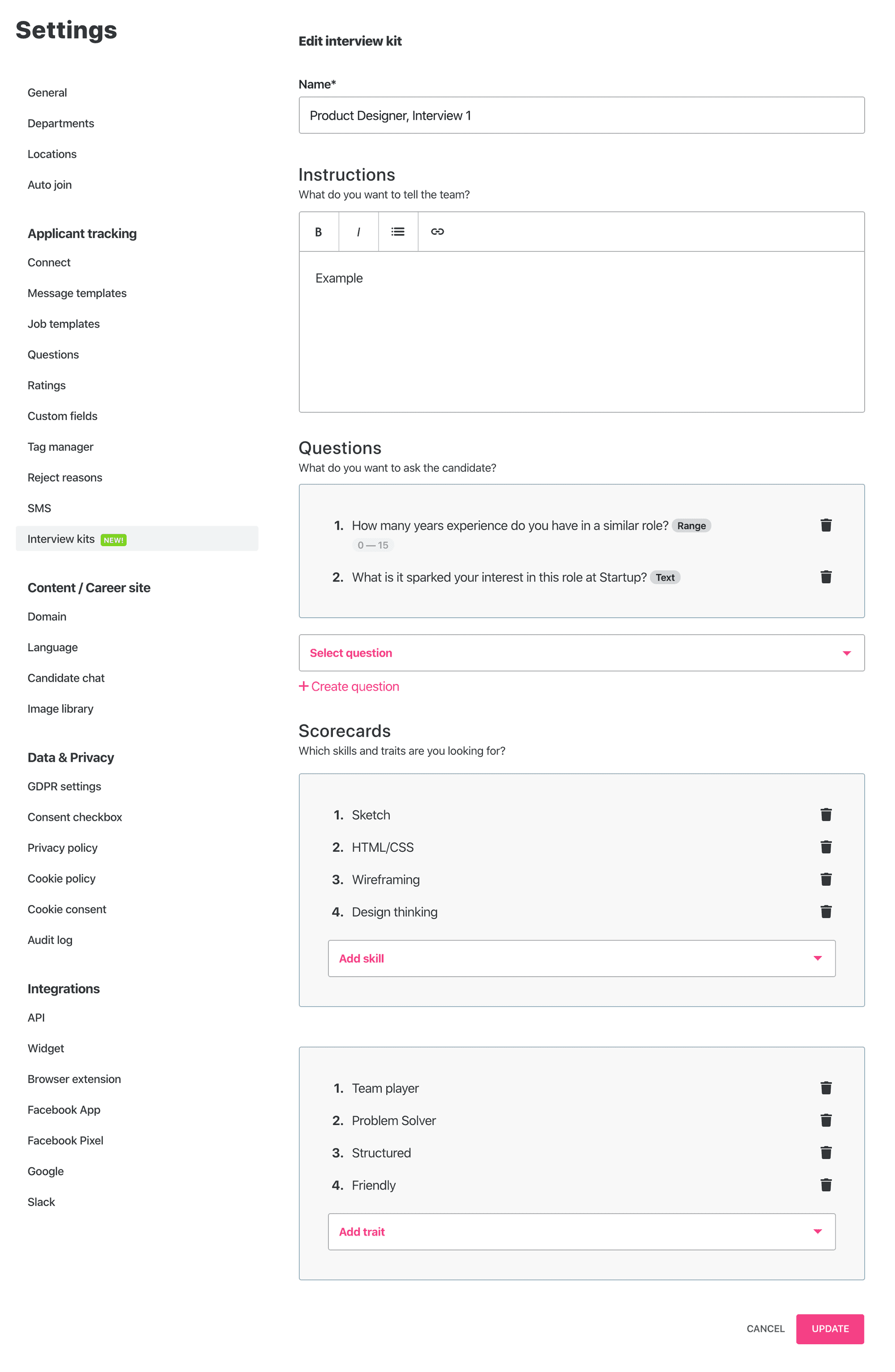
1. Settings: Under“Applicant Tracking”
Here you will find all of your interview kits. Click on“Interview kits” under“Applicant tracking” settings. Create your first interview kit by giving it a unique name and add instructions for recruiters to help them know what to focus on during the interview process. Then, create questions that you want the interviewer to ask the candidate, and add personality traits and skillsets that are necessary for this role in order to be able to gauge candidates.
2. Creating a new job
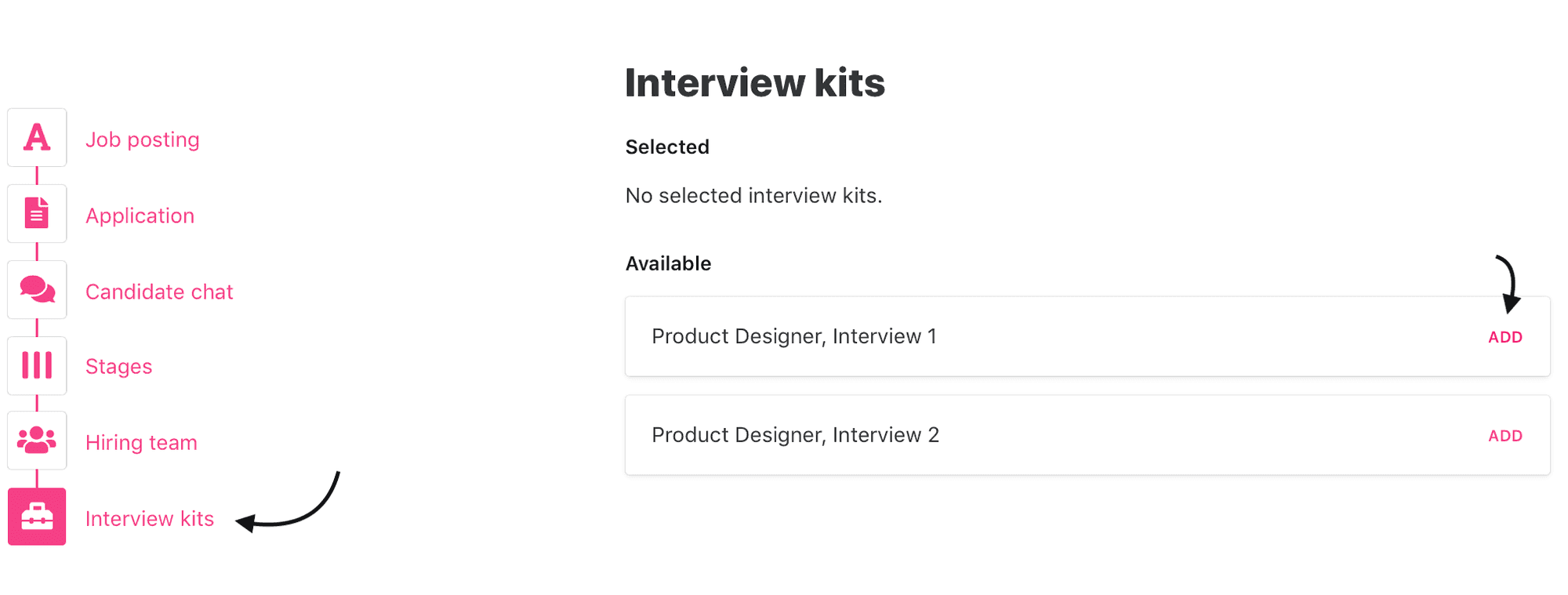
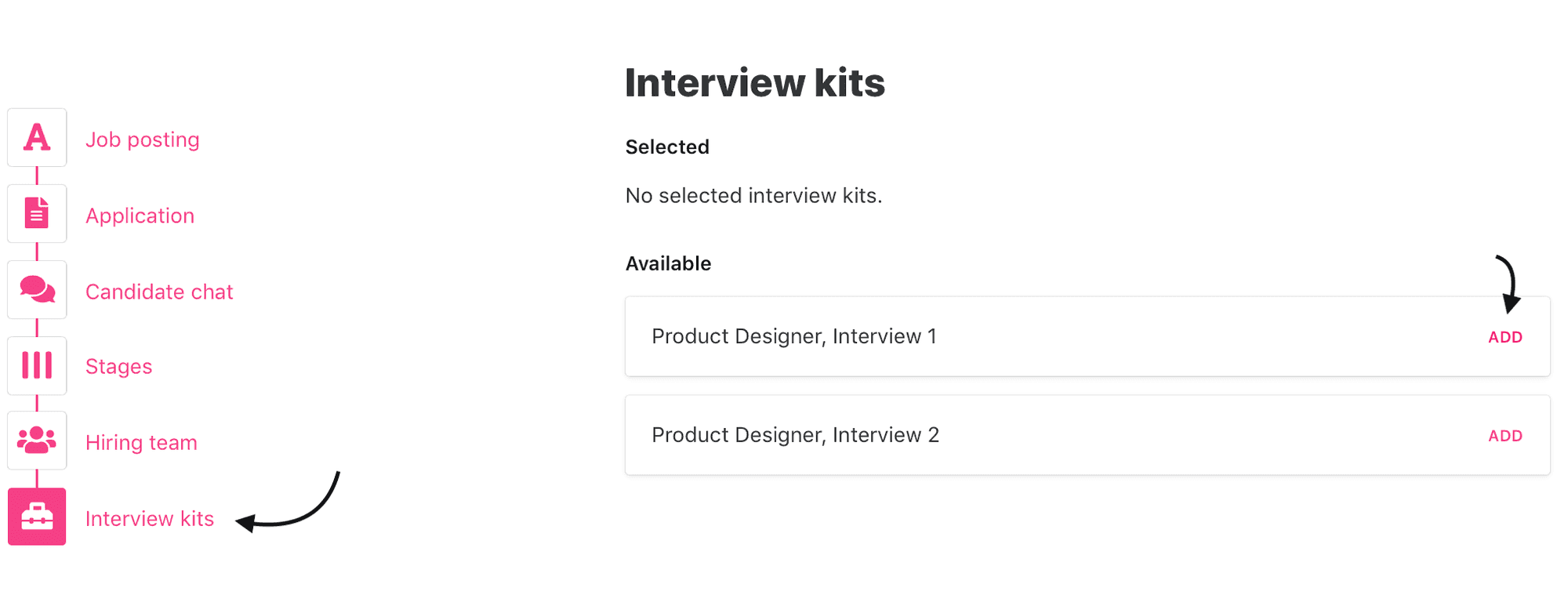
Now that you have your interview kit set up, you can add it when you set up a job, under“Jobs.” We’ve tweaked the last step in creating a job from“Scorecards” to“Interview kits” in order to create a more comprehensive approach to the interview process.
3. Candidate card
Now, you’re ready to meet the candidate. When you open the candidate card prior to the interview, you can find your interview kits for this position under the tab“Interview kits”(this was previously called“Scorecards”). Click on“Leave feedback” to find the guidelines and questions for the interview, and leave feedback after the interview 📝 You can always go back and edit your feedback.
Everyone in the hiring team for this job can leave feedback, and your team’s feedback will be visible on the left hand side of the candidate card.