


New: Quick navigation
Do you know exactly which job ad you want to look at? Which candidate you want to navigate to? Now you can work even faster with our new quick navigation.
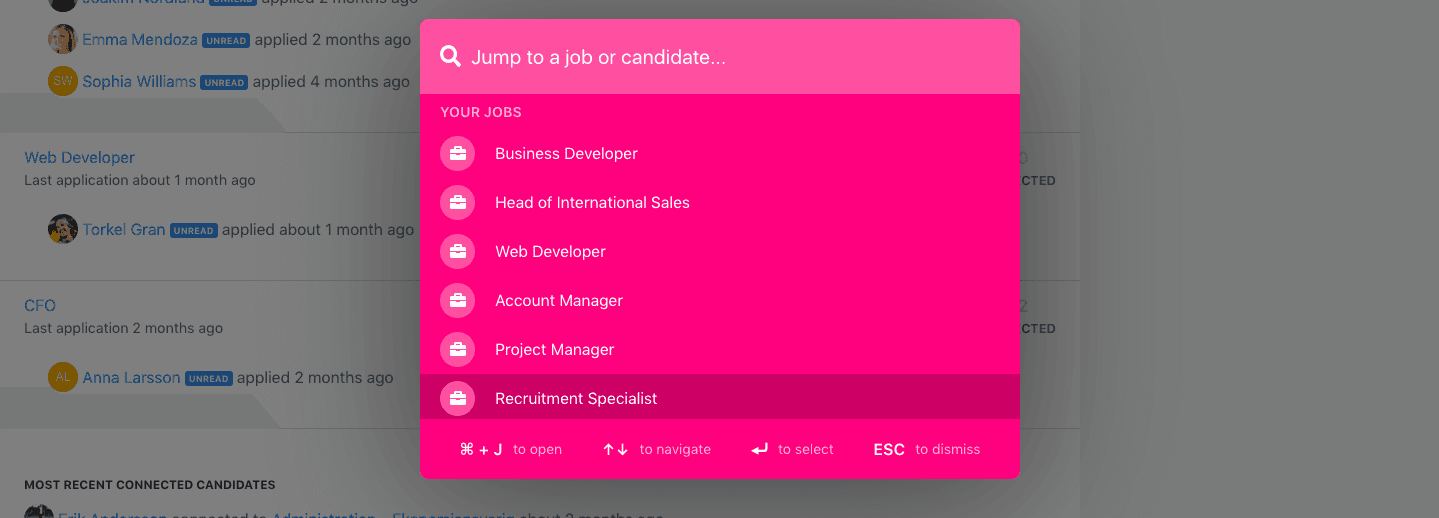
Do you know exactly which job ad you want to look at? Which candidate you want to navigate to? Now you can work even faster with our new quick navigation. In the menu you'll find a new search icon, making it easy for you to find specific job ads or candidates.

You will also find the quick navigation by a keyboard shortcut. Press ⌘+J (or CTRL+J if you are using Windows) on your keyboard, and you will be able to navigate quickly from whichever page you're on.
When you've clicked the icon or used the keyboard shortcut, you'll see the 20 latest job ads. To find a specific job ad, simply enter the name. To find a specific candidate, enter the name or the email adress.
Simple as that!