

Teamtailor Product Updates 2025
Ask Co-pilot, Onboarding, Sign job offers and more. All the highlights from Teamtailor's updates and releases in 2025.
Ask Co-pilot, Onboarding, Sign job offers and more. All the highlights from Teamtailor's updates and releases in 2025.
We can happily say that 2025 was a year where we continued to innovate and release new features for our growing community of 220,000 monthly active users 🥳
As we concluded 2025 in the product team, we look back at a year packed with transformative updates to elevate both your candidate’s experience and your recruitment efforts. We released major features like a new onboarding experience entirely in Teamtailor, Ask Co-Pilot to answer your recruiting questions instantly with AI, and Divisions for multi-brand management. As well as smaller updates to keep Teamtailor easy to use and fun to work with 🎉
Thank you for using Teamtailor this year! We really hoped you enjoyed these updates and we can't wait to create more useful, fun and innovative solutions for you in 2026.
Ask Co-Pilot
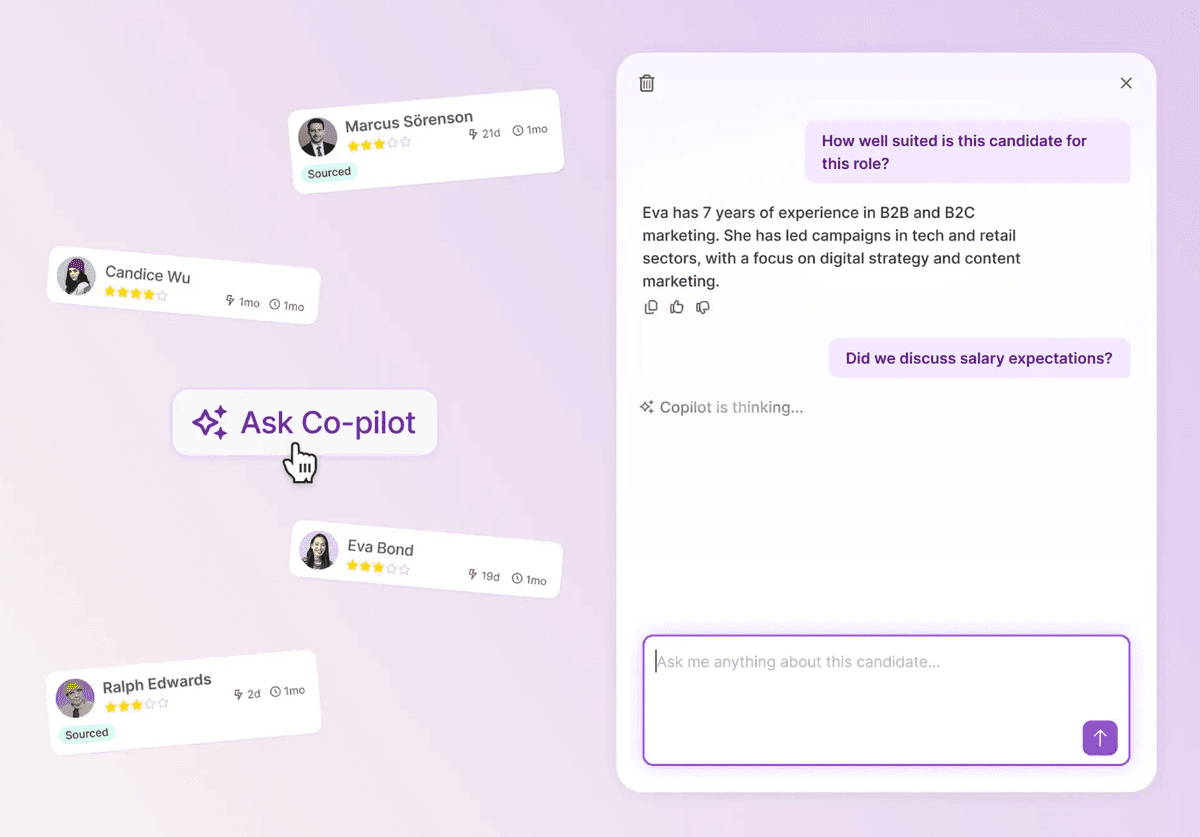
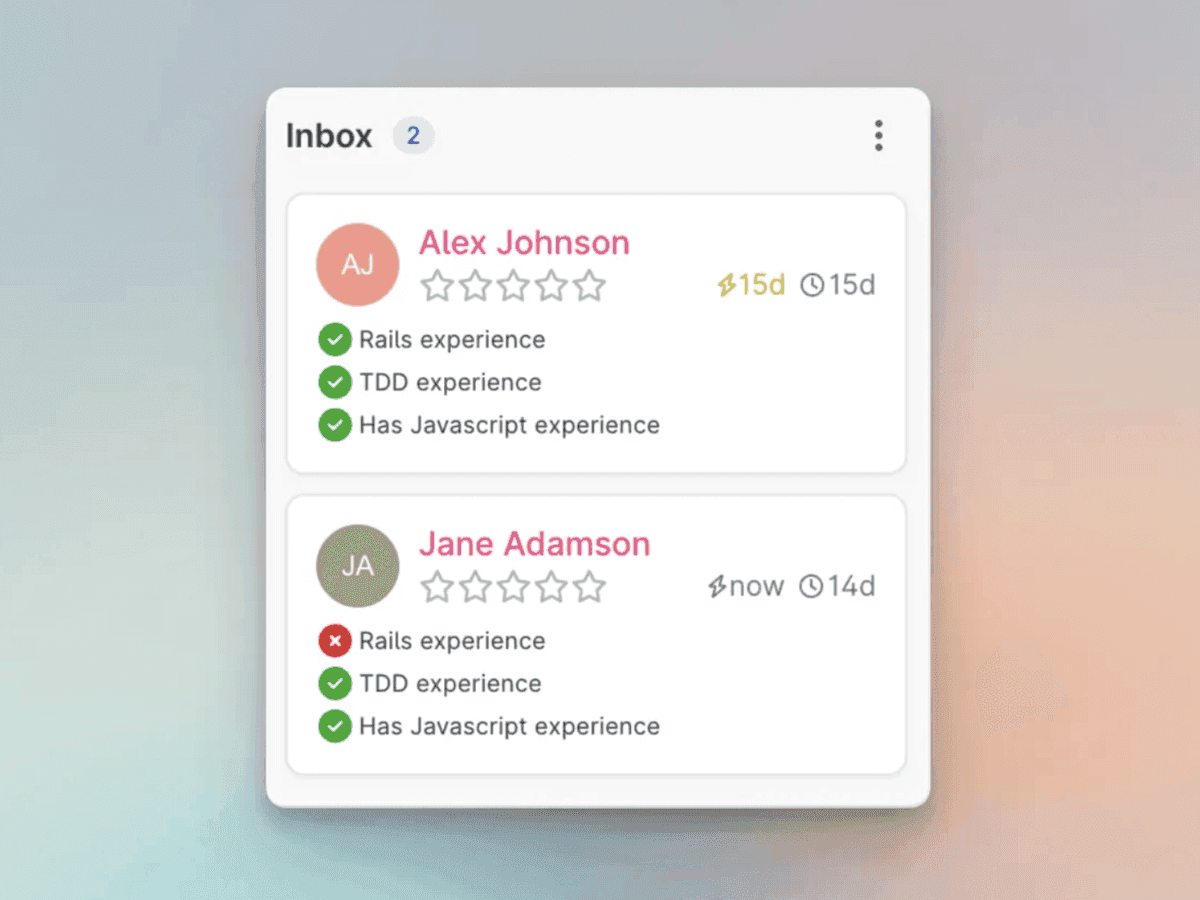
Your AI recruiting assistant gets conversational. Ask Co-Pilot lets you ask questions and get instant answers about your recruitment data, processes, and best practices, right in plain language.
Co-Pilot understands your questions and responded with relevant insights from the candidate information, making it easier than ever to make informed recruiting decisions without digging through the candidate card.
Co-Pilot: Candidate screening
Co-Pilot helps you screen candidates automatically based on your criteria. Set up screening questions and requirements, and Co-Pilot evaluates incoming applications, highlighting candidates who best match what you're looking for. This saves you time on initial screening and ensures you never miss a strong candidate buried in a large applicant pool.
Onboarding in Teamtailor
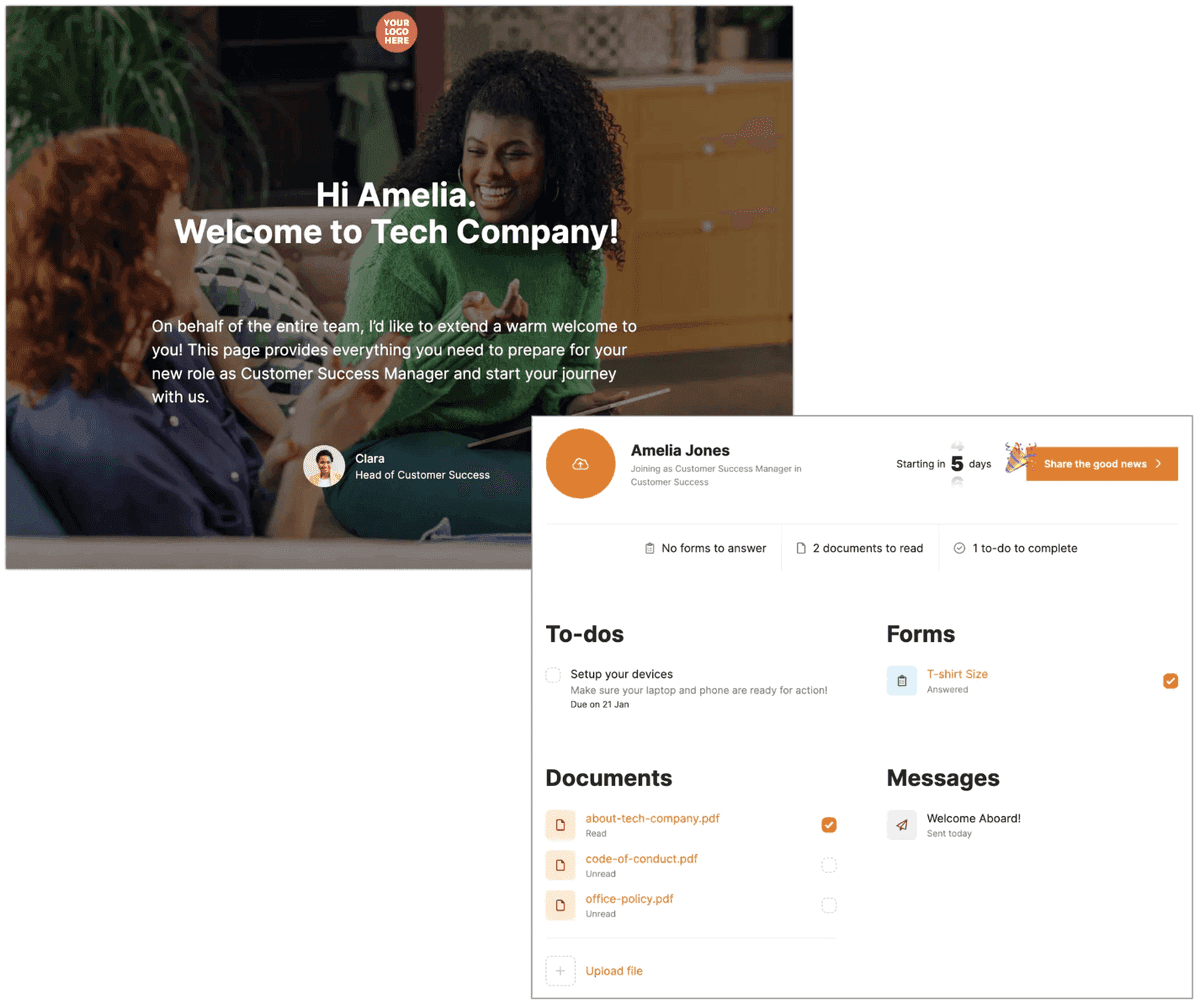
Recruitment doesn't end at "hired," and now neither does Teamtailor. We introduced a comprehensive onboarding feature that helps you welcome new hires in the best possible way. Create onboarding plans with tasks, documents, and forms. Assign responsibilities to different team members. Keep new employees informed and excited from the moment they accept your offer until their first day and beyond. The transition from candidate to employee has never been smoother.
Divisions: Multi-brand management made simple
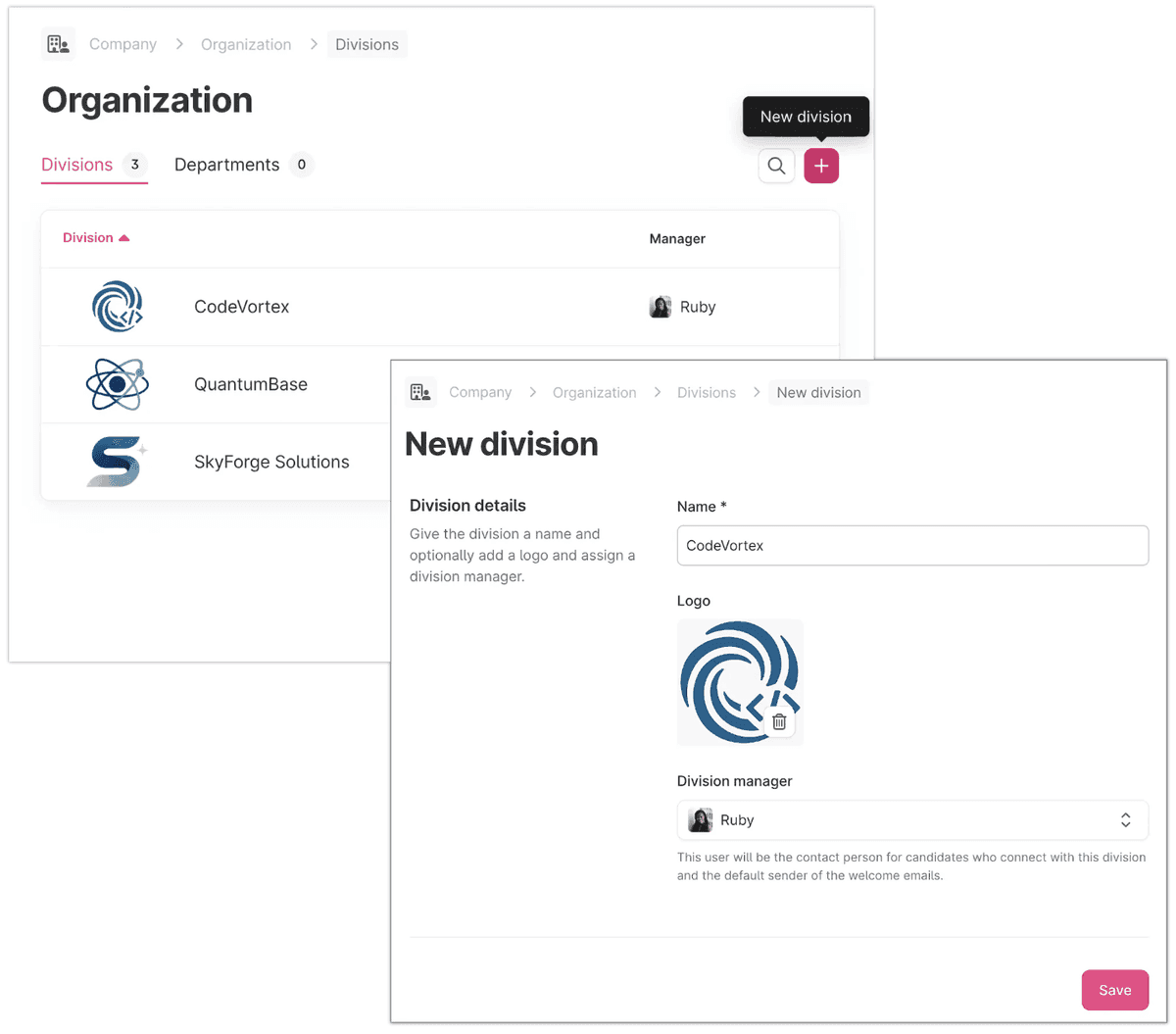
Divisions brings true multi-brand capability to Teamtailor. If your organization manages multiple brands or entities, you can keep everything organized under one roof while maintaining distinct identities for each division. Each division gets its own career site, branding, and recruitment workflows, but you maintain centralized control, reporting and shared candidate pool. Perfect for groups with multiple companies, franchises, or distinct business units that need their own employer branding.
Division Admin role
We also introduced Division Admin, a new user role designed to distribute management of divisions in a secure way. A Division Admin has the same management permissions as a Company Admin, but their access is limited to the specific divisions they oversee.
Sign job offers and documents ✍️
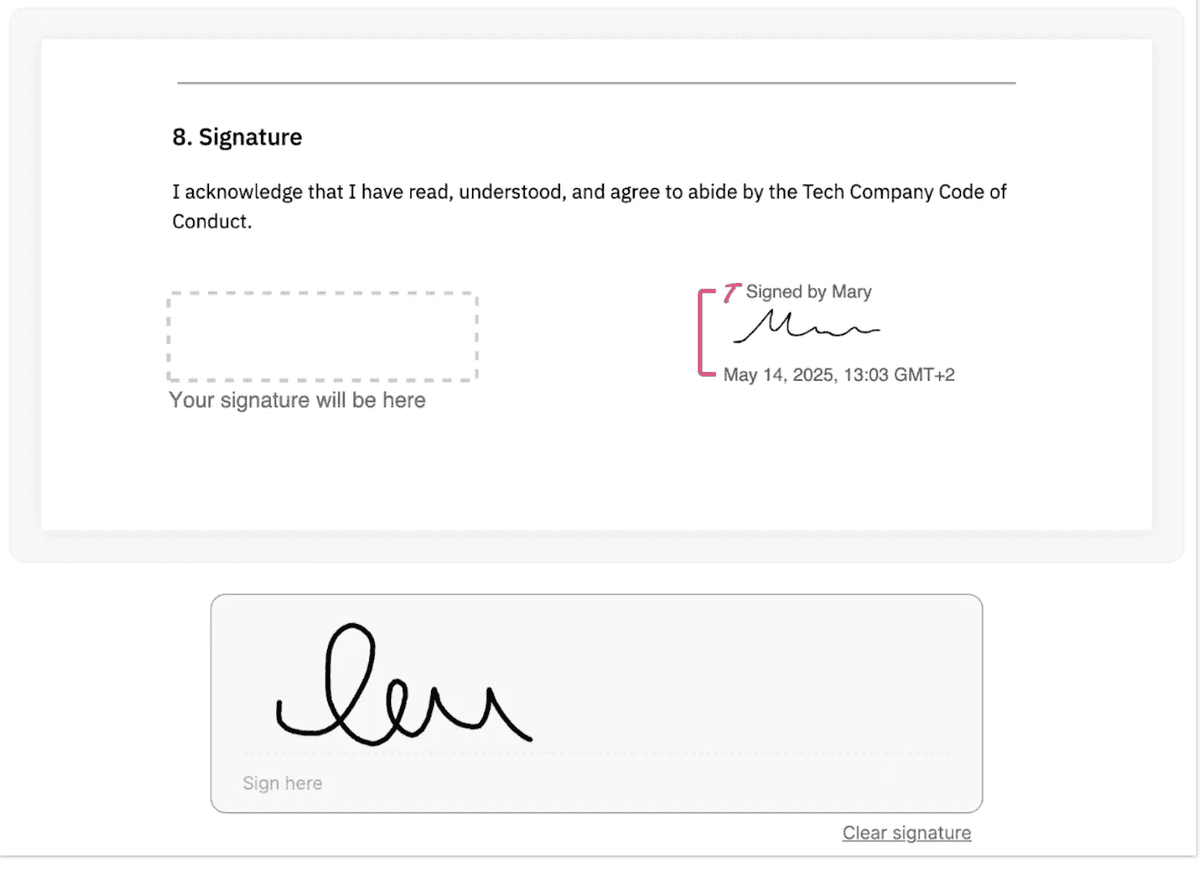
Job offers can now be signed directly in Teamtailor with legally binding e-signatures. No more printing, scanning, or juggling third-party tools. Send your offer, the candidate signs digitally, and everything is stored securely in their candidate profile. Clean, professional, and effortless. You can also use this for other documents throughout the onboarding process.
Hiring team updates
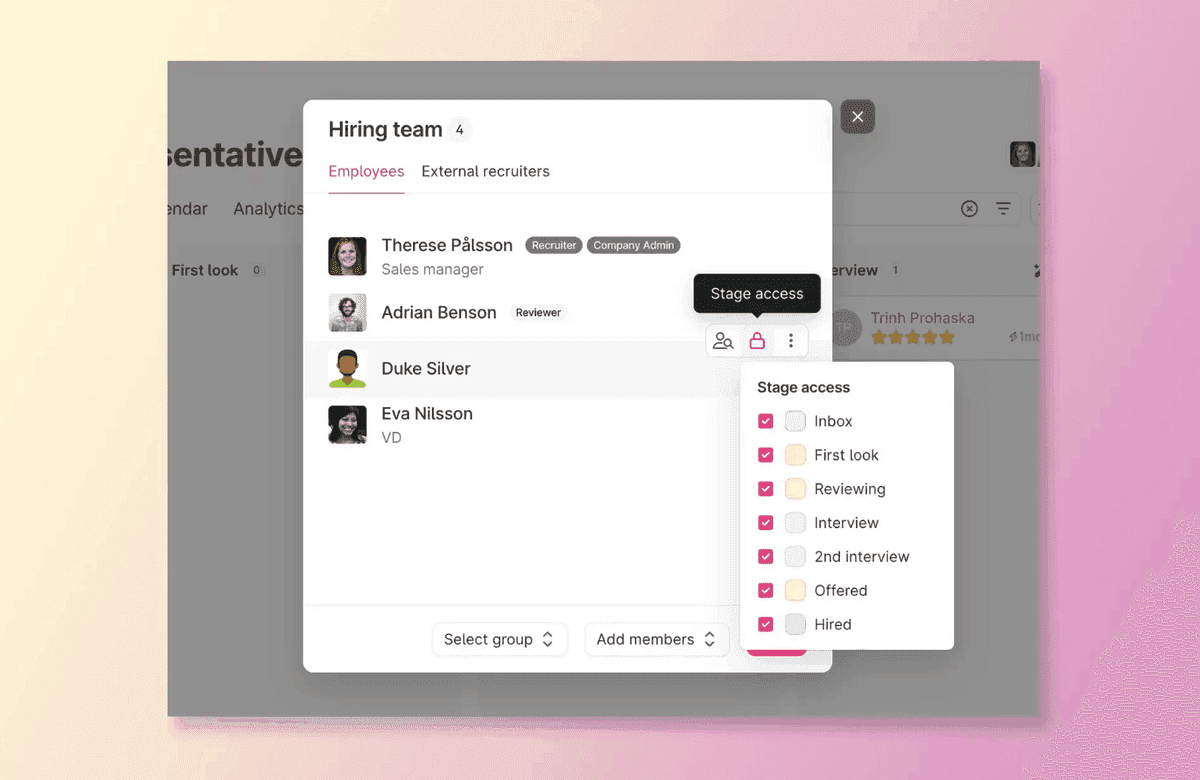
Give hiring team access to specific stages
Not everyone needs access to every stage of your process. You can now control which stages hiring team members can access. Want your hiring manager to review only candidates in the final interview stage? Done. This gives you flexibility while maintaining appropriate visibility across your team.
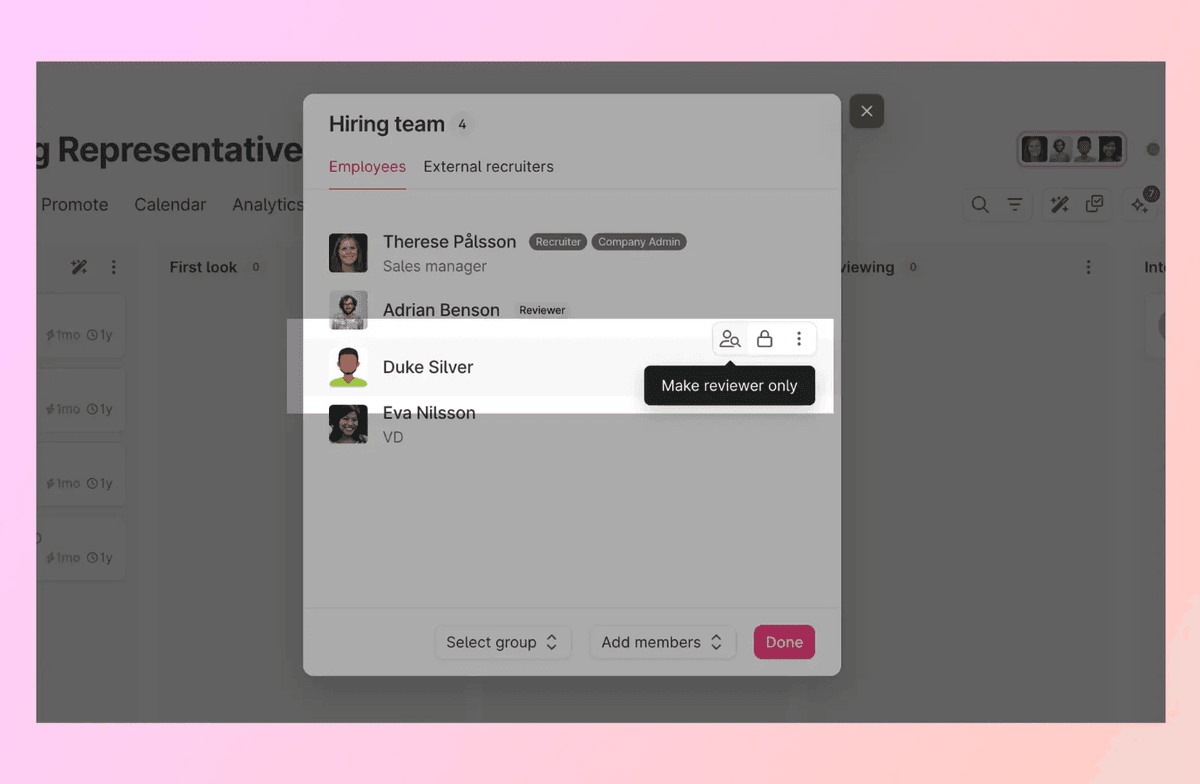
Invite users as Reviewers
We added a new Reviewer role for hiring teams. Reviewers can view candidates and leave feedback without full access to move candidates or make hiring decisions. Perfect for subject matter experts or team members who need to weigh in without managing the entire process.
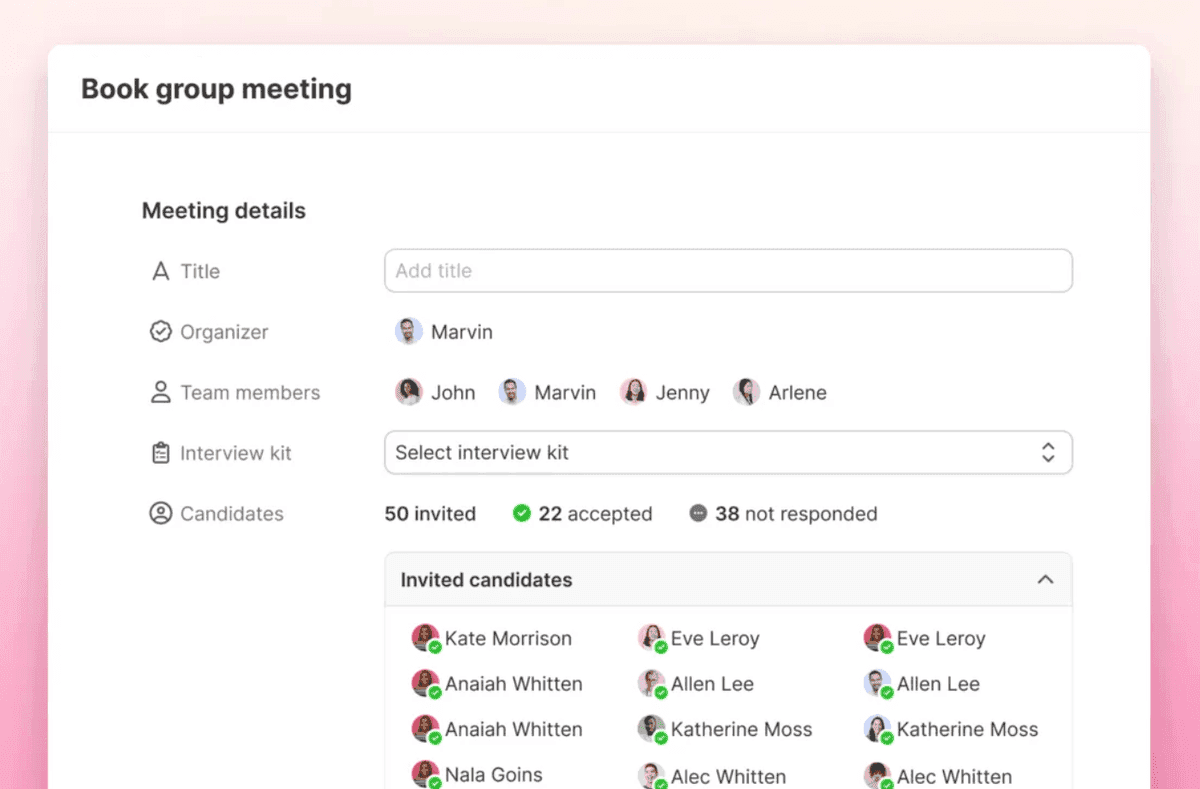
Group meetings
Schedule meetings with multiple candidates at once, ideal for group interviews, assessment centers, or orientation sessions. Invite candidates to different sessions and manage group dynamics seamlessly.
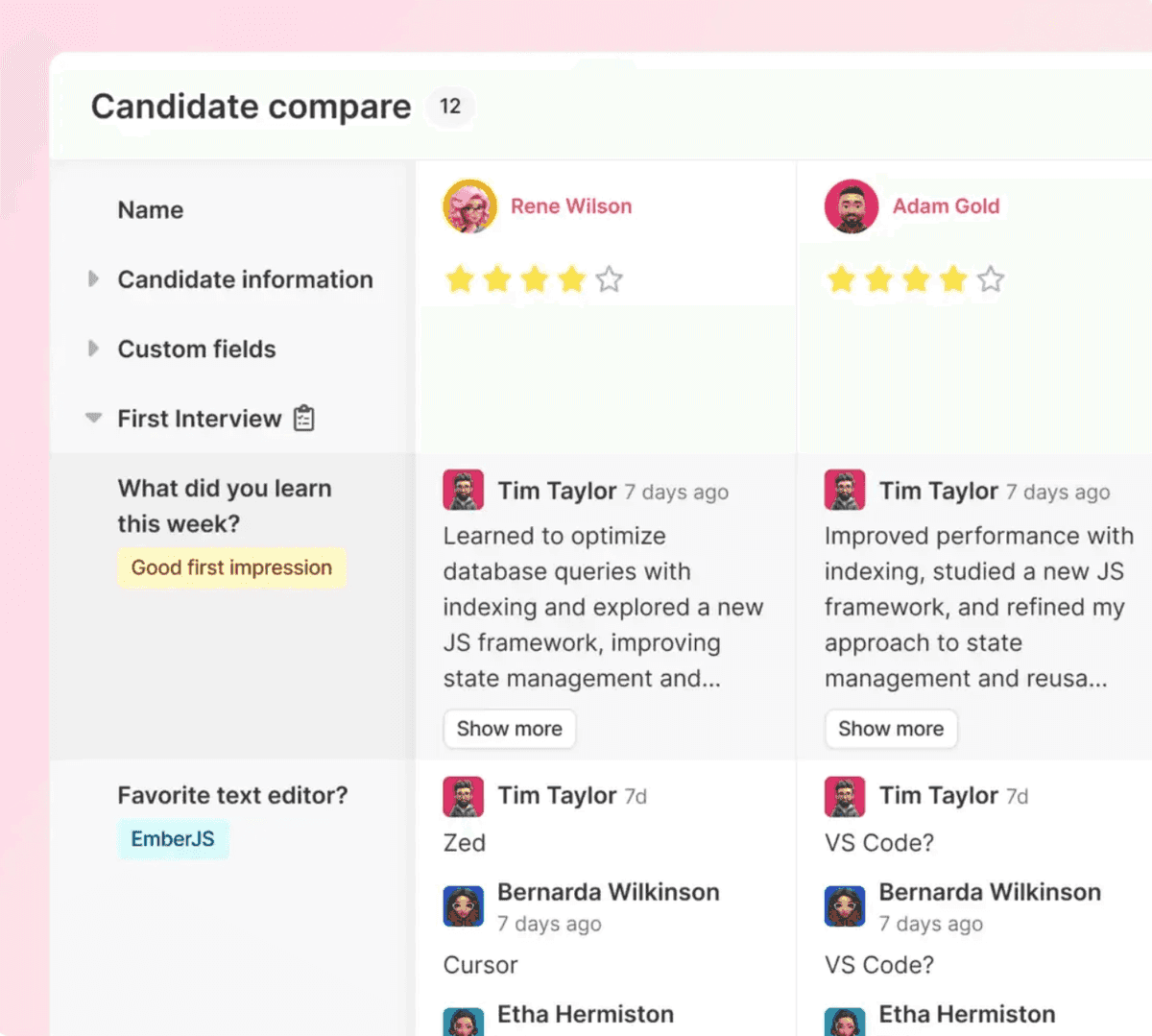
Compare candidates side-by-side
Making tough hiring decisions just got easier. Our new candidate comparison feature lets you view multiple candidates side-by-side, comparing their qualifications, interview scores, and application details in one view. No more switching between tabs or trying to remember details. See everything you need to make confident decisions, all in one place.
Analytics updates
Report gallery and faster filters
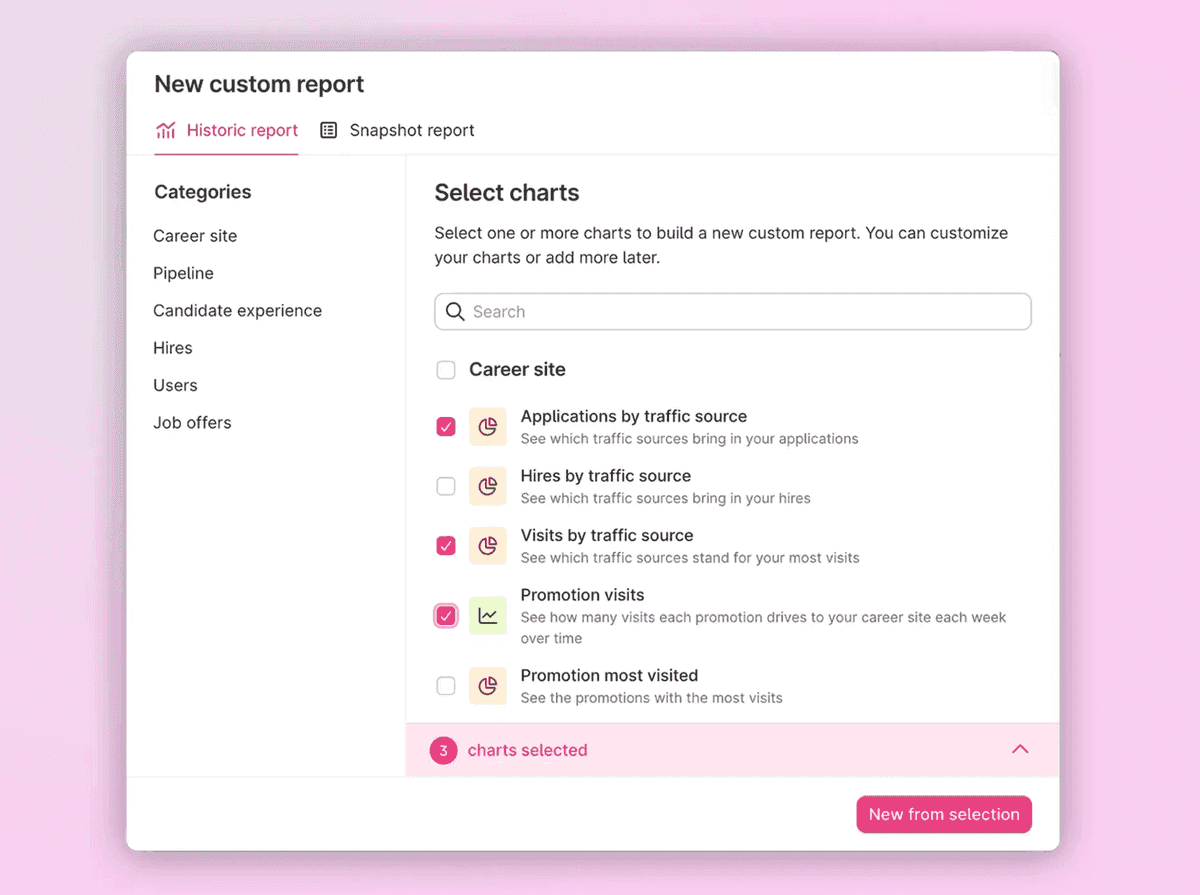
Building custom reports becomes faster and more intuitive. We introduced a report gallery with pre-built templates you can use as starting points, plus we significantly improved filter performance. Creating the exact report you need takes seconds, not minutes.
Set goals for your KPIs
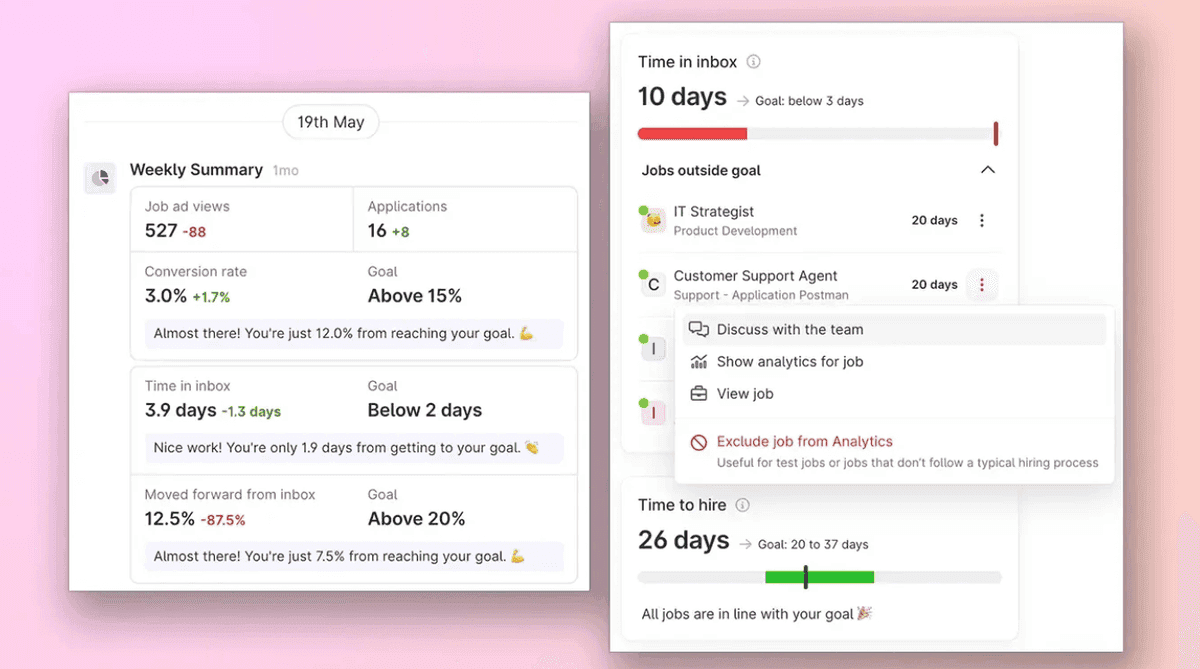
Want to improve your time-to-hire or increase your conversation rate? You can now set target goals for your key recruiting metrics right in the analytics. Track your progress over time and see exactly how you're performing against your objectives.
Internal recruitment analytics now available
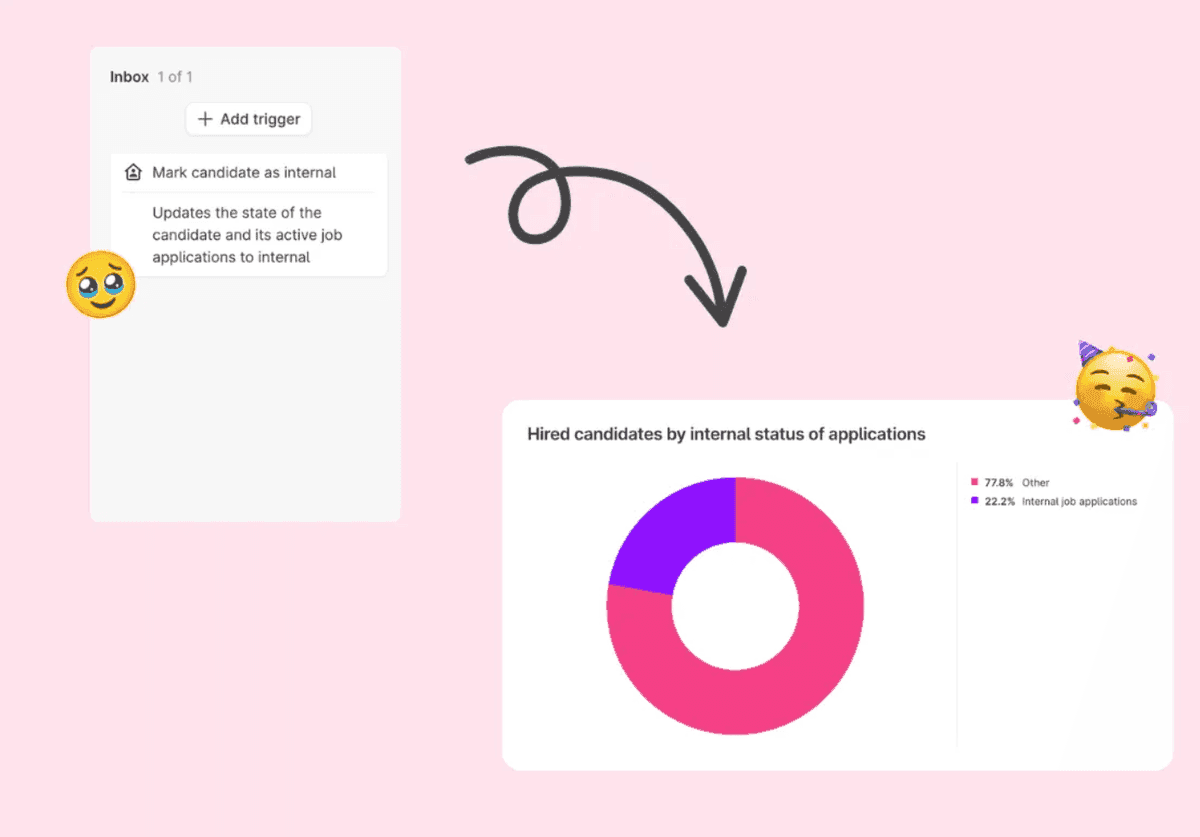
Our Internal recruitment add-on is now complete with analytics to help you follow up on how your internal mobility is going. We added filters and a new column in Snapshot reports, filters and advanced data slicing in Historic reports, plus a new trigger to mark candidates as internal. No need to go through each one individually 🙌
Requisitions: Hiring plans
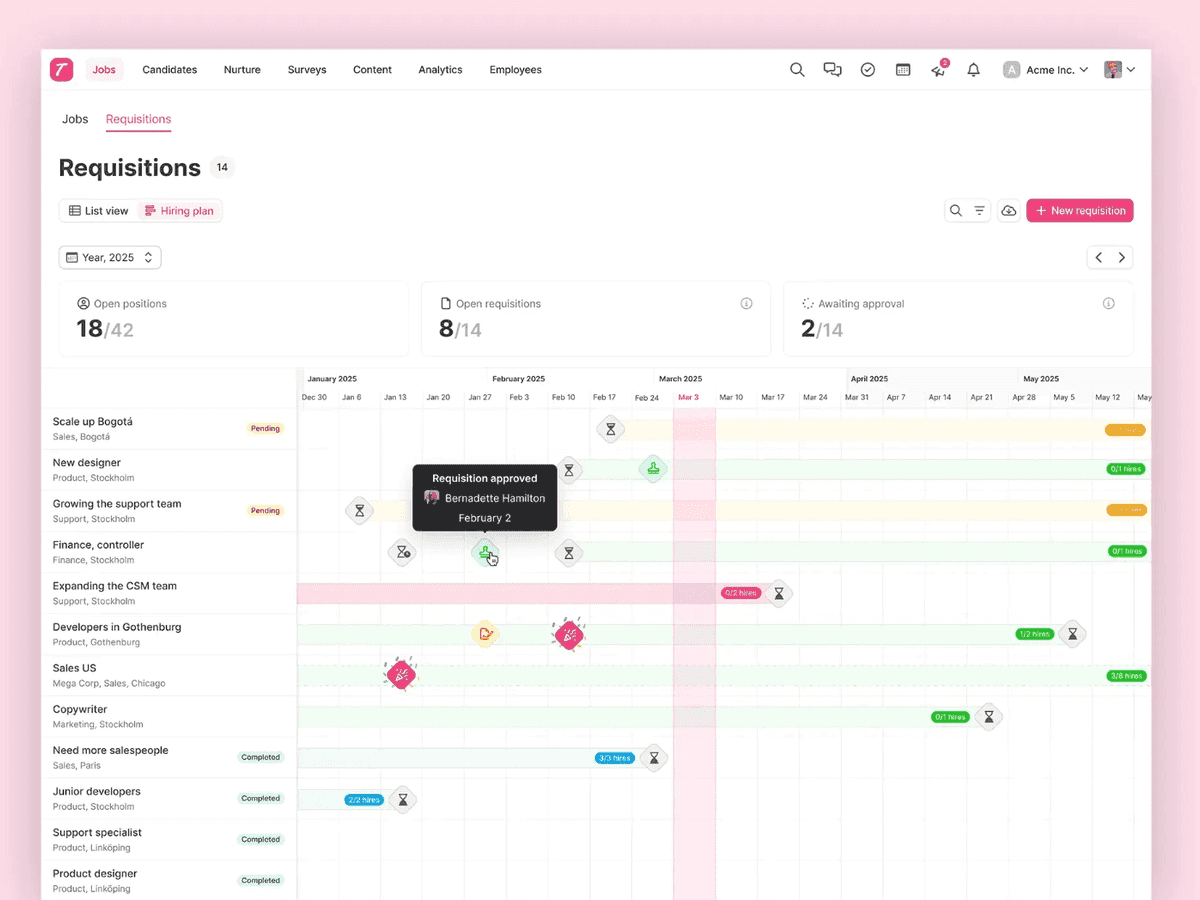
Requisitions support detailed hiring plans. Map out your entire hiring timeline with milestones, target dates, and key activities. This gives stakeholders visibility into your recruitment roadmap and helps everyone stay aligned on hiring timelines.
Permissions: Local policies
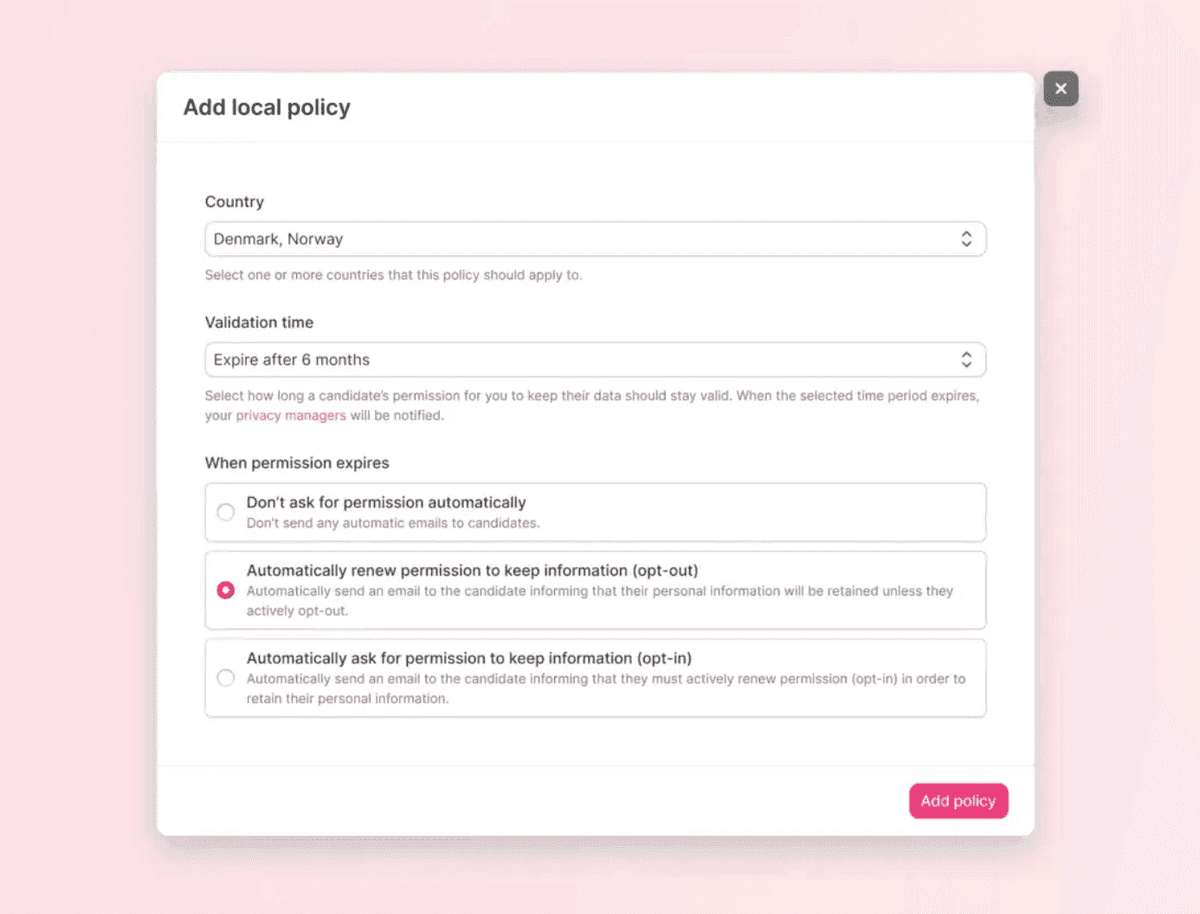
Managing permissions got more powerful and flexible with local policies. Create specific permission rules for different parts of your organization without affecting global settings. This was particularly useful for larger companies or groups that needed different access rules for different departments or divisions.
New career site editor
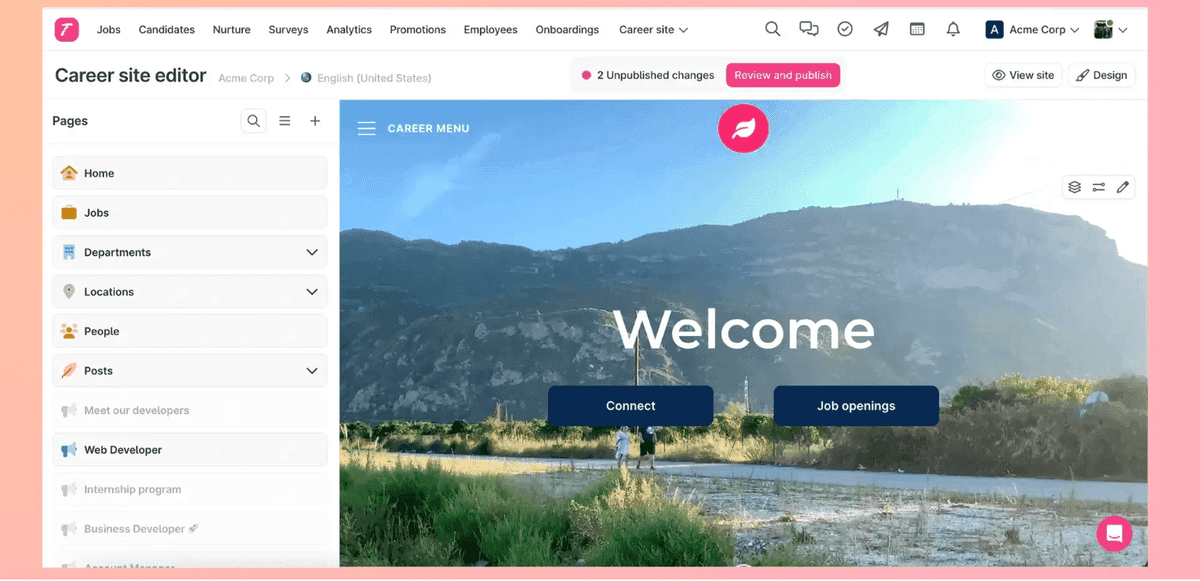
We completely rebuilt the career site editor from the ground up. The new editor is faster, more intuitive, and gives you even more creative control over your careers page. Build beautiful, conversion-optimized career sites with improved drag-and-drop functionality, better preview modes, and more customization options. The new editor makes it easier to create a careers page that truly represents your employer brand. What you see in the editor is exactly what applicants see on your career site.
Video updates
Video background for job ads 🎬
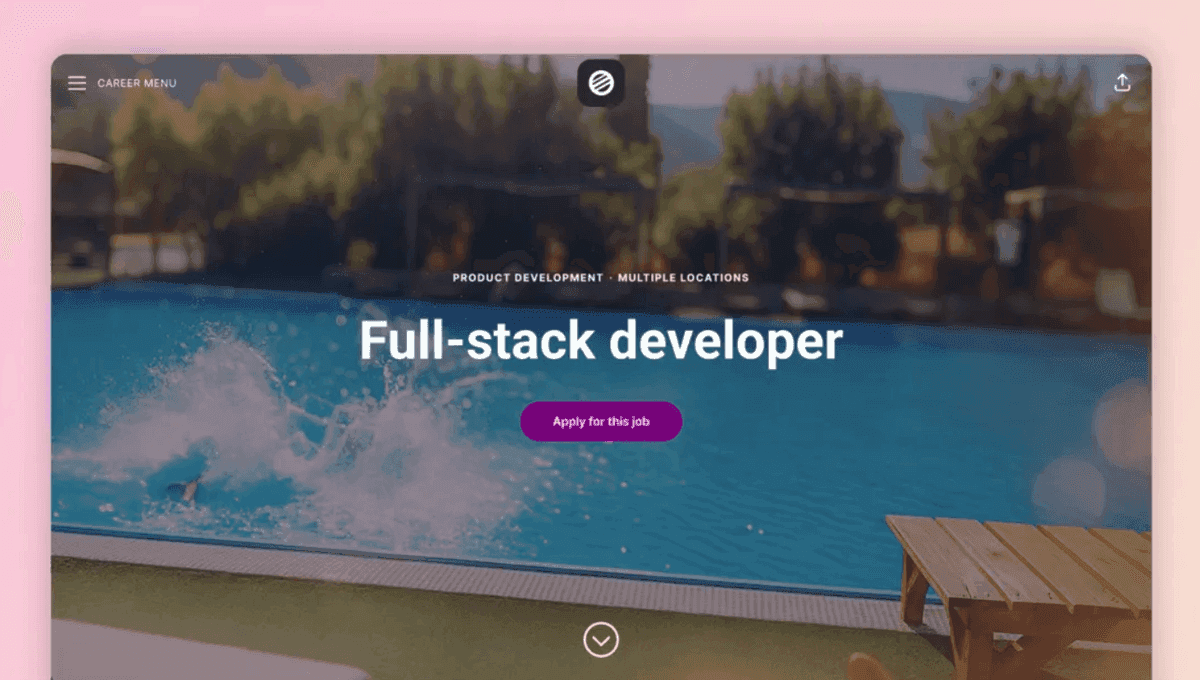
Make your job ads stand out with video backgrounds. Upload engaging video content that plays behind your job descriptions without sound, creating an immersive experience that showcases your company culture and catches candidates' attention.
Recruiter video questions
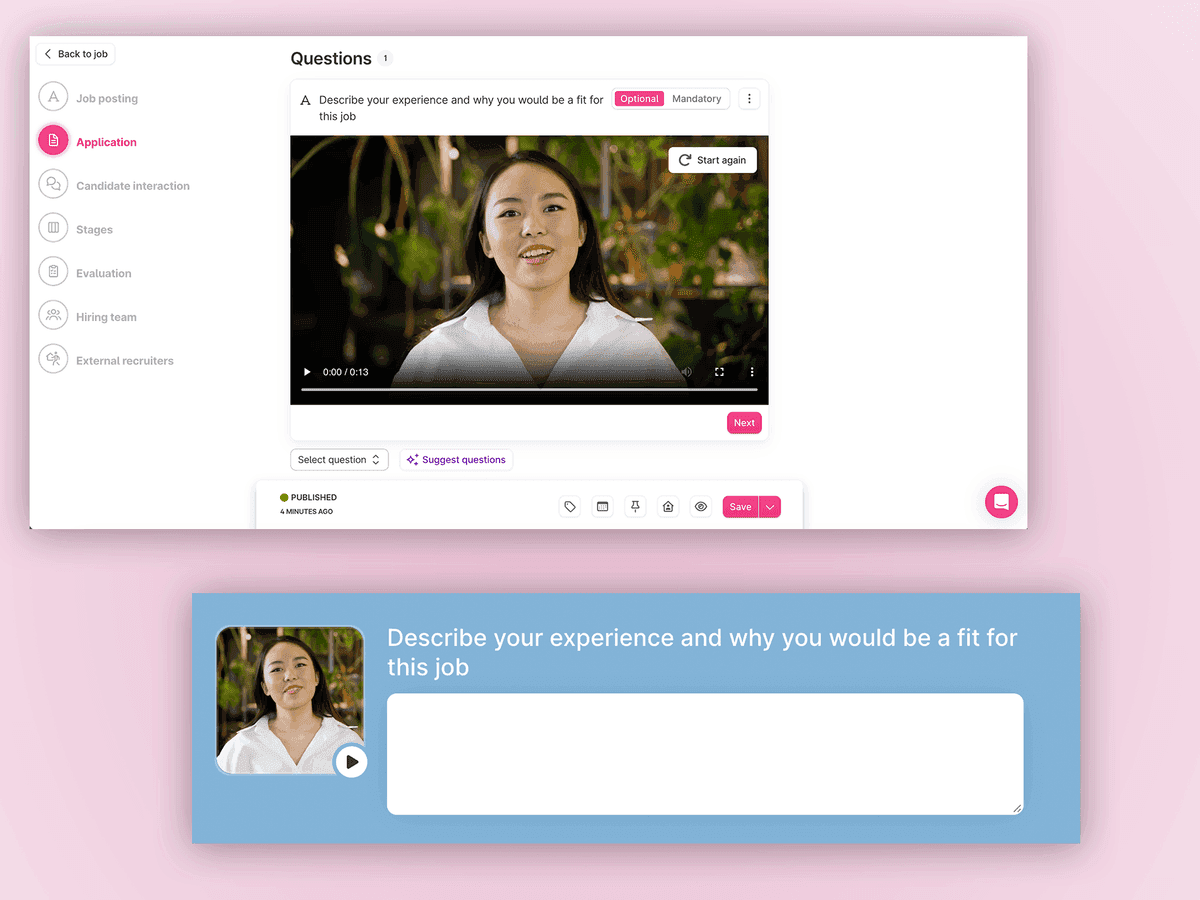
Add a personal touch to your application process with recruiter video questions. Record yourself asking questions, and candidates respond with their own video answers. It's a great way to assess communication skills and get a better sense of candidates early in the process.
Teamtailor available in 50 languages
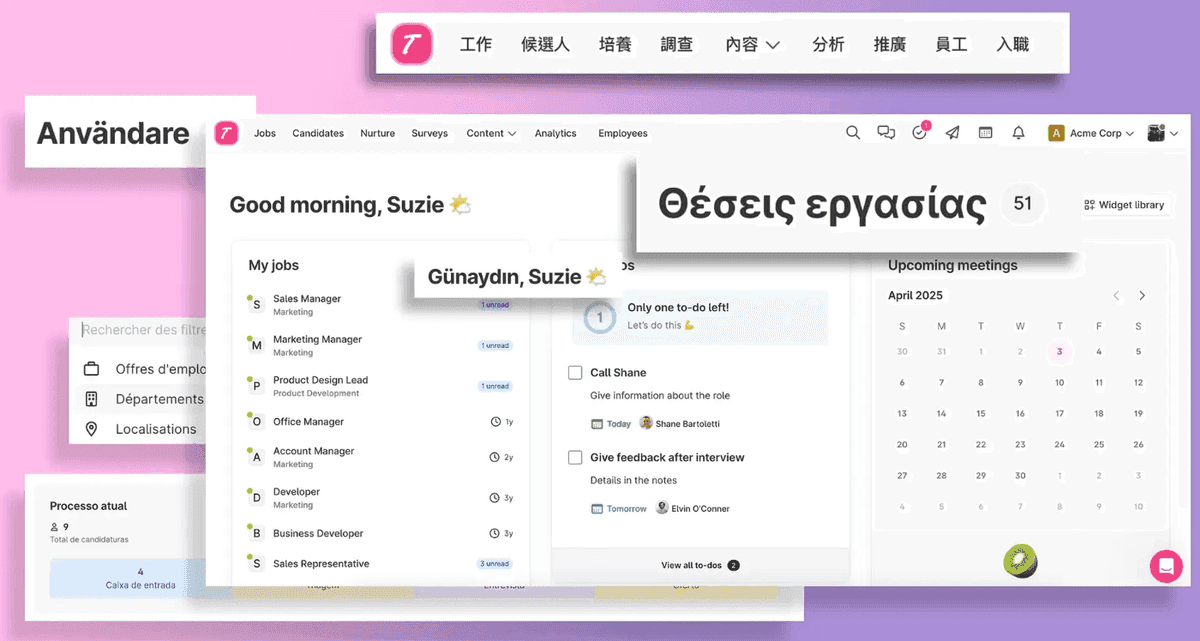
We massively expanded our language support. Teamtailor is now available in 50 languages, making it easier for global teams to recruit in their local markets and in their preferred language. From European languages to Asian languages and beyond, we've got you covered.
Improved mentions
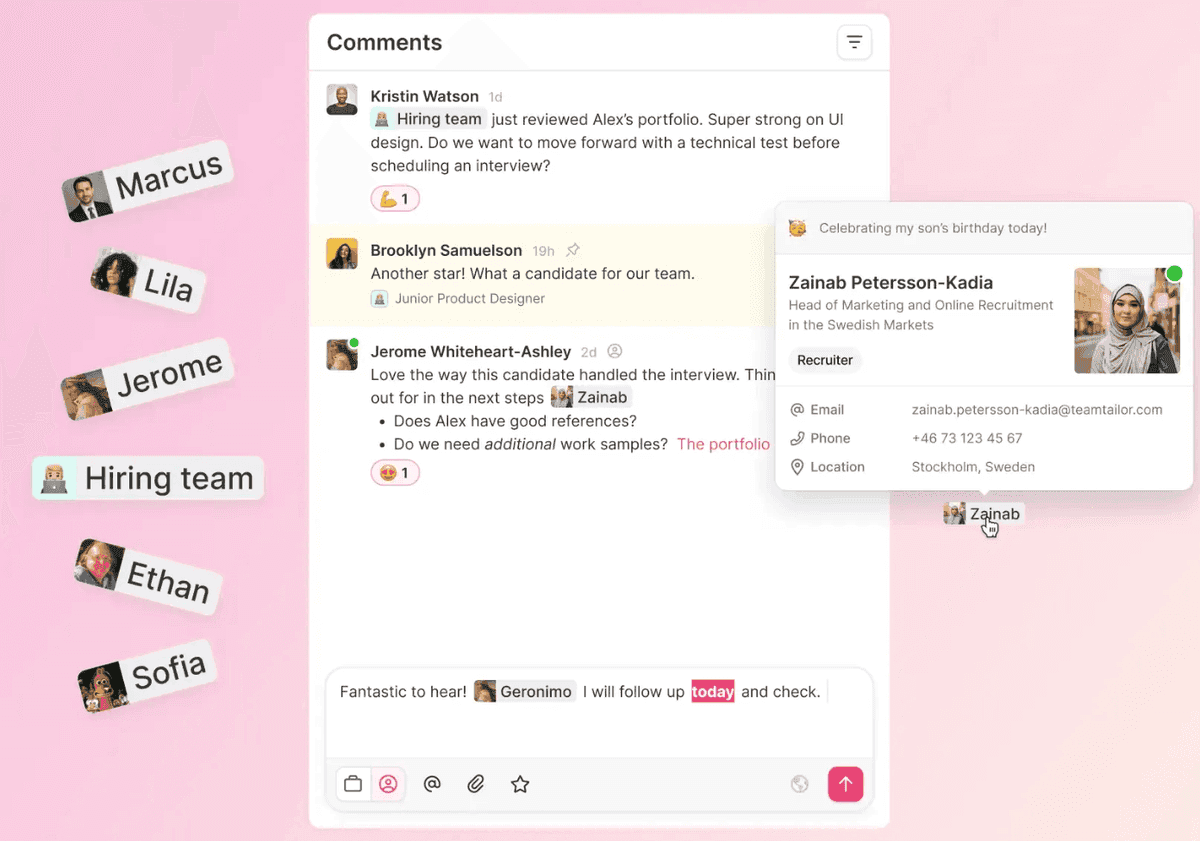
Collaboration just gets smoother. We enhanced how mentions work throughout Teamtailor. Tag colleagues in comments, notes, and conversations with improved search and better notifications. Your team never misses an important callout.
Better organization and structure
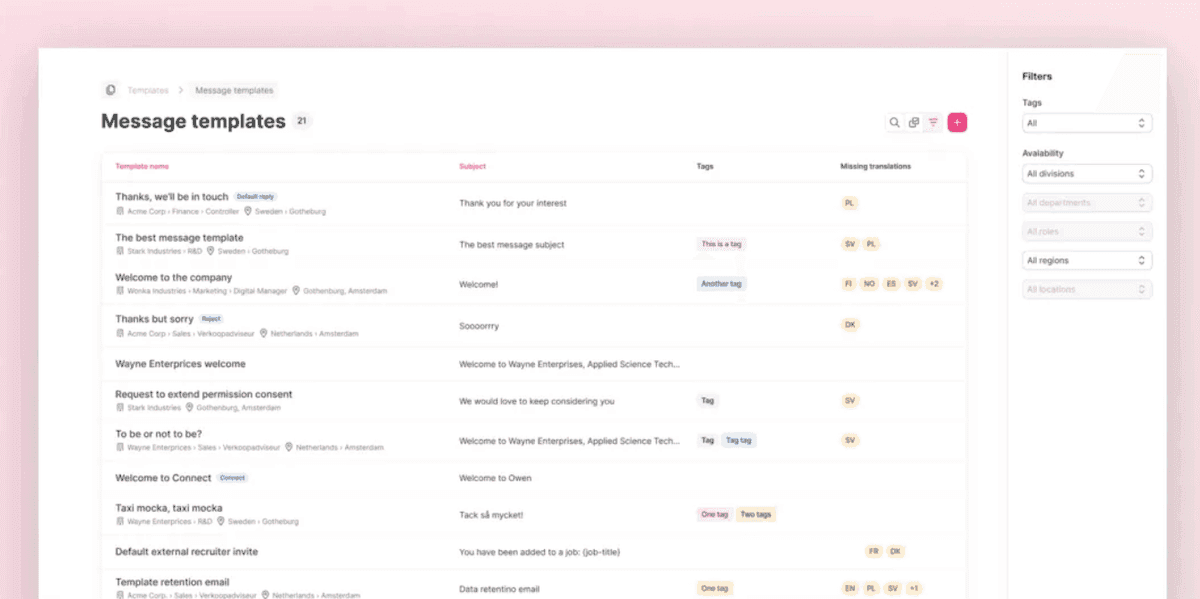
Improved structure for templates and other assets
We reorganized how templates and assets are managed, making it easier to find, organize, and maintain your recruiting materials. Better categorization, improved search, and cleaner navigation mean less time hunting for the right template.
Connect questions to custom fields
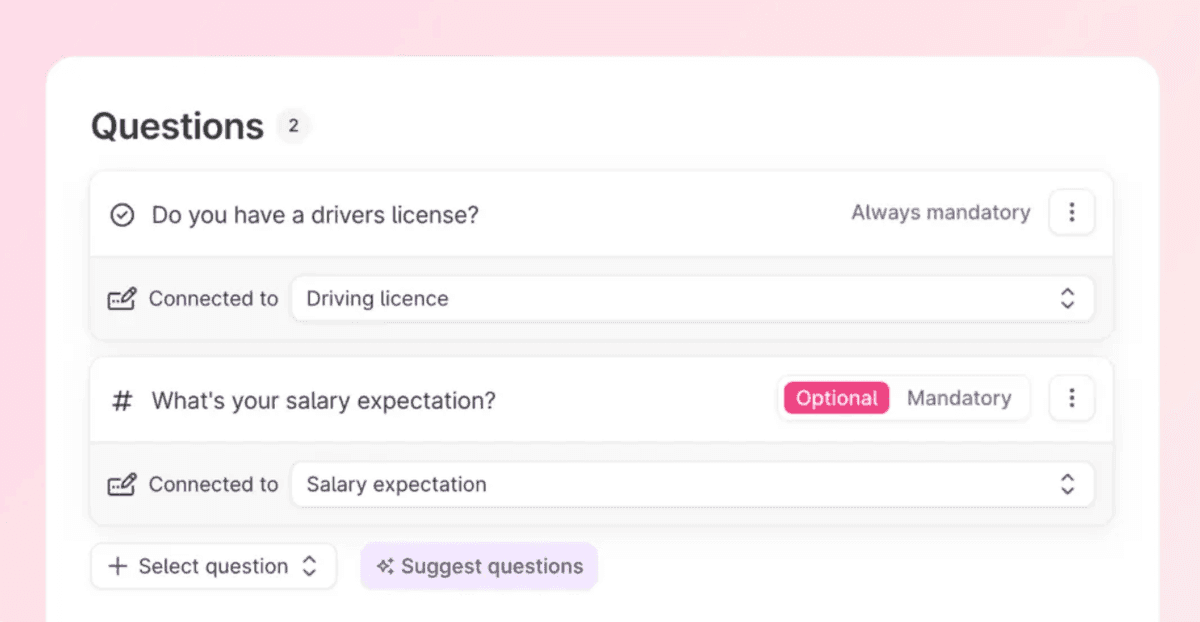
You can map application questions directly to custom fields, automatically populating your custom data fields with candidate responses. This eliminates manual data entry and ensures your custom tracking fields are always up-to-date.
Skills-based hiring updates
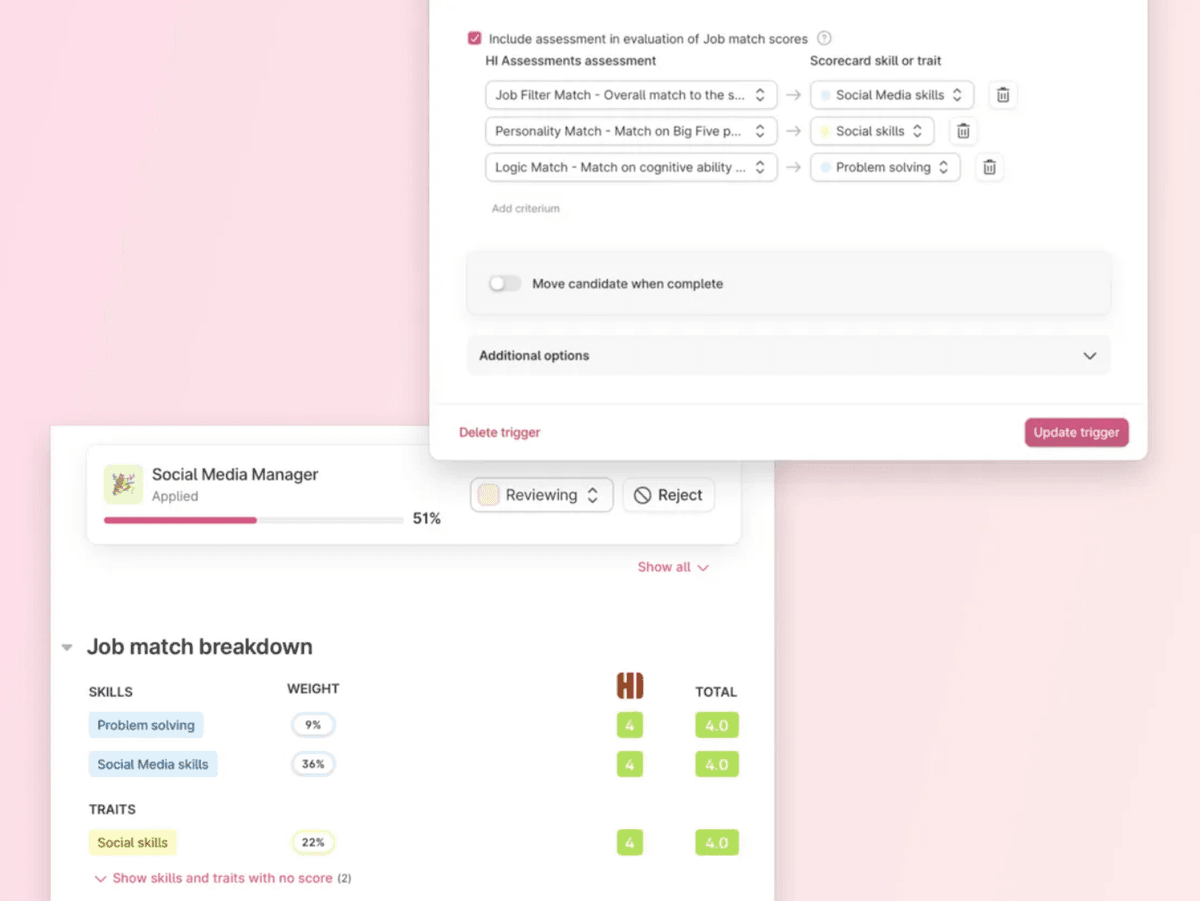
We made updates and improvements around how skills-based hiring works in Teamtailor. When you set up a trigger with assessment partners, they can now include more detailed assessment criteria. You can decide to automatically include assessment results in the evaluation of Job match scores by mapping the assessment criteria from the partner to the skills or traits that are part of the job's evaluation profile. Test results then automatically create a scorecard alongside your other scorecards or interview feedback.
Your Recruitment Highlights from 2025
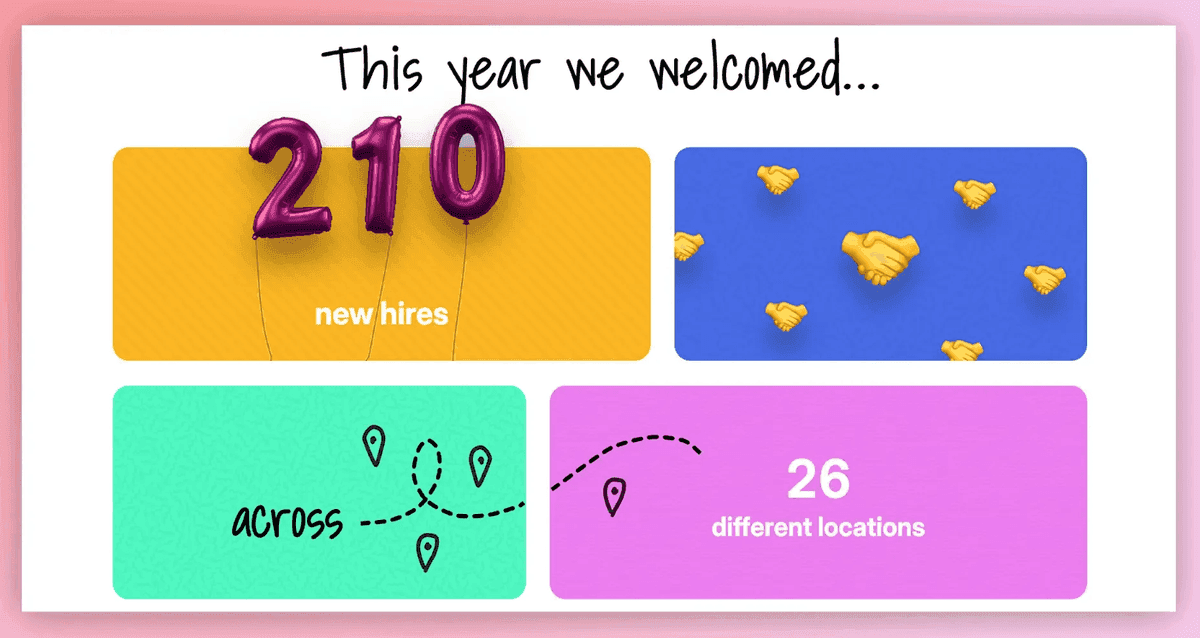
We wrapped up the year by creating personalized recruitment highlights for each of our customers. You could see your year in recruiting, your top metrics, biggest wins, and key milestones from 2025, beautifully visualized and ready to share with your team or stakeholders.
Thanks for reading all the way down here 🥰 2025 was an incredible year of building and shipping, and we couldn't have done it without your feedback, trust, and partnership. Here's to an even better 2026!
❤️ /The Teamtailor Product Team