

Hiring plan for your Requisitions
See your hiring plans with all the information needed in one view ✨
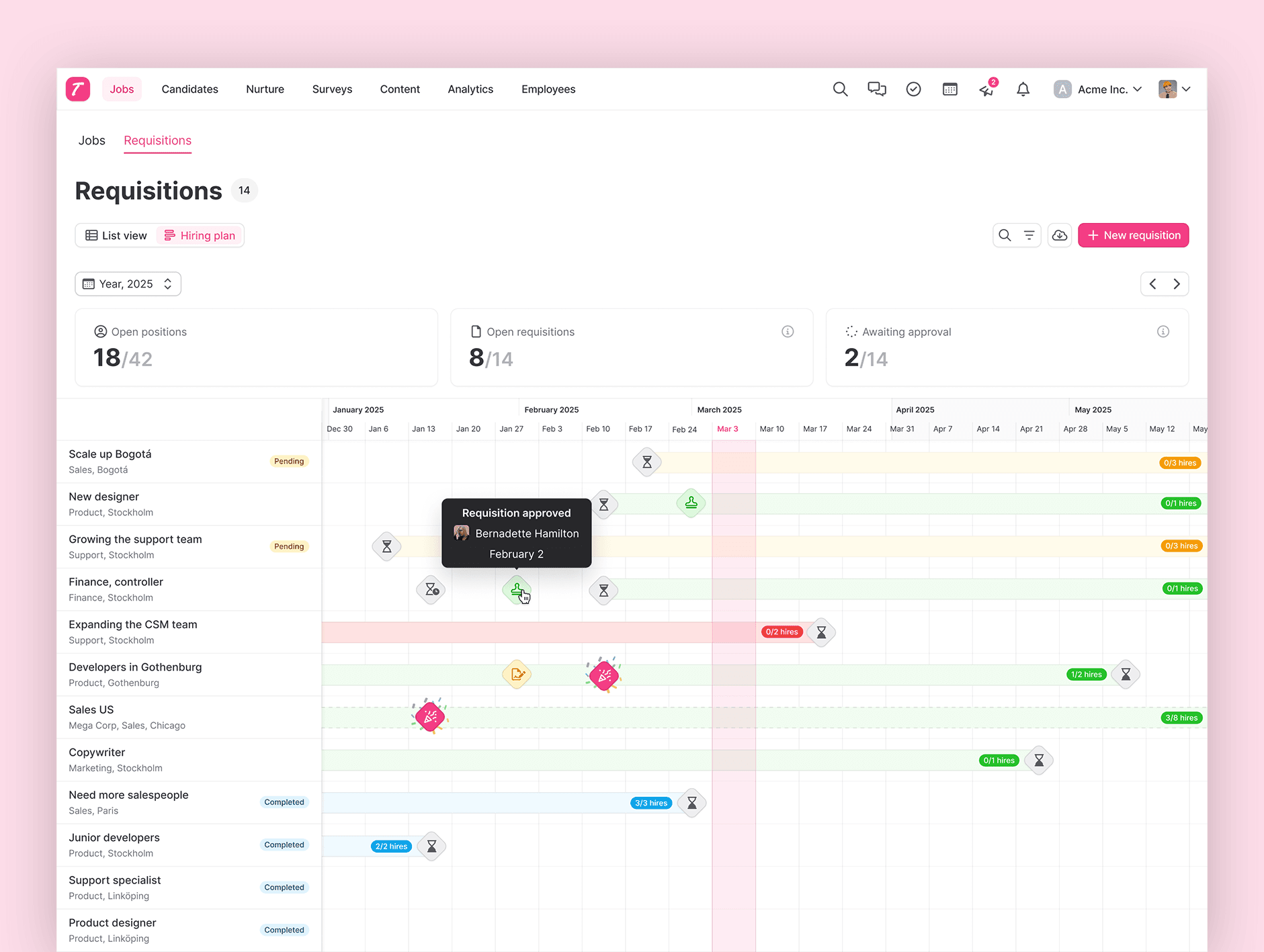
See your hiring plans with all the information needed in one view ✨
The new hiring plan makes it easy to see what you have coming up, and what has happened so far. Determine which roles to hire for, align on goals and keep track of your progress. The hiring plan is integrated in our Requisitions feature, that streamlines the process before posting a job. Learn more about Requisitions here.
Plan for the year
With the hiring plan, you'll get a full visual of the hiring process from requisition to completion date. The hiring plan shows the information you have added when starting a requisition, like start/end date as well as the expected number of hires. You can see how many open positions you have in total, your different requisitions with their status and timing, and filter it all to focus on a specific department and more.
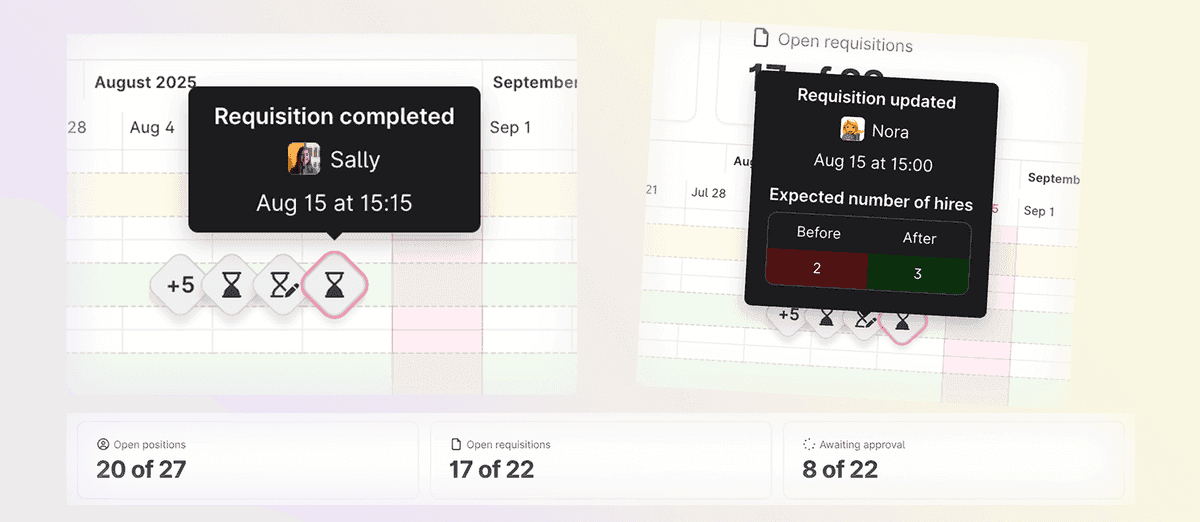
Click on the icons to see what actions have been taken. You'll see updates, approvals, sent job offers, new hires and more. Use filters to narrow the information down and find what you're looking for. You can also export the information you need.
Learn more about the hiring plan and try it out in Teamtailor today.
We hope you like this update!
/The Teamtailor Product team