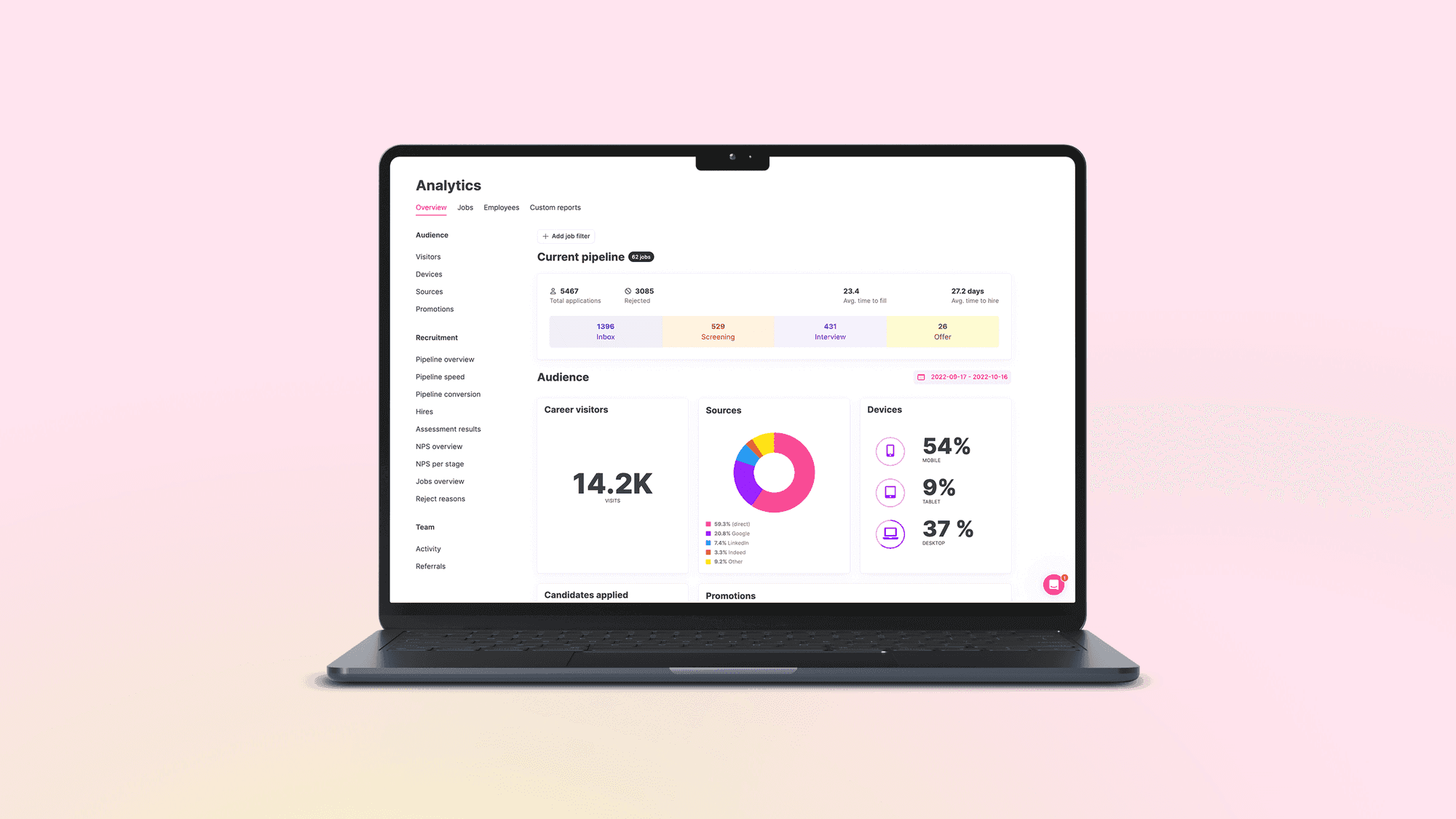


What recruitment software is
Recruitment software is any system that carries part of the hiring process: posting the job, receiving applications, moving people through stages, booking interviews, collecting decisions and keeping the record. The term is a search term more than a product class. It covers a plugin that posts to job boards just as well as a platform that runs a whole hiring organisation, and a vendor who says "recruitment software" has told you almost nothing yet.
This guide is written for talent acquisition teams who already know what a requisition and a pipeline are. It sorts the category into the parts that matter when you choose, describes what each part does across one hire, and lists what to ask before you sign. It is written by a company that makes one, so where we describe how something works we say "in Teamtailor", and where a point holds for every vendor we say that instead.
Recruitment software, recruiting software, hiring software
The three phrases are used interchangeably. British and Australian sites tend to say "recruitment software" and American ones "recruiting software". "Hiring software" is the same category under another name. In practice they point to the same shelf. The useful distinction is not the name but the job the tool does, which is the next chapter.
Figures in this guide carry a marker that points to the source list at the end of the page. Pages were read on 29 October 2026, and vendor claims, including ours, are described as claims.
The categories inside the category
When two vendors both say "recruitment software", they are often selling different things. The table sorts the common types by the job they do and by where they start and stop, which is what decides how many of them you will end up running side by side.
| Type | What it does | Where it starts and stops | Typical gap |
|---|---|---|---|
| Applicant tracking system | Runs the process for a job: applications, stages, interviews, decisions, the record. | Starts when a role is requested. Stops at the signed offer. | Often weak before the application, when people are still deciding whether to apply. |
| Recruitment CRM | Holds relationships with people who are not applying yet: talent pools, outreach, events, follow-up. | Starts before there is a job. | Needs a link to the ATS, or a person exists twice with two histories. |
| Career site builder | Publishes the jobs and the story of working at the company. | Starts when someone lands on your page. | If it sits outside the ATS, the form and the pipeline stop sharing data. |
| Job posting and multiposting tools | Send one ad to many boards. | Stops once the application is submitted. | Applications still need a home. |
| Interview, assessment and scheduling tools | Book time, run structured interviews, test skills. | Covers one or two stages. | Results have to flow back to the candidate record. |
| HRIS recruiting module | A recruiting feature inside the employee system. | Starts from the employee record, so the hiring process often feels like an afterthought. | Test it on a real role before accepting it as part of a bundle. |
| Recruitment platform | Combines several of the above in one system. | Spans attraction to onboarding. | Breadth varies a lot, so read the feature list, not the label. |
Most teams past a handful of hires a year end up with an ATS at the centre and a few tools around it. The decision that matters is how many of those tools you want to keep in sync by hand. The glossary entries on recruitment software and talent acquisition software give the short versions of the terms.
What the software does across one hire
The clearest way to see what recruitment software is for is to follow one role from request to first day. This is how that runs in Teamtailor. Other systems order the steps differently, but the same jobs have to be done somewhere, and the question for a buyer is whether they happen in one place or in five.
The request and the ad
A recruiter at a regional retailer opens a request from a store manager who has typed "need two people for weekends" and nothing else. The first job of the software is to turn that into a job with a title, a location, screening questions and an approver, so the person who says yes is on the record. In Teamtailor the ad is built from a few lines about the role and edited by a person, then published to the career site and to job boards from one place.
Applications
Candidates apply from a phone, often without an account. Those who are not ready to apply can leave their details instead, so the team can come back when a fitting role opens. In Teamtailor that is the Connect function on the career site, which lets candidates show interest even when no suitable role is open.[S5]
Screening and the first decisions
Screening questions are set per job: right to work, a licence, shift availability. Triggers then handle the routine part. In Teamtailor a trigger runs when a specific event happens, for example when a candidate applies or answers a screening question, and it can send a message, prompt a hiring manager or create a follow-up task.[S4] What happens automatically is what the team configured. The recruitment automation entry explains the idea, and the automation and triggers page shows it in the product.
Interviews and evaluations
Scheduling should not cost twelve emails to find an hour. Teamtailor lists Smart Scheduling among what the ATS includes.[S11] Interview kits are made up of interview instructions, relevant questions and a scorecard, and the whole hiring team can open them.[S10] The point is comparison: the panel compares candidates on shared criteria rather than comparing interviewers' impressions.
Offer and handover
The offer is sent for e-signature, usually through an integration, and the details move to the HR system once the candidate becomes an employee. See e-signature and offer management for what each step should cover. In Teamtailor the integration directory lists e-signing and HR systems as categories of their own.[S3]
Afterwards
The people who did not get the job do not have to disappear. With consent, and a retention period that fits the country they applied in, they stay in a talent pool for the next opening. Reporting closes the loop: time to hire, source of hire and stage conversion. Those numbers only mean something if the whole process ran through the system, which is the argument for keeping the steps together.
When a spreadsheet and an inbox stop being enough
Almost every team starts without recruitment software. A shared inbox, a spreadsheet with a column for "status" and a hiring manager who replies when they can. It works until the day it does not, and the day has a recognisable shape: someone is on holiday and nobody knows who was promised a call back.
The usual triggers for a first purchase, or for a replacement, are these.
- Volume. A single role that draws a few hundred applications makes the inbox unworkable, and answering everyone becomes a task of its own.
- More than one decision-maker. Once several hiring managers need to see candidates, sharing attachments by email becomes a data protection question as well as an irritation.
- Several locations or brands. Each needs its own career site and its own jobs, and the group wants the numbers together.
- Proof. Someone asks how long hiring takes, where candidates come from, or why a person was rejected a year ago, and the answer has to come from a record.
- A system that no longer fits. Aptitude Research reports that 82% of organisations say their current system has significant functionality gaps, and that 1 in 4 companies were replacing their ATS in 2025.[S7] The survey is about the ATS, but the same drift shows up in any tool that was bought for a smaller company.
The same research notes that nearly half of enterprise companies manage more than one ATS platform.[S7] That is the cost of buying tools one at a time. It is easier to choose how things connect before you have six of them.
What to look for when you compare
Feature lists in this category look alike, because every vendor can tick the same boxes. The differences sit in how the parts fit together and who in the company can actually use them. We would compare on seven points, and we describe each as it works in Teamtailor so you can hold any vendor, including us, to the same questions.
1. One place for the work
Count the tools a single hire touches today: job board logins, the inbox, the calendar, a spreadsheet, an e-signature tool, the HR system. Each hand-off between them is a place where data is retyped or lost. The aim is not to have one tool for everything, but to know which system holds the truth about a candidate at every stage. In Teamtailor, talent pools and candidate CRM sit inside the ATS rather than beside it; see candidate relationship management.[S11]
2. The career site
The career site is where the candidate decides. In Teamtailor it is built inside the system with drag-and-drop blocks and without involving a web team, it can show Team Stories from employees, and pages can be translated per language.[S5] The point to test in any vendor is whether the site and the pipeline share data, or whether you maintain both. See the career site and employer branding pages for how we do it.
3. Hiring managers
The most common reason a system fails is that the hiring managers do not use it. They open it a few times a quarter and will not learn a new interface for it. Look for one board narrowed to their roles, a clear next action, and comments and decisions that stay on the candidate instead of in an email thread. Ask to see a hiring manager logging in for the first time, with no training.
4. Integrations
No recruitment software stands alone. The Teamtailor integrations directory states 550+ integrations, with categories that include assessments, background checks, video interviews, e-signing, HR systems and onboarding, plus job boards and social media.[S3] Treat any such number as a starting point: ask which ones you need, how they are built, and what happens on the recruiter's screen when one fails. The integrations page has the list.
5. Automation you can read
Automation saves time when the team can see what it does. A rule such as "when a candidate answers the licence question with no, send this message" is easy to audit. A black-box score that decides who is seen is not. Ask every vendor to show exactly what runs without a person, and who configured it.
6. The candidate's side
A candidate sees a page that loads, a form that works on a phone, a reply and an idea of what happens next. In Teamtailor, triggers can send a tailored thank-you message when someone applies and survey candidates at set moments.[S4] Check the same for any vendor: what does a candidate get on day one, on day five and on rejection?
7. Security and records
Candidate data is personal data. Teamtailor states that it is ISO 27001 and 27701 certified and audited to SOC 2 Type 2 annually,[S2] and its trust centre lists the certifications and reports.[S1] For any vendor, ask for the scope statement and the date of the last audit, because a certificate can cover the organisation without covering the product. Also ask for single sign-on and an audit log. In Teamtailor, single sign-on uses SAML 2.0[S8] and the audit log records the date, time and actor of key actions, with a default retention of 15 days that can be extended manually up to 30.[S9]
Which is the best recruitment software
People who search for recruitment software often type "best" in front of it, and the results are lists of ten or twenty names. A list is a fair place to start looking for names and a poor place to decide, because the question hides a missing requirement. A retailer hiring shift workers, a software company hiring engineers through referrals and a group of ten brands with a works council in two countries need different things from the same category.
Write the requirements first
Before you open a list, write down the five things that would make you reject a vendor. For most teams of 100 to 5,000 employees they come from this set: the number of hires per year, the number of brands or countries, the HR system you must connect to, the security evidence procurement will ask for, and the hiring managers who must use it. A shortlist of three vendors that meet all five is more useful than ten names that meet some.
Then test on a real role
Ask each vendor to set up one of your open roles during the demo, with your screening questions and your approval chain. Watch who touches the keyboard. A system that only works when the vendor drives it will only work when the vendor is there.
Where to read comparisons
We have written comparison pages that put Teamtailor next to other applicant tracking systems, among them Greenhouse, Workable, Recruitee, SmartRecruiters and Lever. They are written by us, so read them with that in mind and check each claim against the vendor's own site.
Cost, contracts and what can go wrong
Pricing models differ more than prices do. Some vendors charge per user, some per job posting, some per company, and some by a bundle of modules. A per-user model looks cheap for five recruiters and becomes a reason not to invite hiring managers at fifty. In Teamtailor, pricing is quoted per organisation; the pricing page explains how to get a figure.
What to compare besides the figure
- Users and job postings: whether hiring managers count as paid users.
- Modules: whether the career site, the CRM and onboarding are included or sold separately.
- Implementation: who does the work, and how long they say it takes.
- Add-ons: log retention, additional data regions, premium job boards.
- The exit: how you export candidate data if you leave.
The risks that show up later
Three come up again and again. The first is that the recruiters like the tool and the hiring managers do not, so decisions move back to email. The second is data that was never cleaned before migration, so the new system starts with duplicates. The third is automation set up by one person who then leaves, so nobody knows why a candidate received a message. All three are preventable with an owner, a clean-up and a written list of the triggers that run.
Benchmarks help you judge your own process, though they describe other organisations. SHRM's 2026 recruiting benchmark, with data from over 4,600 organisations, reports a median time-to-fill of 39 calendar days for nonexecutive positions.[S6] Measure your own before you compare.
The first ninety days
Buying recruitment software is the smaller job. Getting a team to use it is the larger one, and the first ninety days decide it.
Days 1 to 30: one team, a few real roles
Pick one team that hires often and has a hiring manager who wants it to work. Set up their open roles, their screening questions and their approval chain. Import only the candidate data you would still be allowed to keep under your retention rules, and leave the rest in the old place. Name one owner in TA who decides how stages and triggers are set up, because a system with six owners has six pipelines.
Days 31 to 60: connect the neighbours
Connect the HR system, the calendar and the e-signature tool, and run the first real hires through the handover. Agree which fields pass to the HR system: usually name, start date, salary, manager and cost centre. Most delays at this stage are an argument about who owns a field, so settle it before the first offer.
Days 61 to 90: the rest of the company
Roll out to other teams with a short routine for hiring managers, not a training course. Switch on reporting and look at the same three numbers every month: time to hire, source of hire and stage conversion. The reporting page shows what Teamtailor records, and the article on recruitment analytics goes through how to read them.
Next steps
If you are early in the process, write down your five rejection criteria, list the tools a hire touches today, and ask each vendor to run one of your roles in the demo. If you are replacing a system, start from the data: what you will export, what you will keep and who owns the clean-up.
For more reading on the category, see the guide on applicant tracking systems, whose section on enterprise requirements is the place to start if you hire across several countries or legal entities, and the article what is an applicant tracking system. To see Teamtailor work on one of your own roles, book a demo. To see how it is priced, go to pricing.