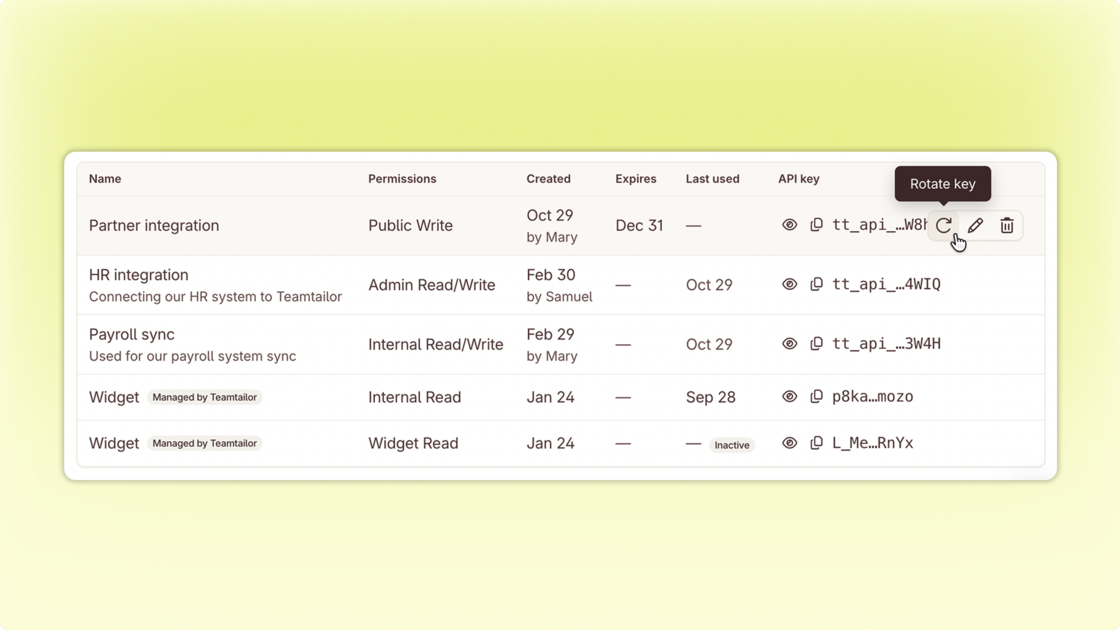


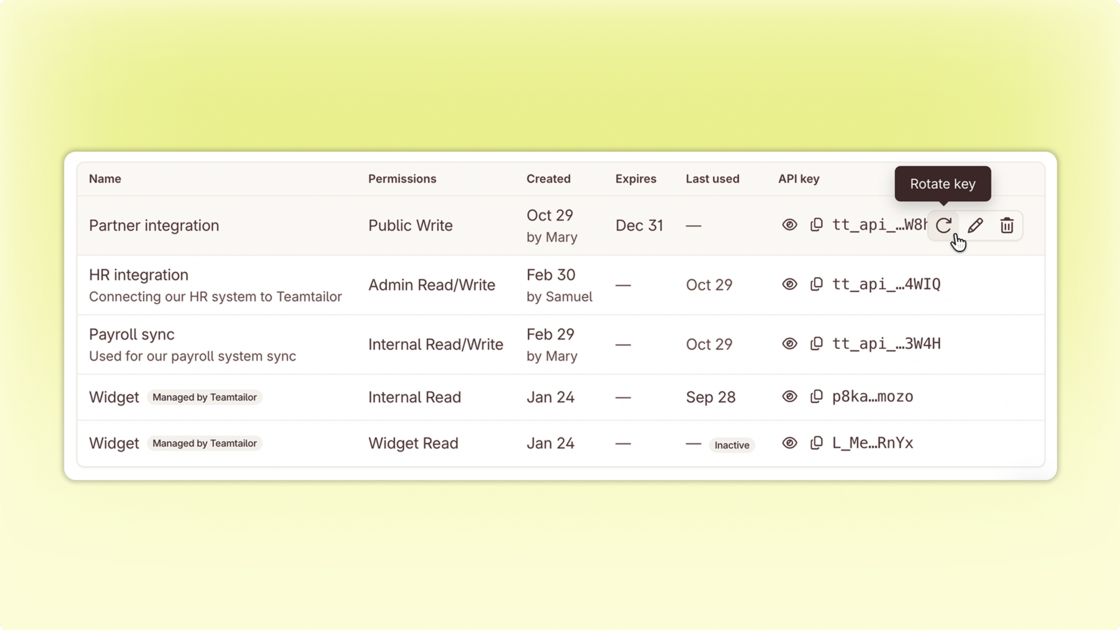
Know what every key is for. Each key shows who created it, when, and what it’s for. Use Edit to name and describe the keys you already have.
Replace keys without downtime. Set a date for a key to stop working, and we’ll email you before it does. Rotate creates a new key with the same settings, and the old one keeps working until the date you pick. If a key has leaked, you can stop it right away.
Remove old keys safely. Keys that haven’t been used in 90 days are marked Inactive, and we warn you before you delete one that’s still in use. New keys start with tt_ and stay hidden until you click Show.
Your existing keys keep working as they are, so nothing breaks while you tidy up.