

Improved notification settings 🎈
There's almost nothing better than getting a notification of a candidate messaging back, or a new application. Notifications are wonderful to get, but get too many – and you'll feel swamped. To improve your experience as a Teamtailor user, we have launched your new notification settings, so that you can make sure to get just the right amount of notifications, and select where you want them.
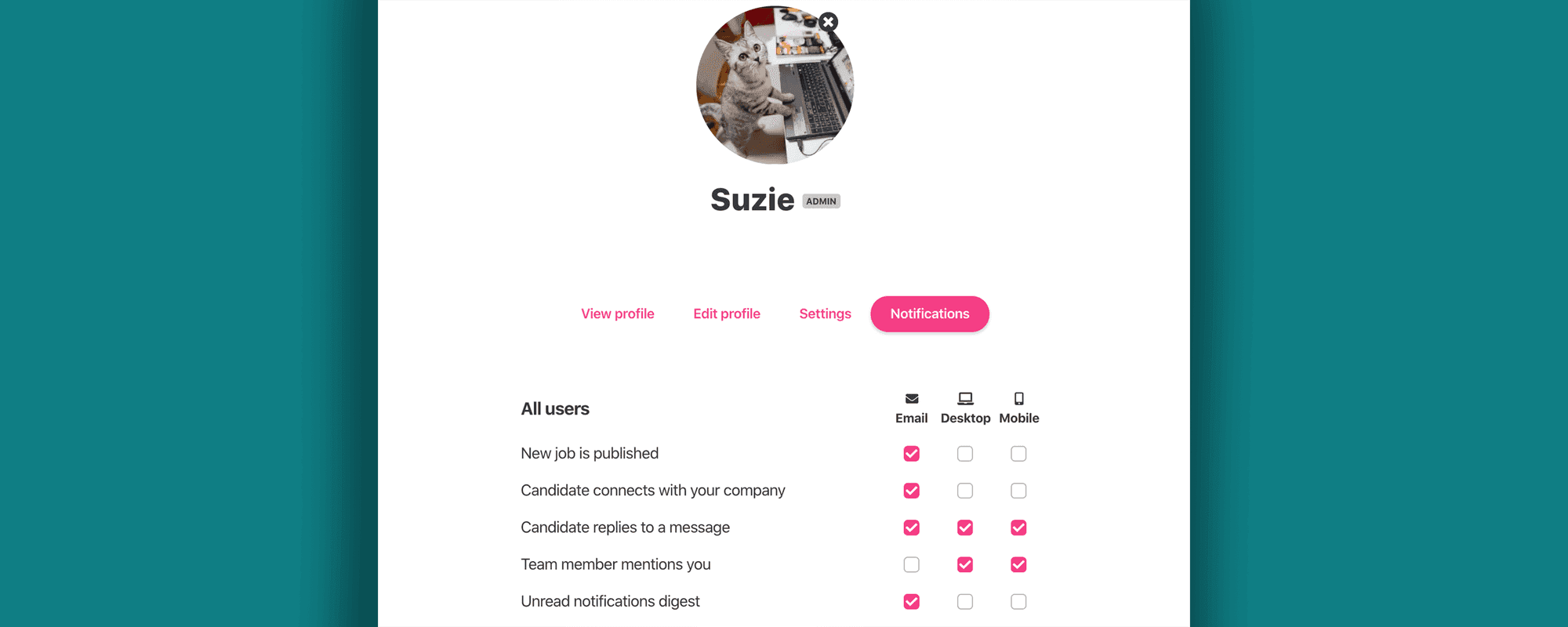
There's almost nothing better than getting a notification of a candidate messaging back, or a new application. Notifications are wonderful to get, but get too many – and you'll feel swamped. To improve your experience as a Teamtailor user, we have launched your new notification settings, so that you can make sure to get just the right amount of notifications, and select where you want them.
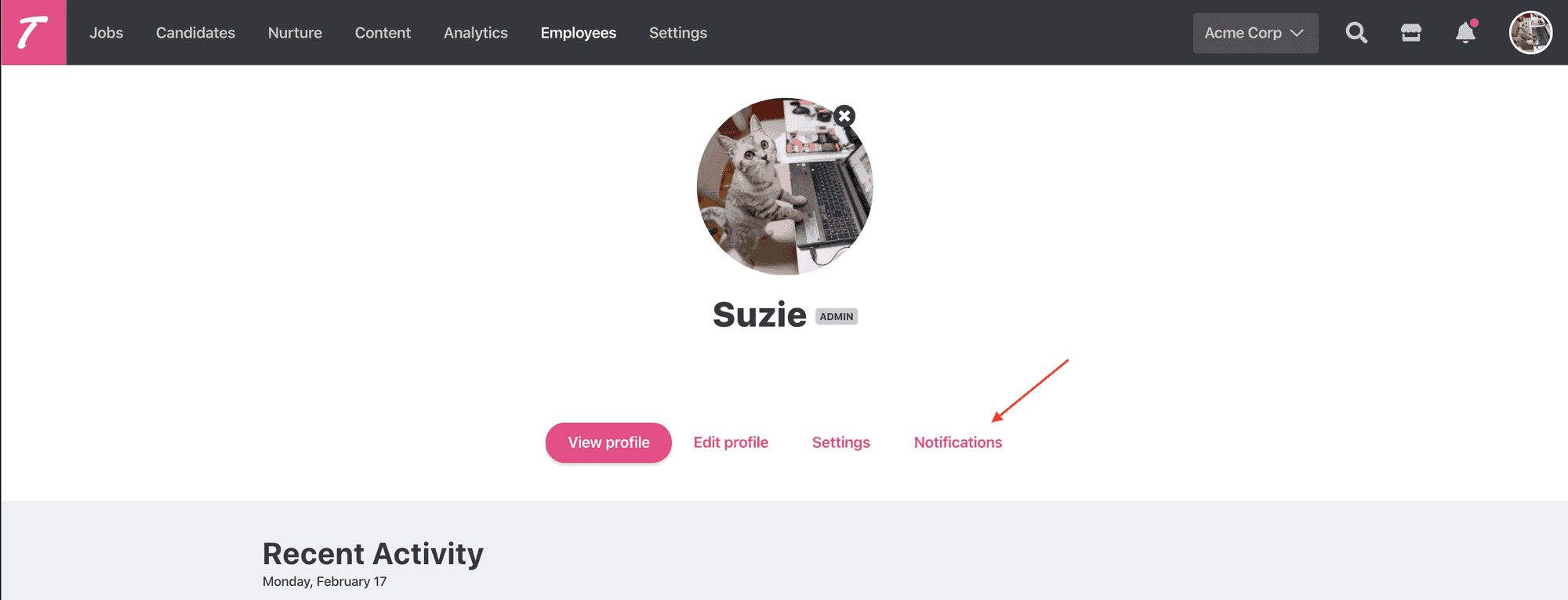
You'll find the notification settings in your profile page.
Choose between email, desktop and mobile. If you don't have our mobile app yet, get it now from App Store or Google Play.
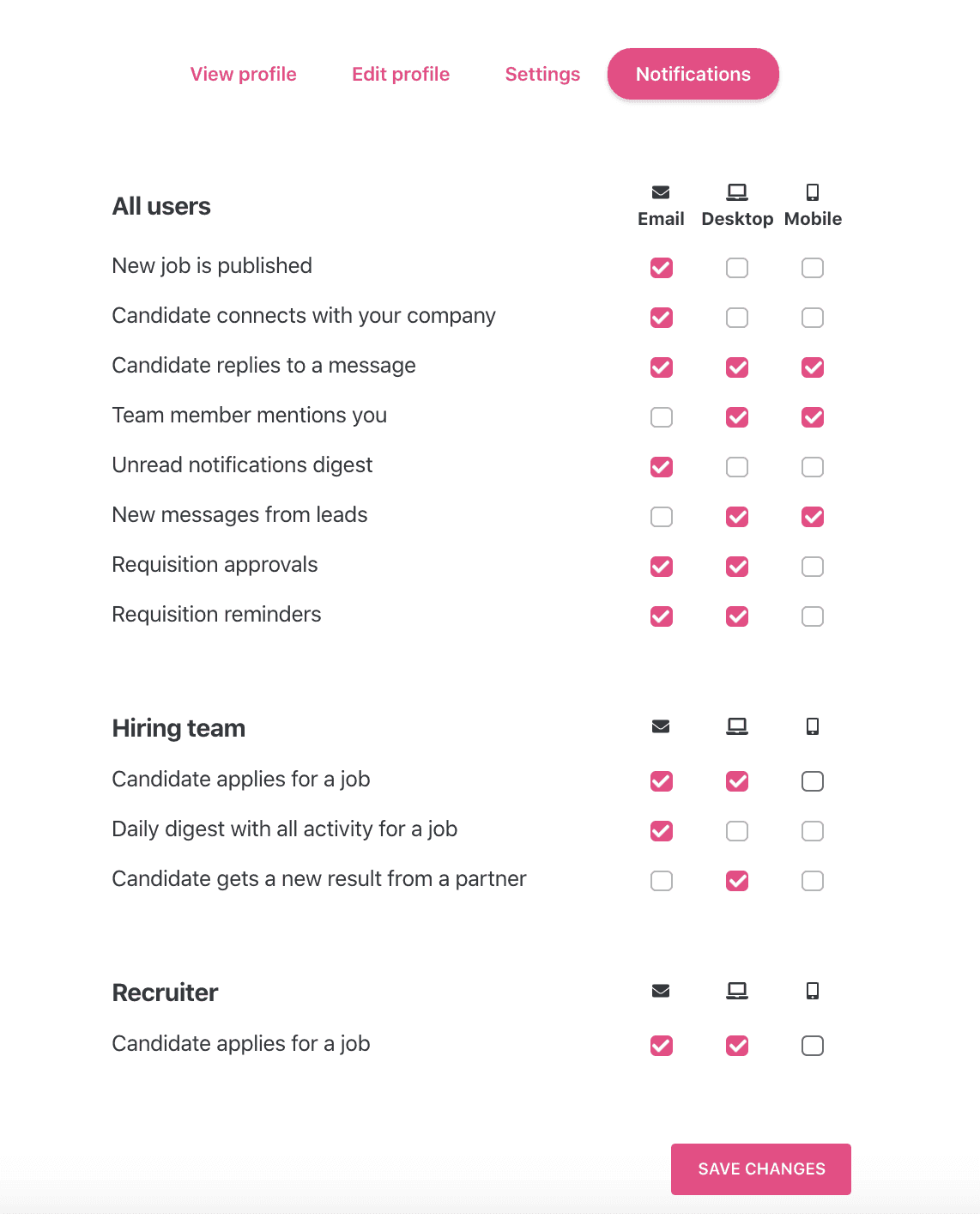
We are also working on including even more notifications for you to select between, so stay tuned. Talk to you soon! 🥳
/The Teamtailor Product Team