

What an ATS does in recruitment
An applicant tracking system (ATS) is where a hiring team keeps the work of filling a role: the job, the applications, the stages, the interviews, the decisions and what was said to whom. The category is large. Jobscan, which looks at the careers pages of the Fortune 500, detected an ATS at 487 of 500 of them in 2026, or 97.4%.[S17] So when someone asks whether recruiters really use one, the answer is yes, and the more useful question is what the one in front of you does with a Tuesday.
This guide follows a role through the system, from the request to the record that is left afterwards. We make an applicant tracking system, so where we describe how a step works in Teamtailor we say "in Teamtailor", and where something is true of the category we say that instead. The detail comes from our support centre, linked at the end of the page, and not from memory.
What it is not
An ATS is not the HR system. It owns the candidate until the offer is signed, and the HRIS owns the employee from the first day. It is also not only a database of CVs. A database remembers people. An ATS also knows who is waiting for whom, which is the part a recruiter opens it for at nine in the morning.
If you want the buying angle (security review, multiple entities, procurement), that is in our complete guide to applicant tracking systems. This one is about the mechanism.
A note on language. "Recruiting tracking system", "recruitment ATS" and "ATS recruitment" mean the same thing as an applicant tracking system. We use the full term and the abbreviation interchangeably.
The pipeline: one board for every role
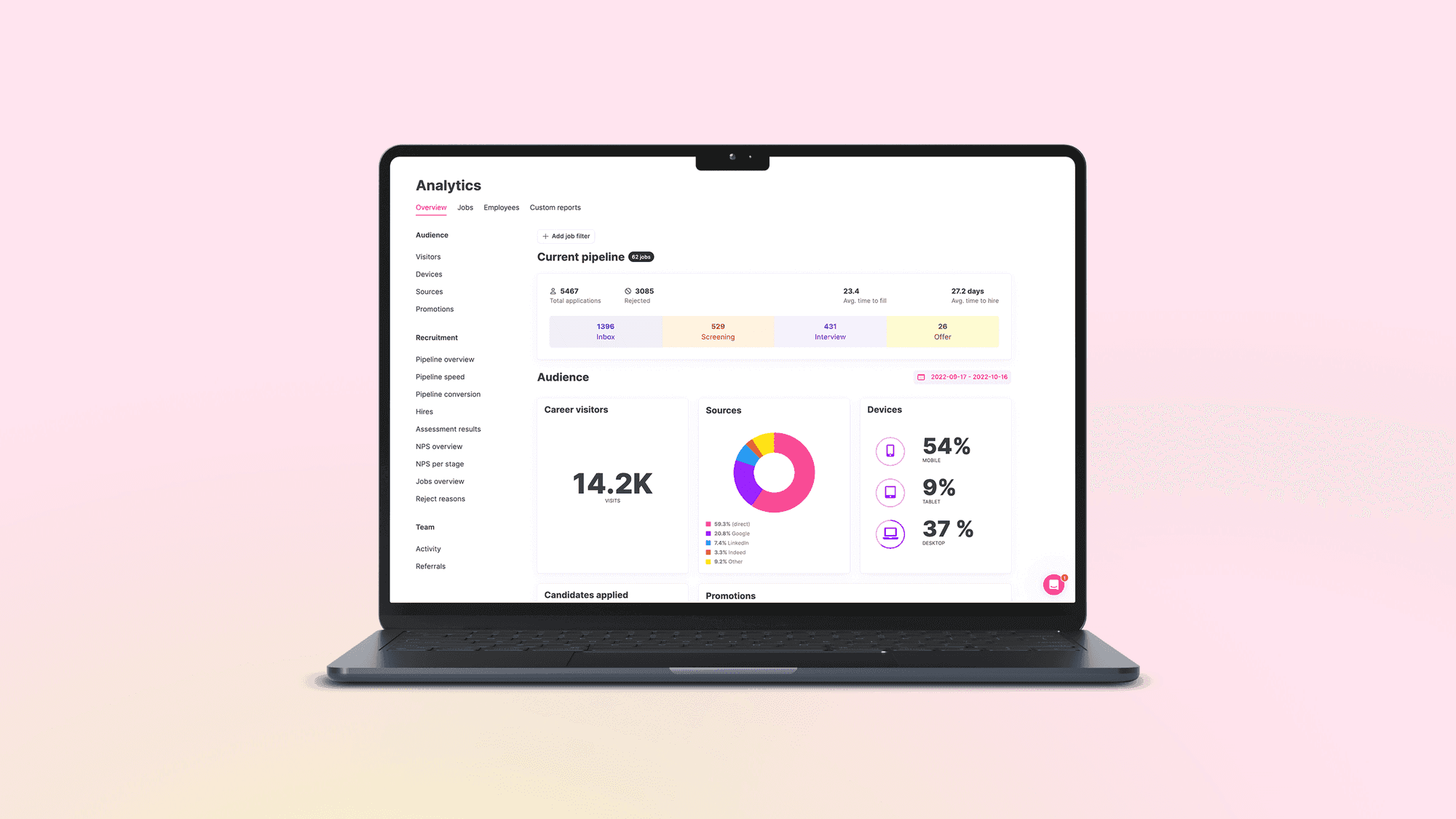
Everything else hangs on the hiring pipeline. Each job has stages, each candidate sits in one stage, and moving them is the unit of work. The stages differ from role to role, which is how a warehouse hire and a finance manager can share a system without sharing a process.
Stages and stage types
In Teamtailor, a job starts from a pre-built process that the team can change, and stages are added in the job's editing mode.[S3] Each stage belongs to one of five types: Inbox, Screening, Interview, Offer or Hired. Inbox and Hired are fixed, and custom stages are placed under Screening, Interview or Offer.[S3]
The type matters more than the name. A stage called "Chat with Maria" and one called "Phone screen" can both be Screening, and the pipeline reports then count them together. The names are for the team, the types are for the numbers. Decide the types once, and a report of how many candidates reached the Interview type means the same thing across every job.
What a recruiter sees at nine
The board is a list of people per stage, and the useful part is the edges of it: who has been in a stage longest, who has a to-do waiting, whose message has gone unanswered. The first thing a recruiter learns to read is the stage that is full on the left and empty on the right. That is a bottleneck with a name on it, and it is usually a person who is out of the office, not a candidate problem.
Posting the job and receiving applications
The job and its approval
In Teamtailor, a job is created from the Jobs tab with a title, department, role, locations, the main recruiter, the number of open positions and a recruitment period.[S4] A hiring manager submits a request, the job gets the status "Pending creation", and recruitment leads and admins are notified so they can create it.[S4] Where a hiring manager can create jobs, the access level does not include publishing: the job moves to pending and a recruitment lead or administrator publishes it.[S7] If the company uses the job approvals add-on, the job setup shows the approval flow that applies to the job.[S4]
This is the first place an ATS earns its keep for a bigger team. The approval is a state on the job, with a name against it, instead of a "yes" somewhere in a thread. Three weeks later, when someone asks who agreed to the extra headcount, you open the job and read it.
Two fields shape the rest of the process. The number of open positions decides when the job closes itself: the job switches to Completed once hires reach it, and no more candidates can be moved to Hired unless the number is raised.[S4] The recruitment period appears in the hiring plan, so progress is tracked against dates the team agreed.[S4]
Where the ad goes
The ad lives on the career site, which in Teamtailor is built in a career site editor: default pages are generated automatically, custom pages are added by hand, and each page is made of content blocks, with design settings for fonts, logos and colours.[S13] Publishing also sends the job to the free channels the account has switched on: Google Jobs (not in all regions), Indeed and Glassdoor, and Jooble are activated by default, and others, such as Adzuna and Jora, can be switched on under Marketplace.[S11] Two details are worth knowing. Sending a job is not the same as the channel listing it, since the channel decides, and the support article says it takes 24 to 72 hours for jobs to appear on the free channels after they are published.[S11] The free channels are not included in a trial account, and every job needs a location to be sent.[S11]
A recruiter who posts at four o'clock and checks at five for the ad on Indeed has not found a bug. That is the 24 to 72 hours.
Applying, and not applying yet
Applications arrive in the Inbox stage, with the answers to the questions on the form. There is a second route for people who are not ready. In Teamtailor, a visitor can use Connect to say they are interested without applying: they choose departments and roles, create a profile, and get a thank-you email and job alerts when a matching job is posted.[S8] They stay in the pool until the next opening fits.[S8] That is how a talent pool fills without anyone importing a spreadsheet, and it is the half of a candidate relationship management tool that sits inside the ATS.
Screening: what is automatic and what is not
This is the chapter people search for when they type "can an ATS reject my CV". The honest answer is that it depends on what the team set up, and the team can read it back.
Questions on the form
Screening starts with what you ask. Yes/No and range questions are always mandatory in Teamtailor, and follow-up questions can be shown or hidden depending on an earlier answer.[S19] The questions are where the facts a role depends on get collected: a right to work, a licence, a language, a shift pattern.
The question types are Choice, Date, File, Number, Range, Text and Video.[S19] Conditional logic works on Yes/No and Choice answers, in the application form and in the message tab of the candidate card.[S19] Two design habits follow. Use a Choice or Range question where a rule will read the answer, since a rule can compare a selected option and cannot compare a paragraph of prose. Keep Text and Video for what a person will read, because those answers are for the recruiter and not for a condition.
Triggers and Smart move
A trigger runs when a candidate enters a stage.[S1] It can send a message, add a comment or a to-do, add or remove tags, share the candidate, send an interview invitation through Smart schedule, or move the candidate on.[S1] A company admin has to activate triggers in the add-on feature centre first, and the default delay is one minute after the candidate is moved to the stage.[S1]
Smart move is the trigger that matters for screening. It moves a candidate to another stage when they meet conditions you set: question answers, job offer status, resume keywords, location, referral status, tags, and screening criteria if the add-on is on.[S2] You can set several groups of conditions, and the first matching group is the one used, so their order is a decision.[S2] Three rules save an afternoon of confusion:
- A trigger only affects candidates who enter the stage after it was added. Existing candidates are not touched, with one exception: triggers that act on screening criteria also run for candidates already in the stage.[S2]
- Editing a trigger also only affects new arrivals, except again for screening criteria triggers, which re-run when their configuration changes. A change to a resume, location or answers does not move a candidate who is already in the stage, but a change in job offer status does.[S2]
- A delay can be added, and if the candidate moves on during the delay the trigger is cancelled.[S2]
The second rule is the one that produces the Tuesday message: "I changed the trigger and nothing happened to the people already in the stage." Nothing was supposed to. Move them by hand, or in bulk, once.
Screening against criteria
Teamtailor also offers assisted screening, which needs an add-on that a company admin switches on. A user with editing rights to the job writes the criteria, or accepts criteria suggested from the job description, and each candidate is marked as meeting, not meeting or unclear.[S10] The support article describes the recruiter as the one who decides: a mark of meeting or not meeting is only set when there is enough information to support it, otherwise the candidate shows as unclear, and the result can be reviewed and changed by hand on the candidate card.[S10] The only automatic step it describes is an optional Smart move trigger that acts on the result.[S10] The glossary has the general term: candidate screening.
What to ask any vendor: show me everything that happens to a candidate without a person pressing a button, and show me where I can read it. If that list is short and visible, the system is doing what you asked. If it cannot be shown, treat that as the answer.
Does the software reject people?
Not by itself. Jobscan's own write-up does not describe automatic rejection; it describes recruiters using the system to search and rank candidates, and says 76.4% of the recruiters in its own survey rank candidates by the skills in the job description.[S17] That matters, because the filter is a human decision made once and applied many times. A knockout question on the form, a keyword condition in a Smart move trigger and a screening criterion are all rules someone wrote. Bad rules reject good people quietly, and the fix is to read them as often as you read the job ad.
Hiring managers and the rest of the team
A recruiter can run a pipeline alone. A hire needs at least one other person, and that is where most of the friction in recruiting sits.
One view, narrowed to the role
In Teamtailor, a hiring manager is invited to a recruitment process, sees the invited jobs under the Jobs tab, and opens each to see its candidates by stage.[S7] On a candidate card they can handle comments, to-dos, interviews and messages, and read what the candidate submitted.[S7] There is a Job comments area for the hiring team to discuss the process, and a bulk select to message, move or assign a to-do to several candidates at once.[S7]
The point of this is where the conversation lives. A comment on the candidate card stays with the candidate. A reply-all stays with whoever was copied. The difference shows when the hiring manager who was on holiday comes back and wants to know what happened to "the one with the Python project". They open the card.
Comments with a visibility setting
Comments on a candidate go to anyone with access to that candidate, and comments on a job application go to the hiring team and admins. A comment can be restricted before it is posted, and a restricted comment shows a padlock. Company admins can see all comments.[S23] Files can be attached to a comment and then also appear under Documents on the profile, though executable file types are blocked.[S23] That is a small thing until a hiring manager sends a work sample by email and it is the only copy.
Mentioning, restricting, sharing
Colleagues can be mentioned in comments and are notified according to their own notification settings.[S23] A candidate profile can be shared outside the account by link or email, with sections left out, personal details anonymised and a password set. Individual links can be revoked, and an admin can revoke all share links at once under Data & Privacy.[S20] Up to 20 profiles can be shared in one email.[S20] For sensitive roles, a candidate can be restricted so that only admins, recruitment admins and recruitment leads with access can open the card.[S22] The principle is the same as the approvals: put the permission where the person works, not in a rule people are asked to remember.
Interviews, scorecards and the decision
Booking the interview
Smart schedule picks meeting times that work for you and your team and sends the candidate options to choose from, and it can also be used as a trigger. The same support video covers sending meeting invitations to several candidates at once.[S18] That is the replacement for the exchange of "does Thursday work" messages, and the saving is not in the minutes. It is in the candidate not waiting two days for a reply while the recruiter waits for an interviewer.
Interview kits and scorecards
An interview kit is a structured guide: instructions, the skills and traits to assess and the questions for them.[S6] In Teamtailor, a kit can be attached to a stage, and it then appears on the candidate card and is preselected when a meeting is booked for that stage.[S6] Reviewers must submit their own feedback before they can see their team members', which the article says is meant to reduce bias. The instructions added to the kit appear first when feedback is given, and an admin can link a kit to a stage, which helps when a job uses several.[S6] There is more on how this looks on our interview kits page.
The scorecard is the other half. Each skill or trait is rated from 1 to 5 with an optional comment, colleagues' evaluations can be read alongside your own, and ratings of 3 or higher are saved to the candidate's profile as competencies.[S5] The design choice to notice sits in the kit, not the scorecard: the submit-first rule. A panel that writes before it talks produces four independent opinions, where a panel that talks first produces one opinion repeated four times.
Comparing the shortlist
For the decision, up to 50 candidates can be compared at once in side-by-side columns that include ratings, stage, tags, comments, interview kit feedback, skills and traits and answers to application questions.[S15] Candidates can be pinned to stay in view while you scroll, hidden from the comparison, and moved to the next stage or rejected from their column.[S15] Questions of the file and video types are not supported in the comparison, so keep the facts a decision rests on in Choice, Number or Range questions.[S15] It is a plain feature, and it is the one that ends the meeting where someone says "I thought we had agreed on her".
What the candidate sees
Every step above has a candidate on the other side of it. The system decides how much of the process they can see.
Status and messages
In Teamtailor, transparent recruitment lets connected candidates see a status for each application: unread, inbox, in progress, hired or rejected.[S14] They see "In progress" and not the exact stage, and a company admin turns the feature on and can disable it per job.[S14] The statuses are Unread, Inbox for an opened application still in the Inbox stage, In progress, Hired and Rejected, shown on the candidate's Connect dashboard.[S14] Messages go out from the candidate card or from triggers, so the "we have received your application" and the "we are not moving forward" are templates the team wrote once, not a favour someone remembers to do.
Candidate experience is mostly this: what the person was told, and when. A reject message sent three days late is remembered longer than a perfect careers page.
Keeping data, and letting go of it
An ATS also decides how long people stay in it. Automatic data deletion in Teamtailor is configured under Settings, Data & Privacy. Rules cover inactive candidates, rejected applications, candidates with no active purpose, removal requests and missing or expired permission.[S9] A candidate who meets a rule is flagged and removed a week later, and the removal cannot be restored.[S9] Hired candidates can be excluded, and an add-on sets rules per country.[S9] On the legal side, the system gives you the controls, and the retention period is still your decision.
Reporting, integrations and security
The numbers that come out
If the process runs through the system, the system can report on it. Recruitment reports in Teamtailor cover pipeline progress and conversion between stage types, average days to hire and to fill, hires by source and department, meetings booked, candidate NPS and reject reasons.[S16] The pipeline overview takes a daily snapshot of where candidates sit by stage type, and the conversion report shows a funnel with the drop-off points.[S16] This is why the stage types matter: the pipeline reports count by type, so two jobs with differently named stages still report the same way.[S3] Reject reasons are the quiet one: the breakdown is only as useful as the reasons the team chooses when it rejects, so agree the list before the first rejection. See reporting and recruiting metrics.
Integrations
An ATS sits between job boards, assessments, calendars, e-signing and the HR system. Teamtailor's integrations page states 550+ integrations, grouped into tools (including assessments, HR systems and background checks) and job boards and social media.[S12] The questions that matter are about how a handover runs, not how many there are: what triggers it, whether the recruiter can see it fail, and who gets the error. Browse the integrations to see what is there.
Security
The trust centre lists GDPR, ISO/IEC 27001, ISO/IEC 27701, SOC 2 and ISO/IEC 42001:2023, and says Teamtailor ATS is audited annually under SOC 2 Type 2.[S21] Read the scope of any certificate before relying on it, and ask for the date of the last audit. The longer checklist is in the complete guide.
Choosing an ATS, and next steps
There is no honest "best ATS for hiring", because the best one is the one your hiring managers open without being asked. The practical test is a real role, run through each system you are considering, with the hiring manager in it.
A test you can run in an afternoon
- Take a live role with a hiring manager who dislikes software, and have them submit it, comment on two candidates and leave feedback on an interview.
- Build one screening rule and ask the vendor to show everything it did, and to whom.
- Book an interview from the card and watch what the candidate receives.
- Pull the reject reasons and the time per stage for that role.
- Ask for the list of what happens to a candidate's data a year after rejection.
If you are comparing named tools, our comparison pages set Teamtailor beside others, and we say there which differences we think matter. They are our view, written by us.
Next steps
If this matches how your team works, book a demo and bring a real role. If you want to know what it costs first, see pricing. Our applicant tracking system page has the overview.