

Decide what the system is for before you see a demo
The shortlist is usually settled by the third demo, and the person who settled it often cannot say why. A feature that looked good in a sandbox with six invented candidates won over a feature nobody tested with four hundred real ones. The fix is dull and it works: write down what the software has to do, for whom, before any vendor is allowed to show you anything.
This guide is for talent acquisition teams who already know what an applicant tracking system (ATS) is and are choosing one, or replacing one. It covers the requirements worth writing down, the kinds of ATS software on the market, how to judge integrations and pricing models, and the questions that separate a demo from a deployment. It comes from a company that makes one, so where we describe how something works, we say it works that way in Teamtailor, and where a point applies to every vendor, we say that instead. If you want the category explained from scratch, the complete guide to applicant tracking systems does that, and the glossary entry for applicant tracking system is the short version.
Four groups of users, four sets of requirements
A buying decision goes wrong when it is made on behalf of one of these groups only. List what each of them needs from the system, in their words, and keep the list on one page.
- Recruiters live in the pipeline all day. They need to find a candidate fast, move twenty people at once, message in bulk without it feeling like bulk, and see what is waiting on them.
- Hiring managers open the system a few times a month, usually between two other things. They need to see their own role, read what the recruiter wrote, leave a score and be done. If they have to be trained, they will not use it, and the process moves back into email.
- Candidates never chose the software, but they judge your company by it. The career site, the application form on a phone and the first reply are theirs.
- IT, security and legal decide whether the purchase happens at all. They want single sign-on, a data processing agreement and a clear answer on where the data is.
Write down the process you actually run
Take the last three roles you filled and trace each one: where the request came from, who approved it, where the ad was published, how many applied, who screened, how many interviews, how the offer was made, what happened to everyone else. Differences between the three are the interesting part. A role that took eleven emails to schedule one interview tells you more about requirements than any feature list, because it names the step where the current tools lose time.
Bring the three traced roles to every demo and ask the vendor to run one of them. A scripted demo shows what the product does best. A role you picked shows what it does on a Tuesday.
The kinds of ATS software on the market
Searches for "ATS software" return a single list, as if the products were interchangeable. They are not. The category has a few distinct shapes, and the shape matters more than any individual feature, because it decides what the vendor is good at and what it treats as an afterthought. Recruitment software is the wider term and has no fixed boundary, so use it as a search term and not as a requirement. The glossary entry for recruitment software sets out how the labels overlap.
| Shape | What it is | Fits best | Watch for |
|---|---|---|---|
| Standalone ATS | A system built around recruiting only: jobs, candidates, stages, interviews, reporting. | Teams whose HR system already works and who want recruiting to be handled by a specialist. | The handover to the HR system. Ask to see a hire move across. |
| Module in an HR suite | Recruiting as one part of a larger human resources platform, sold with payroll, performance or learning. | Organisations that want one contract and one vendor for the whole employee record. | Depth of the recruiting module. Test it on real roles before accepting it as part of the bundle. |
| Recruiting platform with a career site and CRM | An ATS that also includes the career site, talent pools and candidate relationship tools in the same system. | Teams that want applicants, contacts and the public job pages to share one set of data. | Whether the career site is built inside the system or connected from outside it. |
| High-volume and hourly hiring | Systems tuned for many applications, short processes and frontline roles, often with text-based screening. | Retail, hospitality, logistics, healthcare shifts. | How well they handle the occasional senior hire, with a longer process and more stakeholders. |
| Agency and sourcing tools | Systems built around client management, placements and database search. | Recruitment agencies and search firms. | In-house teams pay for features they never open. |
Teamtailor sits in the third row: the career site is built into the applicant tracking system, not connected from outside.[S11] That is a description of how we built it, and not a claim that the third row is the right one for you. The first thing to ask yourself is which of the five your team would describe itself as buying.
The comparison pages go through individual products one by one, for example Greenhouse and others, and they are written to be fair to the other vendor. If you want a ranked "top 10", we have not written one: a ranking only means something against your requirements, and those are in the next chapter.
Requirements worth writing down
Most requirement lists have forty lines and use four of them to decide. The sensible way to build one is to sort every line into three buckets: what you cannot go live without, what will cost you hours each week if it is missing, and what is pleasant. Only the first bucket is allowed to rule a vendor out.
The table below is the list we would start from. The last column says how it works in Teamtailor, with a source, so you can use the column as a worked example and then ask every other vendor the same question.
| Area | What to ask | What good evidence looks like | In Teamtailor |
|---|---|---|---|
| Job requests and approval | Can a hiring manager request a role and an approver release it inside the system? | A live demo of a pending job being approved and published, with the trail visible. | A Hiring Manager can create and edit jobs and submit them as pending, but cannot publish them directly.[S8] Requisitions and approval flows are listed as a premium feature.[S2] |
| Publishing | Where do jobs go, and what is included in the price? | A list of job boards with a note on which carry a cost. | Publishing to more than 120 job boards and social channels in one click is stated on the small and midsize page.[S12] |
| Career site | Is it built in the system or connected to it? Who edits it? | A recruiter, not a developer, changing a page in front of you. | A drag-and-drop page builder with blocks, custom blocks in HTML and CSS, and pages with translated content.[S11] |
| Mobile application | Can a candidate finish the application on a phone without an account? | Your own phone, your own job, start to finish. | A mobile-friendly application process on any device is stated on the product page.[S12] |
| Collaboration | How does a hiring manager see candidates, comment and score? | A hiring manager from your own company trying it with no training. | Comments for team members, to-do lists, candidate sharing and reminders.[S5] A Hiring Manager reaches candidates through a hiring team or group.[S8] |
| Automation | What can run without a person, and who can see what ran? | A rule built in the demo, with the log of what it did. | Triggers perform actions when a specific event happens, for example acknowledging an application, alerting a hiring manager and creating follow-up tasks.[S5] |
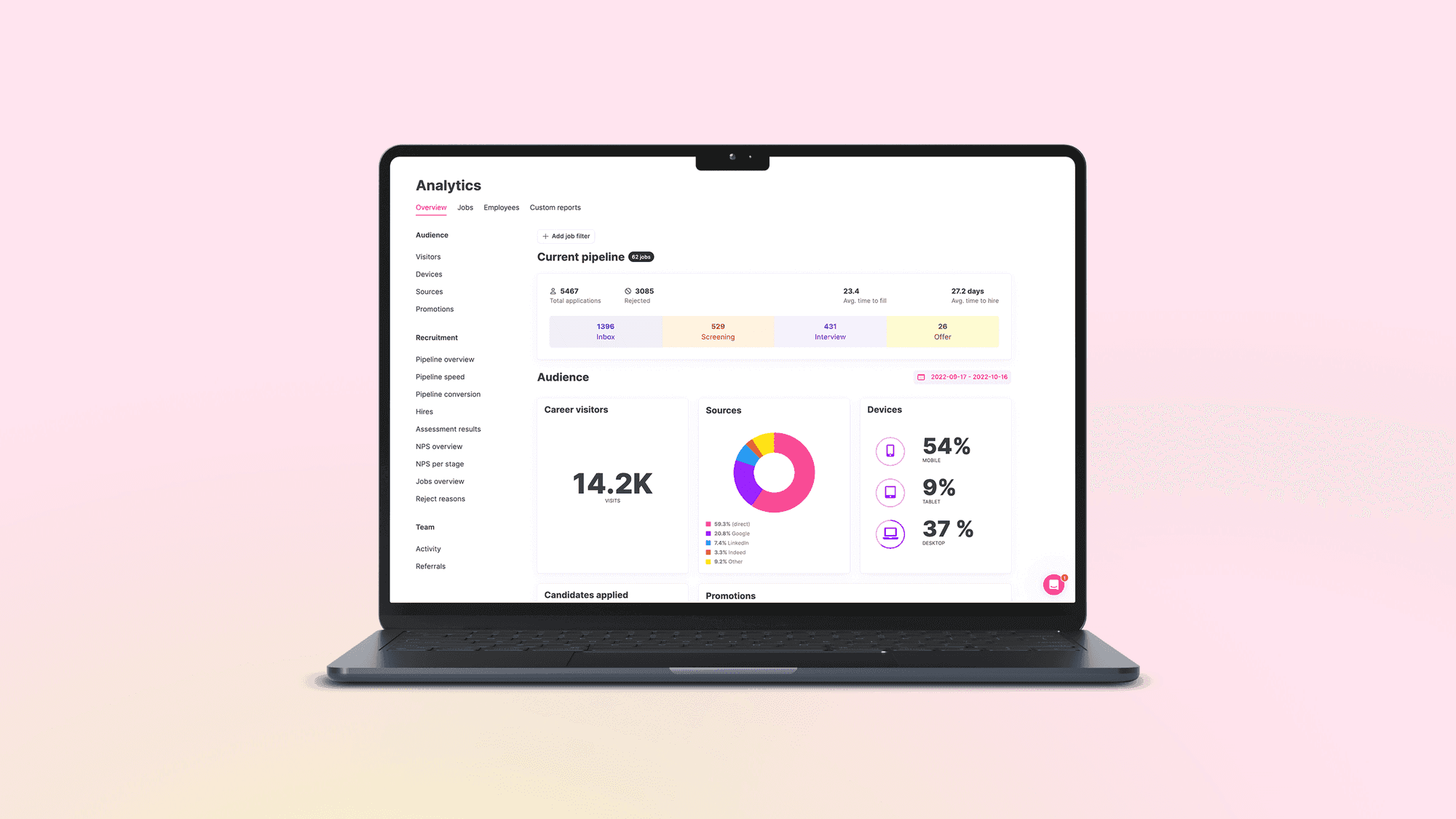
| Reporting | Time to hire, source of hire and stage conversion per role, team and entity? | The report you take to your own budget meeting, built on the spot. | Reporting is a listed feature, alongside advanced analytics and custom reports.[S3] |
| Integrations | Which are native, which are connectors maintained by someone else, is there an open API? | Your HR system's integration running on a test hire. | 550+ integrations and an open API, listed as included.[S2] |
| Access and security | Single sign-on, roles, audit log, data location. | The vendor's trust centre, not a PDF produced on request. | See the security chapter below. |
| Support and onboarding | Who answers, and who helps you get live? | A named contact and a described onboarding plan. | Live chat or email for every user, whatever their access level, an onboarding team and dedicated Customer Success Managers.[S10] |
What changes at 100 employees and what changes at 5,000
For a company of a hundred or so, the weight sits on speed to value: can two recruiters be live in a few weeks, is the career site good without a developer, is the price something the finance lead can approve alone. For a company of a few thousand, the weight moves to governance: several brands or countries, approval chains, single sign-on, a security review that takes a week and not a quarter. The same product can serve both, but the questions you spend demo time on should differ. The page for small and midsize teams and the page for enterprise show how we frame each.
Integrations: read the list, then watch one run
The integration count on a vendor page is a poor guide, because it counts everything from a free job board to a deep two-way connection with an HR system. What you need to know is narrower: which five or six connections your process depends on, and how each one behaves when something goes wrong. An ATS integration that works in a demo and fails silently on a hire is worse than none, because the recruiter thinks the record has moved.
The connections most teams depend on
- The HR system. The ATS owns the candidate until the signed offer and the HRIS owns the employee after that. The integration carries a short list of fields across: name, start date, salary, manager, cost centre. Agree who owns each field before the pilot.
- Job boards and social channels. Check which are included and which cost extra, and whether sponsored placements are bought inside the system.
- Assessments and interviews. Skills tests, video interviews and reference checks are where candidates leave the system and come back.
- E-signing and background checks. Offers and checks need an audit trail, so they should be triggered from the pipeline and not copied in by hand.
- Calendars and messaging. If interview scheduling does not read the interviewers' calendars, the saving you were promised disappears.
What Teamtailor lists
The integrations page states 550+ integrations, and the product page describes them as making the hiring stack feel like one system.[S4][S3] Read on the day we checked it, the page shows 80 HR systems, 127 assessments, 26 background-check providers and 16 e-signing tools, among other categories.[S4] HR systems named on the page include Bamboo HR, Dayforce, Hibob, Deel and Cezanne HR, and e-signing tools include DocuSign and Adobe Acrobat Sign.[S4] Counts on a directory move from week to week, so use them to see what kinds of connection exist and check your own HR system by name, with a vendor, before it becomes a requirement.
Ask three things about each integration you rely on. Is it triggered by a stage change or by a person? Can the recruiter see a failed record? Who gets the error message? The answer to the third is often nobody.
Pricing models, and what to ask besides the price
ATS vendors charge in a handful of ways, and the model matters more than the headline number, because it decides who gets access and what you pay when the business changes. We have not put prices for other vendors in this guide. They change, they depend on the quote, and a figure we could not source would be worse than none.
| Model | How it grows | Ask |
|---|---|---|
| Per user or per seat | With the number of people who log in. | Do hiring managers count as seats? If they do, expect access to be rationed, and the process to drift back to email. |
| Per open job | With the number of roles live at once. | How are evergreen roles and high-volume postings counted? What happens in a busy month? |
| Per employee | With company headcount. | Is it headcount of the whole group? Does it change when you acquire a company? |
| Flat or per organisation | With the size of the contract, not the usage. | What is the limit on entities, career sites or locations? |
| Base plus add-ons | With every module you turn on. | Which features in the demo are add-ons? What is the audit log, SSO or sandbox retention worth in the quote? |
How Teamtailor prices
Teamtailor does not publish prices. The pricing page asks for a few details about your company and answers with a quote.[S2] What it does state is that job postings and users are unlimited, that customer support covers all users, and that integrations and an open API are included.[S2] Two features are marked premium on the same page: requisitions and approval flows, and divisions and multi-brand management.[S2] The page also lists AI support across hiring as included, with unlimited usage.[S2] If you need either premium feature, say so in the first conversation so that the quote starts from your set-up.
Whatever vendor you speak to, ask for the three-year total, the renewal terms, what the quote assumes about the number of users and sites, and what happens to your data if you leave. The exit question is the least asked and the one a finance team will remember. The pricing page is where to begin with us.
Security, access and data location
The security reviewer should be able to close the review from documents, not from a call with a sales rep. Look for a public trust centre, a data processing agreement, a sub-processor list and a certificate with a stated scope and date. A badge on a footer is not evidence.
What Teamtailor publishes
- The trust centre lists GDPR, ISO/IEC 27001, ISO/IEC 27701, SOC 2 and ISO/IEC 42001:2023 under compliance. It states that the ISMS and PIMS of the Teamtailor ATS and Aboard HR are certified under ISO/IEC 27001 and 27701, and that Teamtailor is independently audited annually under the SOC 2 Type 2 standard.[S1]
- Controls listed there include audit logging, multi-factor authentication, role-based access control, application penetration testing, data retention periods, data erasure, incident response and an SLA statement.[S1] The page lists the control areas without describing how each is implemented, so ask for the document behind any you rely on.
- Single sign-on runs through SAML 2.0, and admins can enforce it for all users once the set-up is confirmed. External Recruiters are always excluded.[S6]
- Data can be placed in Europe (Ireland), North America (Oregon) or Asia-Pacific (Australia). Stored and processed locations differ per region, and the support article states that no data is transferred between instances while noting that personal data may still be transferred outside these areas depending on the services and sub-processors involved.[S7]
- Six roles run from No Access to Company Admin, with Division Admin and External Recruiter as add-on roles.[S8]
Several brands or countries
If you hire for more than one brand, subsidiary or country, how the system separates them is a core requirement. In Teamtailor, divisions are for companies with multiple brands, business units, branches or subsidiaries. They share everything by default, with selective separation, and each division can have its own career site on its own URL.[S9] Ask every vendor the same: what is shared, what can be separated, whether a candidate sees only the brand they applied to, and whether you can still report across all of it.
For the detail on certificates and the rules that touch recruiting software now, the complete guide has a chapter on each, including a list of questions for the security reviewer.
What candidates will see, and why it is part of the buying decision
A buying team looks at the recruiter's screen for most of an evaluation and at the candidate's for about ten minutes. That ratio is the wrong way round. The candidate's side is where your employer brand meets the software, and it is where applications are lost without anyone noticing, since nobody records the person who closed the tab.
Apply to one of your own jobs in the vendor's sandbox, on a phone, on the train, without telling anyone. Count the screens. See whether you can upload a CV from the phone's files, whether the form remembers anything and what you receive afterwards. A reply that says what happens next and when costs a template and a trigger; a vendor who cannot show you that has not thought about the person on the other end. Candidate-facing parts are covered in more detail in career sites.
Automation and who decides
Automation is where buyers should be most careful with their wording. Ask what runs on its own, who configured it and where a recruiter can see what happened. In Teamtailor, triggers apply the same steps to every candidate when an event occurs, and the page recommends starting with one or two bottlenecks such as scheduling or emailing, keeping candidate names and job titles in messages, and tracking time to hire, NPS and conversion to refine them.[S5] More on this in recruitment automation and triggers. Whatever vendor you choose, a rule you cannot read is not a rule you can defend to a candidate or a regulator.
Running the evaluation
An evaluation that goes well is shorter than one that goes badly. Give each step a person and a deadline, and add time for the security review, the data processing agreement and works council consultation where those apply.
- Long list of five to eight. Filter on the must-have bucket only. Ask for the trust centre link and the integration list before a call is booked.
- Short list of three. Give each vendor the same brief: one of your traced roles, your HR system, your approval chain.
- A sandbox for one live role. Run a real role with a real hiring manager, even if only as a rehearsal. A hiring manager who gets stuck on the first screen is the most useful result you will get.
- Reference calls. Ask for a company of your size and your industry, and ask what they would change about the first ninety days.
- Security and legal in parallel, not after the choice. A review that starts once you have picked takes the vendor's side of the negotiation away from you.
- Decision on a scorecard, filled in by each member of the group before you discuss it.
A scorecard that keeps the discussion honest
| Criterion | Weight | Scored by |
|---|---|---|
| Recruiter workflow on a real role | Highest | Recruiters who ran the sandbox |
| Hiring manager can use it unaided | High | The hiring manager from the pilot |
| Candidate experience on a phone | High | Someone outside the team |
| Integration with the HR system, run on a test hire | High | HR operations and IT |
| Security, privacy and data location | Pass or fail | Security and legal |
| Reporting you will take to the budget meeting | Medium | Head of talent acquisition |
| Three-year cost and exit terms | Medium | Finance and procurement |
The weights are a suggestion. What matters is that they are agreed before the first demo and that the "pass or fail" row is one that can really stop a deal. If your group is split on the scorecard, that is useful: it usually means two stakeholders had different jobs in mind, which is better found now than at go-live. A common thing to find is that the hiring manager score decides the pilot, since a system the managers will not open is a system whose reports cannot be trusted.
Download. There is also a downloadable guide on the same subject: How to choose an ATS.
Twenty questions to ask every vendor
These work as an agenda for a demo and as a checklist for a written response. Ask them in the same order to each vendor and write the answers down.
About the product
- Can you run one of our traced roles, from request to signed offer, in front of us?
- What can a hiring manager do without a recruiter, and what is blocked?
- Where does the career site live: inside the system, or connected from outside?
- Which actions can run automatically, and where can we see what ran?
- How are candidates who did not get the job kept, and for how long, by country?
About integrations and data
- Which integrations are native and which are maintained by a third party?
- What triggers the handover to our HR system, and who sees a failed record?
- Is there an open API, and is it documented publicly?
- What can we export, in what format, and what happens to our data when we leave?
- Which data region will we be in, and what is processed outside it?
About security and compliance
- Where is the trust centre, and what is the scope and date of each certificate?
- When was the last SOC 2 Type 2 report, and were there exceptions?
- Can single sign-on be enforced for every user, and how are leavers removed?
- How long is the audit log kept, and does a longer period cost extra?
- Which of your features are designed for the rules on AI in recruitment, and who audits the claim?
About the contract and the people
- What does the price assume about users, sites and job volume?
- Which features in this demo are add-ons?
- What does onboarding include, and who is our named contact?
- What are the renewal terms and notice period?
- Which customer of our size would you put us in touch with?
Where Teamtailor fits, and where to look carefully
Teamtailor is built around one idea: the recruiting work, the career site and the conversation with hiring managers are in the same system, so the team is not stitching them together. In practice that shows in a few places. The career site is built into the ATS, with a drag-and-drop page builder.[S11] Hiring managers reach candidates through a hiring team or group.[S8] Triggers apply the same steps to every candidate when an event occurs.[S5] Integrations are listed as included, with an open API.[S2] Certifications and controls are published on a public trust centre.[S1]
There are also reasons to look carefully, and a fair evaluation should find them. Price is by quote, so you cannot compare it from a page. Two features that larger organisations often need, approval flows and multi-brand management, are marked premium.[S2] And an ATS built around recruiting is not an HR suite: if a single vendor for payroll, performance and recruiting is your requirement, a suite will fit that requirement better and a recruiting platform will fit the recruiting better. Know which of the two you are buying.
For more reading, the article on why it is worth investing in an ATS sets out the business case, and the piece on using recruitment analytics to reduce time to hire is useful when you decide what to measure.
Next steps
Write the requirements in three buckets, trace your last three roles and pick the one you want to see run. Then book a demo and bring that role, or look at how pricing works and tell us your set-up so the quote starts from it.