


Elevate your hiring effortlessly with AI tools. Meet Co-pilot in Teamtailor—your recruitment ally powered by OpenAI.
Co-pilot is the groundbreaking AI assistant that helps you improve your recruitment process and reach your goals faster. You're still the captain, but now you have a co-pilot helping you make better decisions.
Activate Co-pilot in Add-on features. Once Co-pilot is activated in your account, you can select which features you think should be enabled in Settings → Recruitment → Co-pilot. It's powered by OpenAI's GPT AI models.
Want to see Co-pilot in action? Check out this 5 minute video showing some of the features.
These are the features that the Teamtailor Co-pilot can assist with:
Job creation
Draft a job description in an instant
Suggest job application questions
Suggest interview kit questions
Translate questions with a click
Suggest skills and traits
Answer interview kit questions
Recruitment & candidate experience
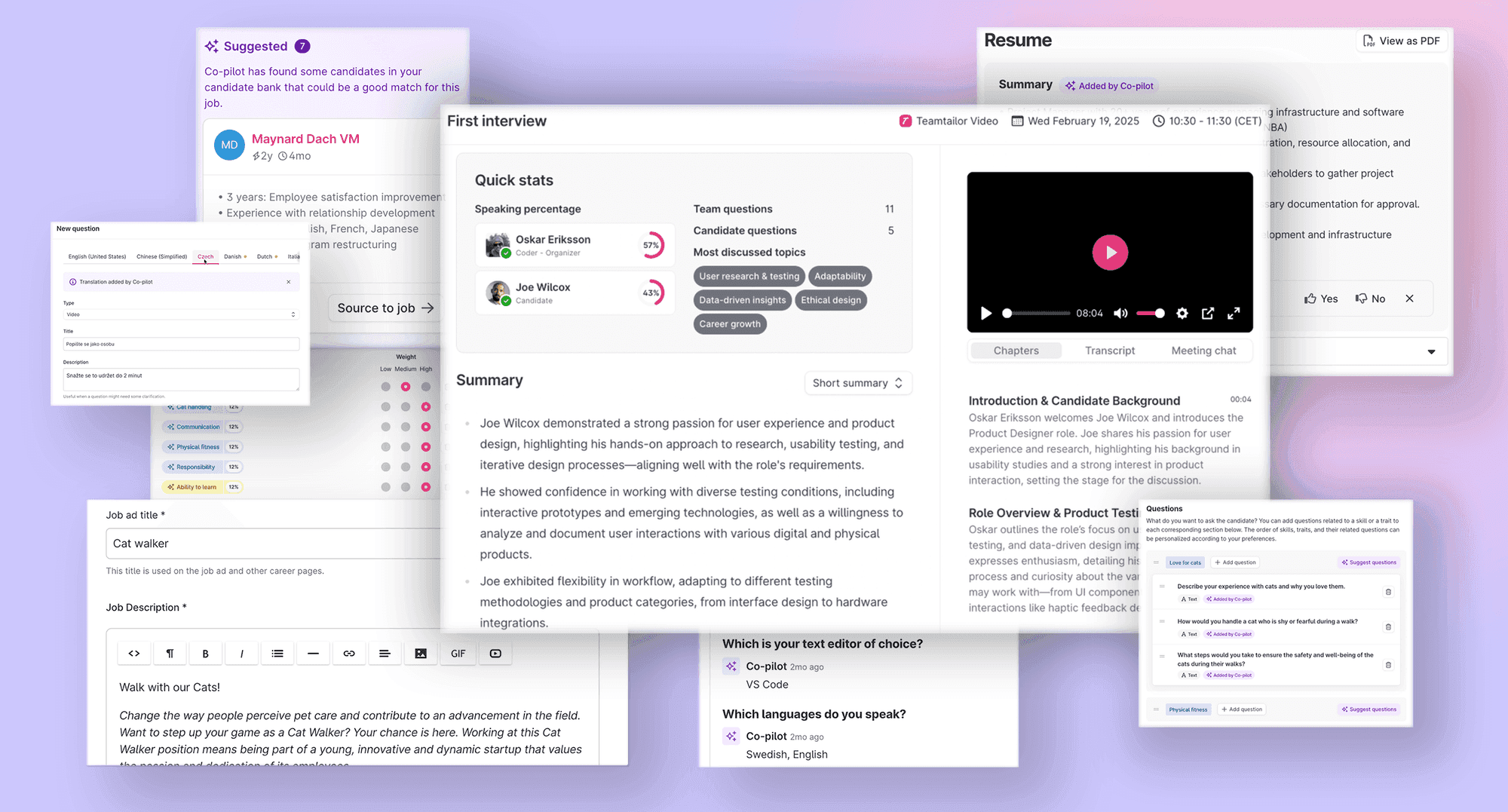
Find matching candidates from your pool
Generate resume summary
Get a full overview with Meeting insights
Smart screening of candidates
Draft reject email
Help writing blog posts
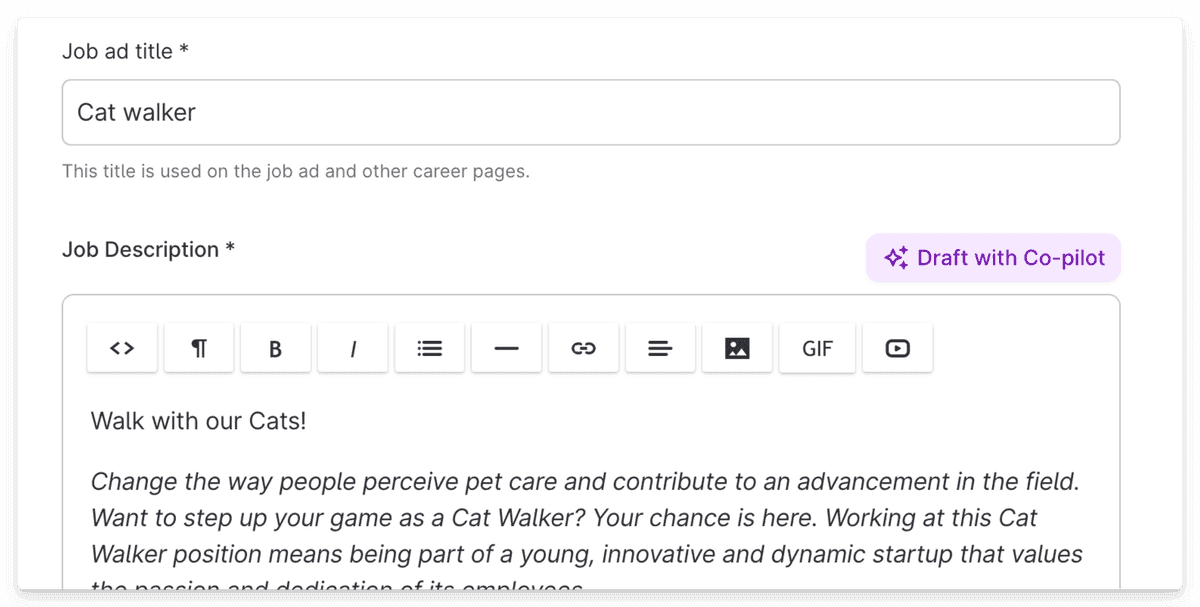
Draft a job description in an instant
Get help from Co-pilot to write a job description. Simply enter a job title and Co-pilot will create a draft for you. It will use the same style as your previous job description, and it will mention any skills and traits selected in the Evaluation step.
Suggest job application questions
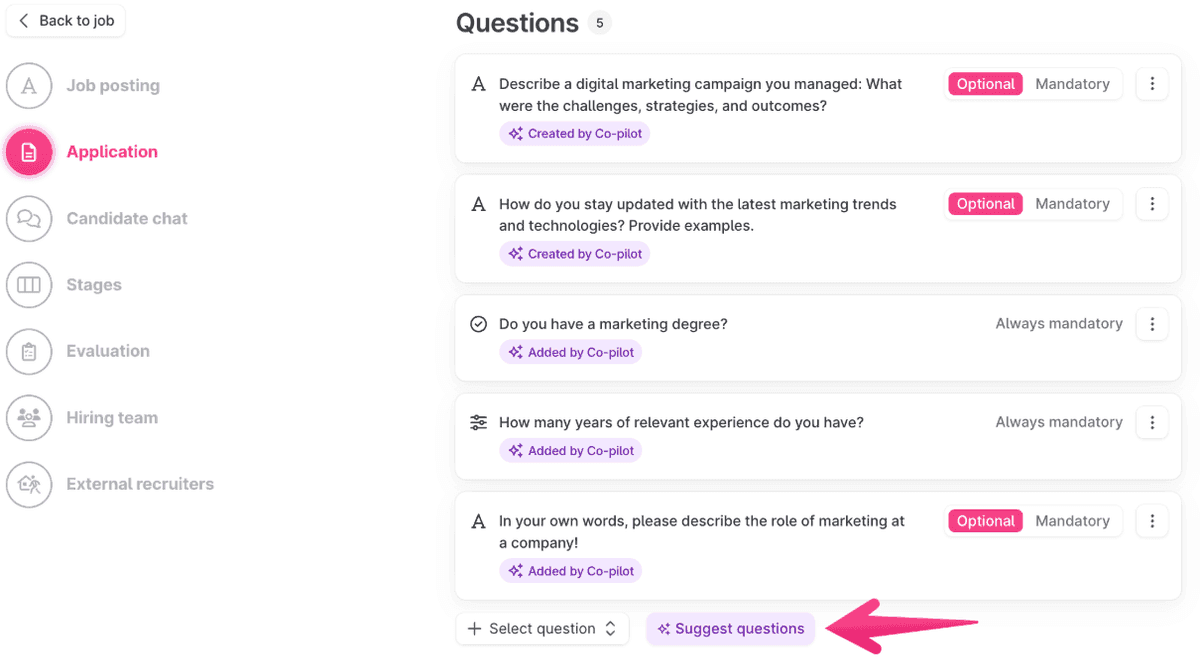
Based on the job ad Co-pilot can help you suggest questions to use in the application form. Start by opening the editing mode for the job in question and here the Application step. Scroll down and click Suggest questions under the Questions section. 5 new questions will be added each time the button is clicked, and from these, you can choose which ones you wish to use.
Suggest interview kit questions
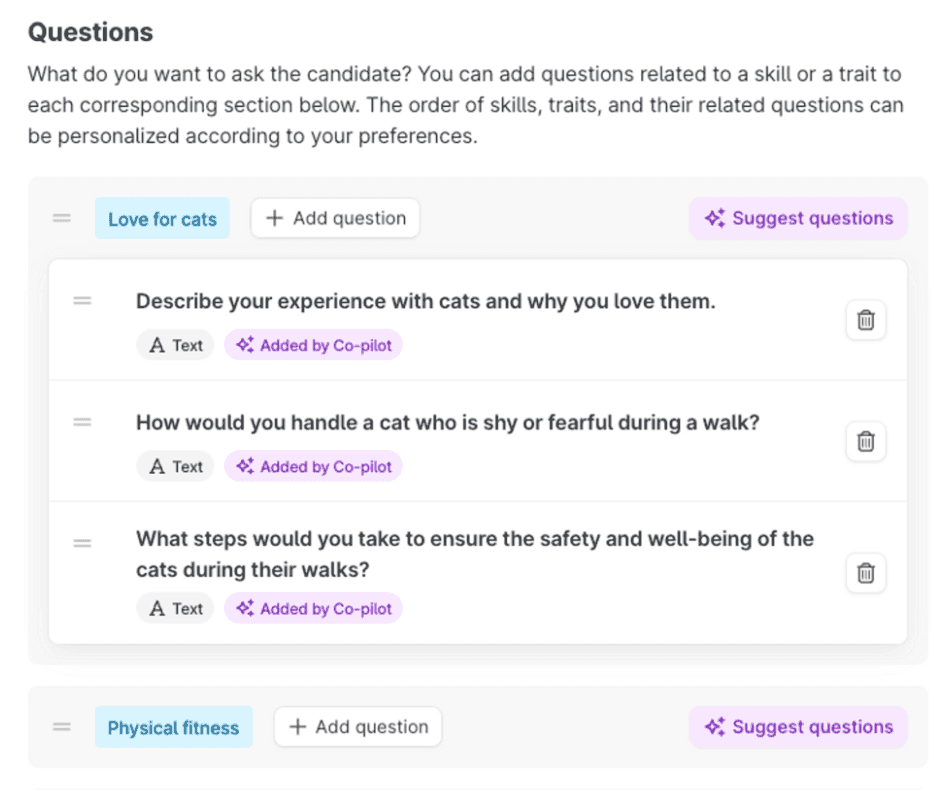
When adding an interview kit in the Evaluation step of creating a job, Co-pilot can suggest questions for any skill or trait added. It does so based on the current skill/trait along with the job title and description. It will suggest 3 questions per skill or trait. Co-pilot prioritizes reusing existing questions in your account before creating new ones.
Translate questions with a click
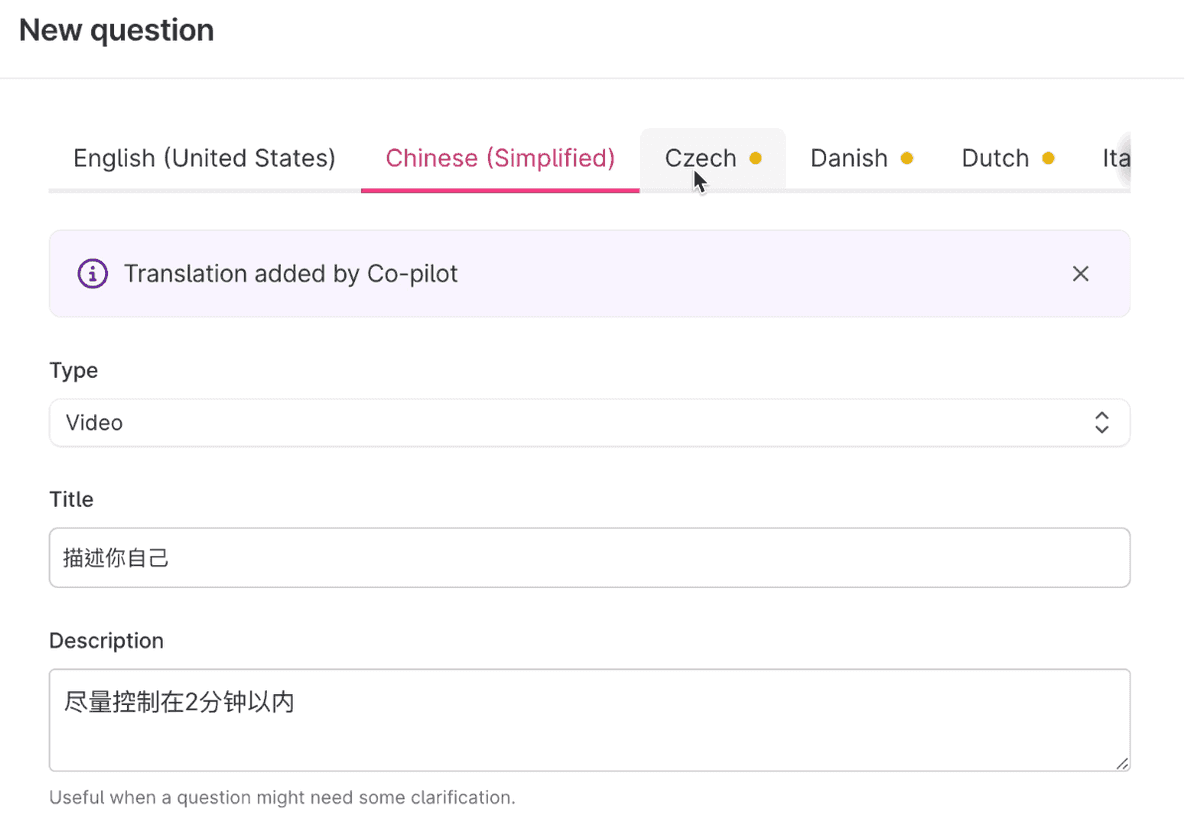
When creating and editing questions in Teamtailor, Co-pilot will help add translations for you. All you need to do is click on the translation tab and the questions and description will be translated in that language. Once you are happy with the translations, click Save!
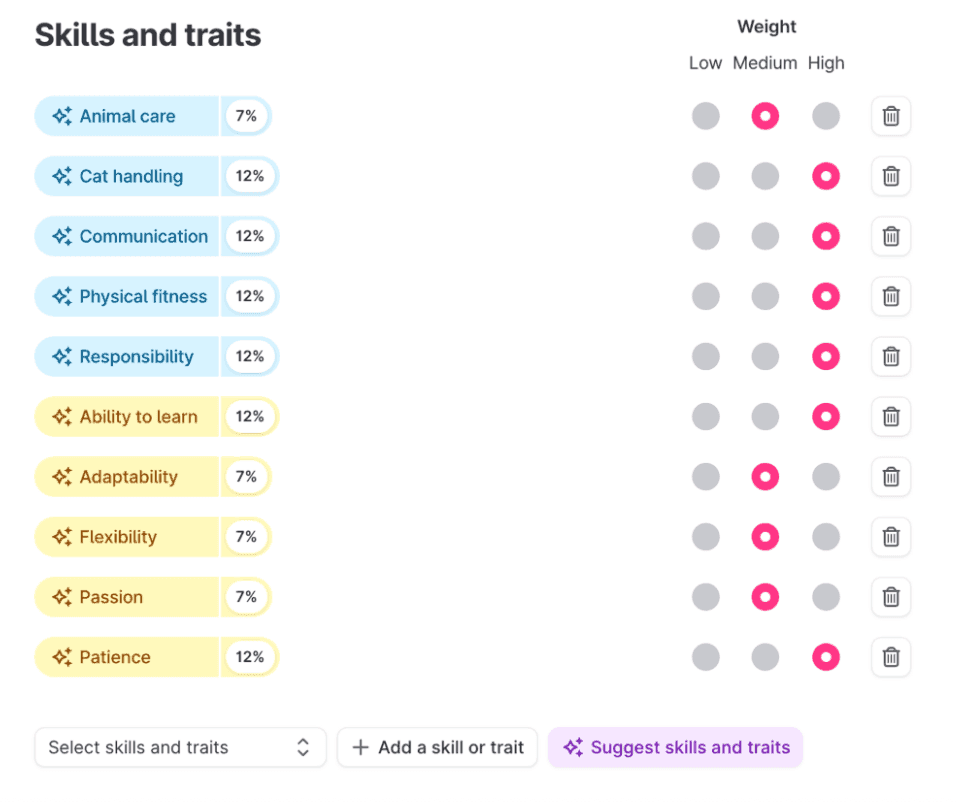
Suggest skills and traits
Co-pilot can suggest skills and traits in the Evaluation step of creating a job. It will base its suggestions on the added job description. Co-pilot can suggest skills and traits in the Evaluation step of creating a job. It will base its suggestions on the added job description.
Answer interview kit questions
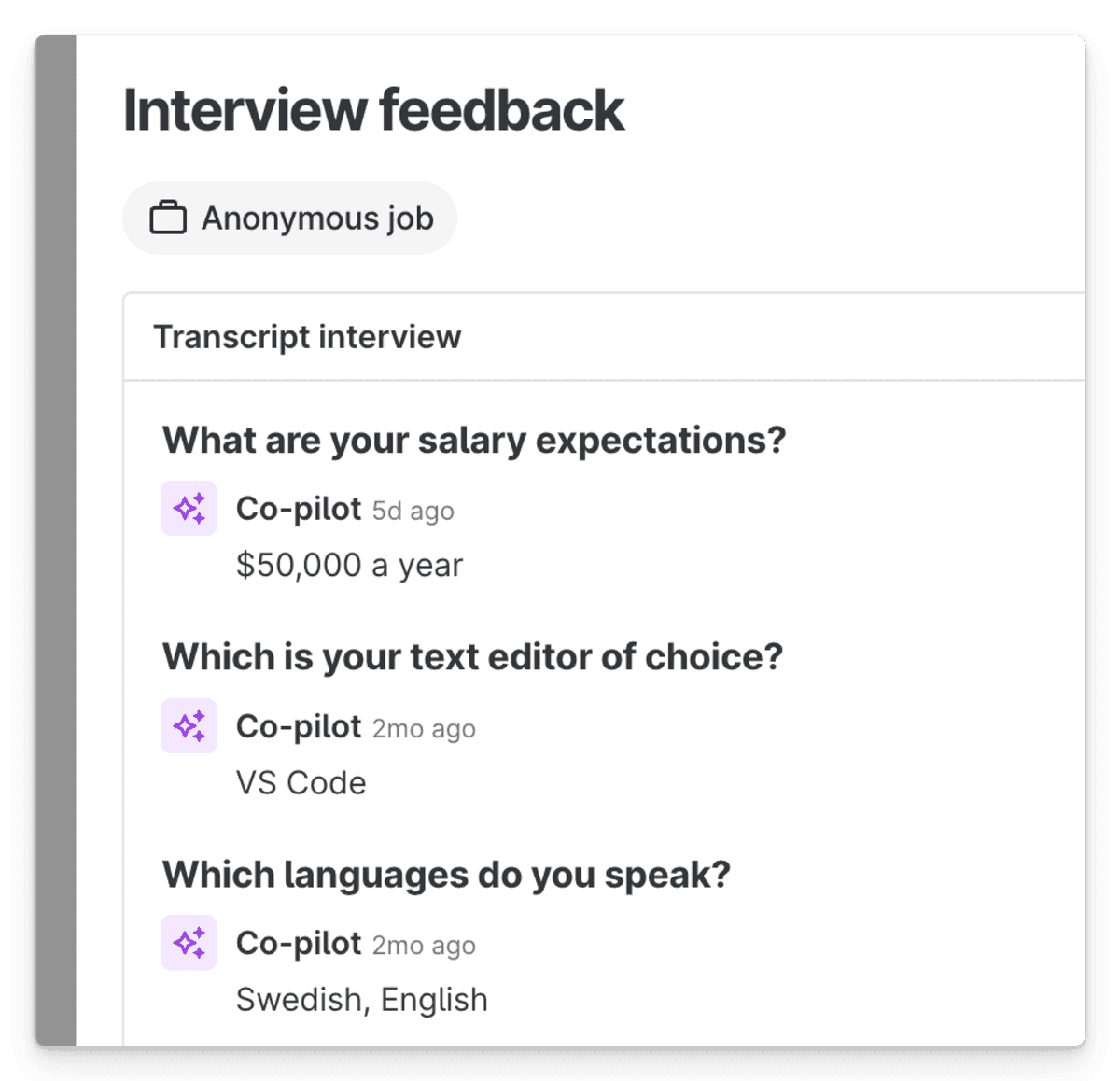
Get automatically filled answers on interview kit questions based on the candidate's answers in your video meeting. Add an interview kit when scheduling the meeting and have Co-pilot fill it out for you.
Find matching candidates from your pool
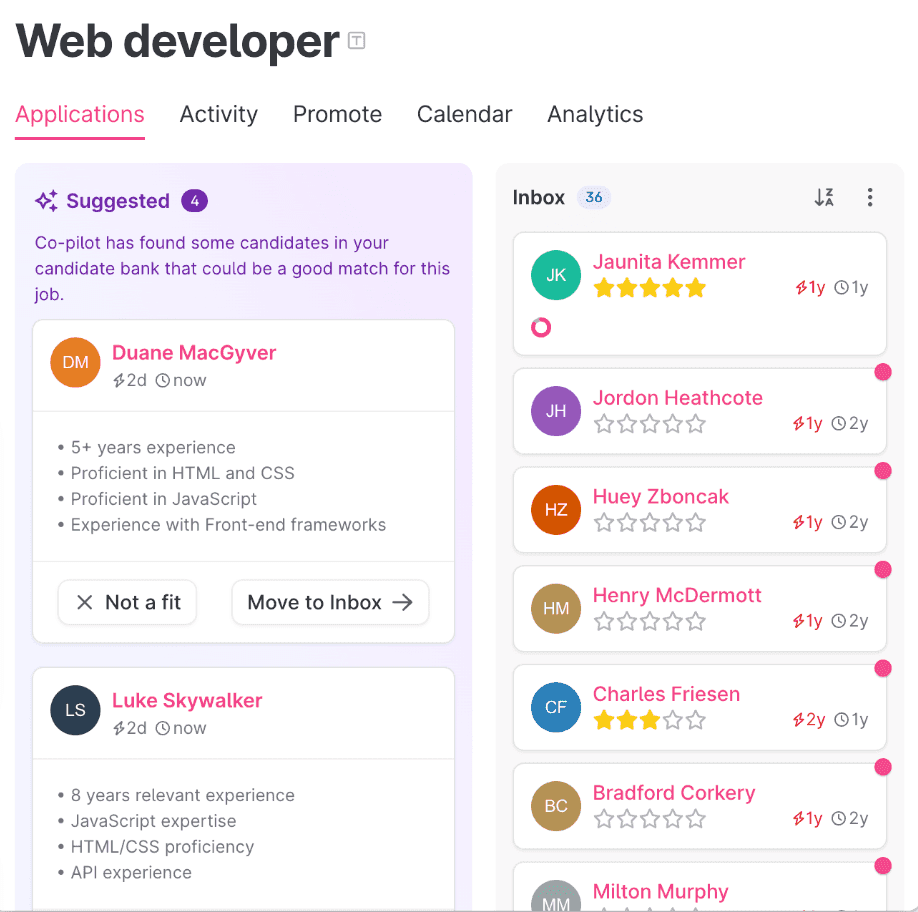
Co-pilot can help you find forgotten gems in your candidate pool, by matching them to an open job and presenting them directly in the job process view.
Generate resume summary
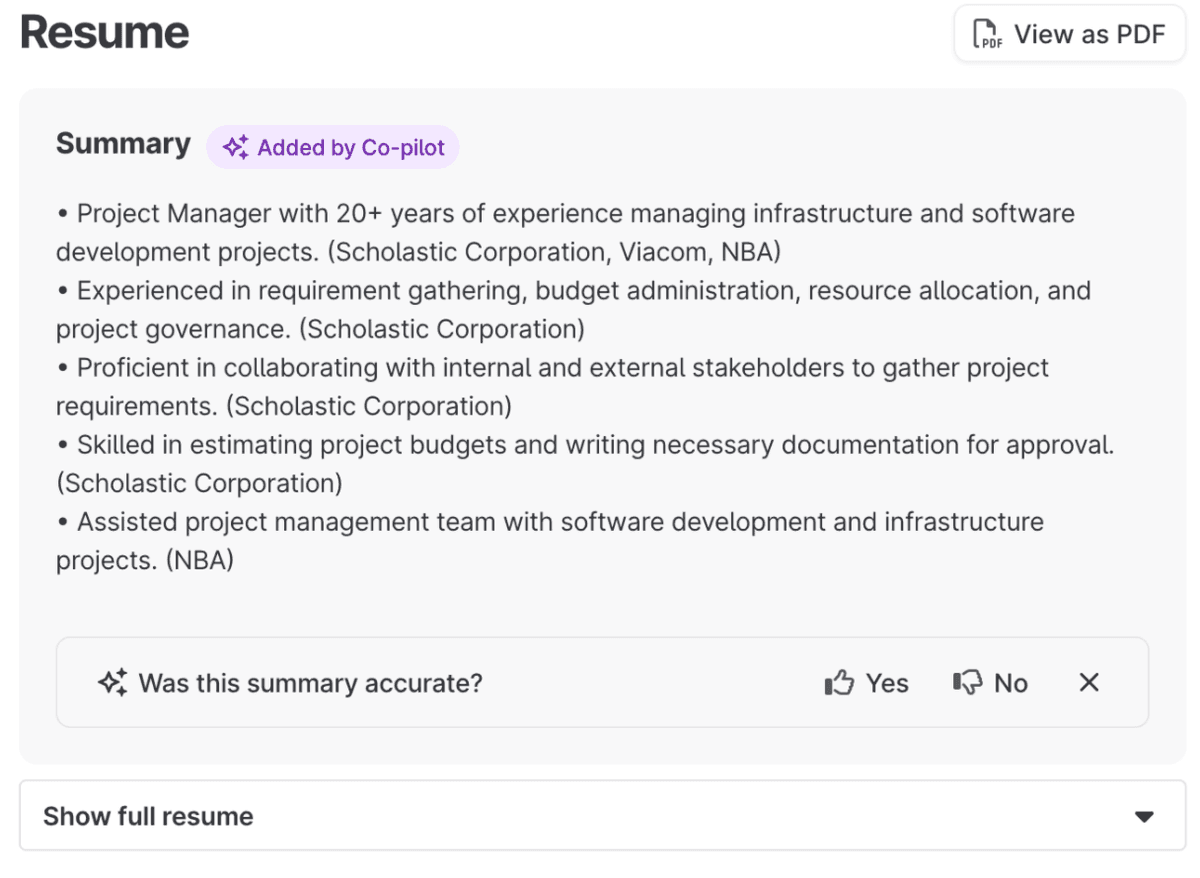
With this feature, Co-pilot automatically summarises all incoming resumes by displaying a 5-point bullet list on the candidate profile. If a candidate has a job application it will match the resume with the job description and emphasize the skills mentioned there and also sometimes include missing competencies.
Get a full overview with Meeting insights
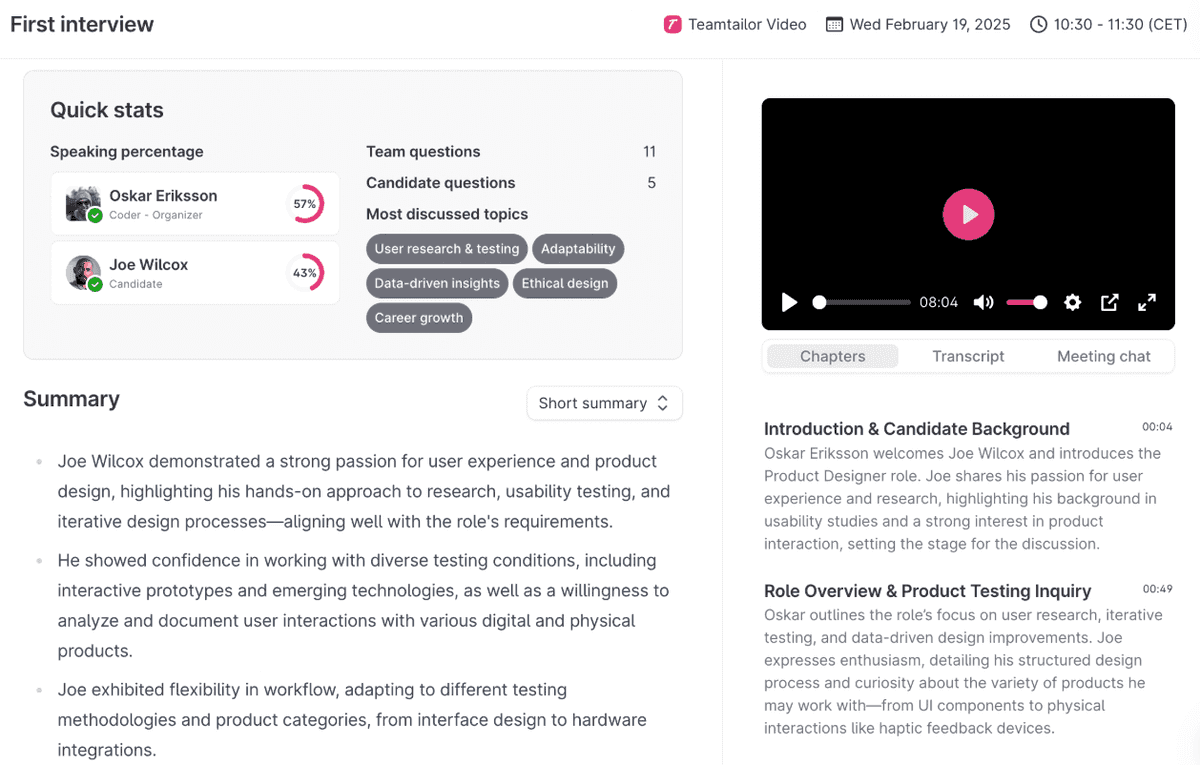
On the candidate card, you will start off with a quick summary of the meeting. Click View summary and replay button, it will open a new view with much more details about the meeting. You will be able to access statistics, summaries, and an enhanced viewing experience with transcript and chapters.
Smart screening of candidates
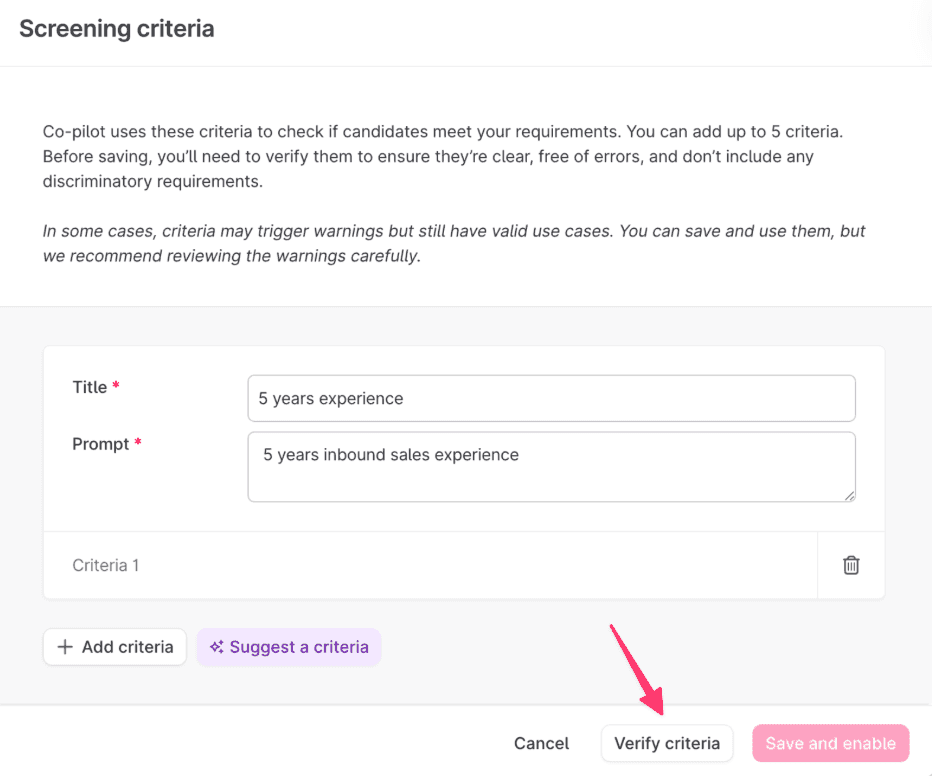
This feature helps streamline your recruitment process by evaluating candidates against criteria you set. This allows you to make informed decisions faster and focus on the most relevant applications. The result is then shown directly on the Inbox stage and on the candidate card — saving you time and making sure no information is missed.
Draft reject email
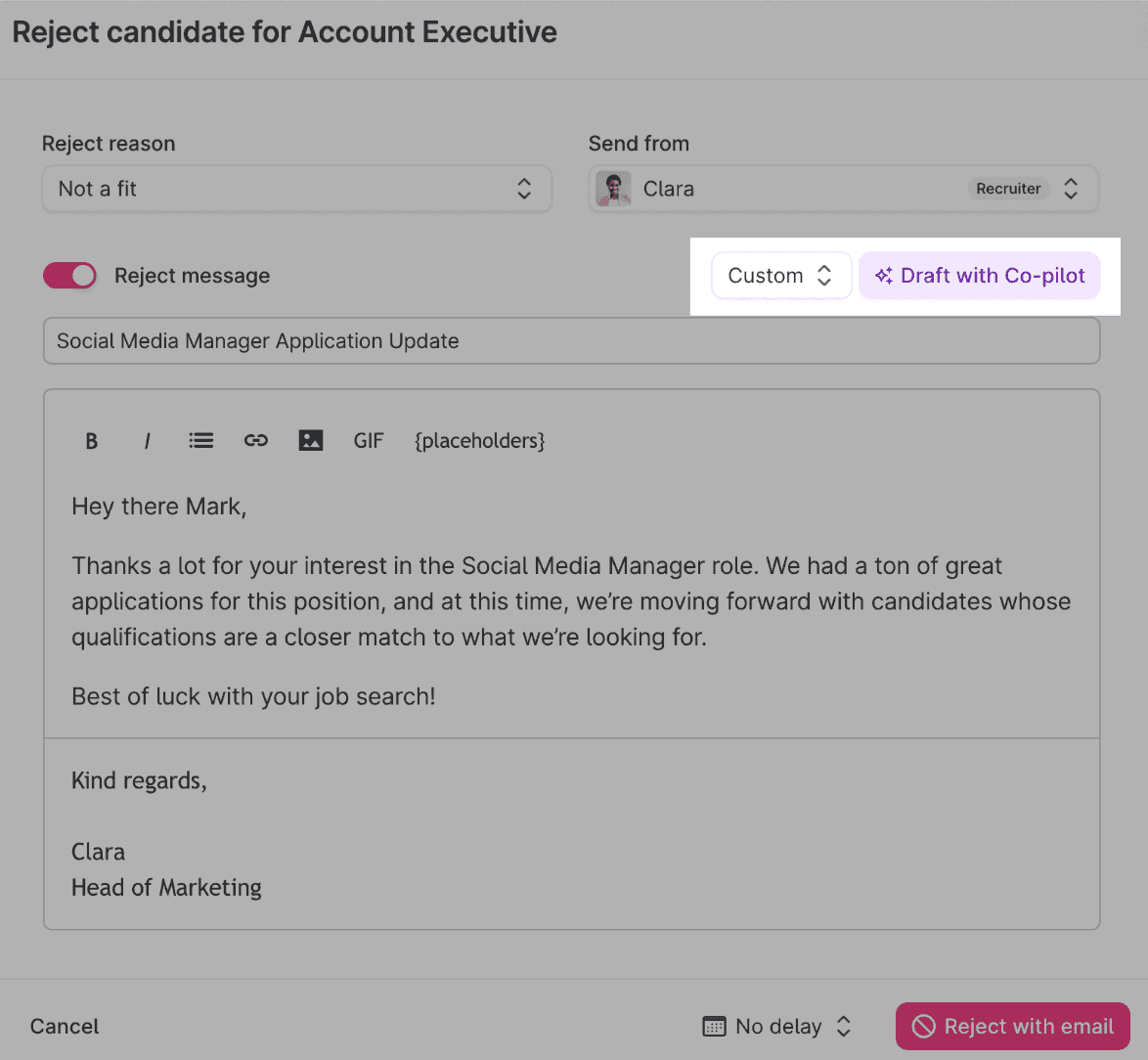
When rejecting a candidate’s job application, you have the option to let Co-pilot draft a message for you. It uses the following information:
- Candidate’s name
- Job title
- Previous messages with the candidate
- Reject reason
- Scores from Skills & Traits
(The message won’t mention actual scores, but may say something like “Your communication skills were good, but your sales experience was a bit low for us.”) - Meetings
(e.g., “Your interview with James and Anne…”) - The stage at which the candidate's job application is being rejected
Help writing blog posts
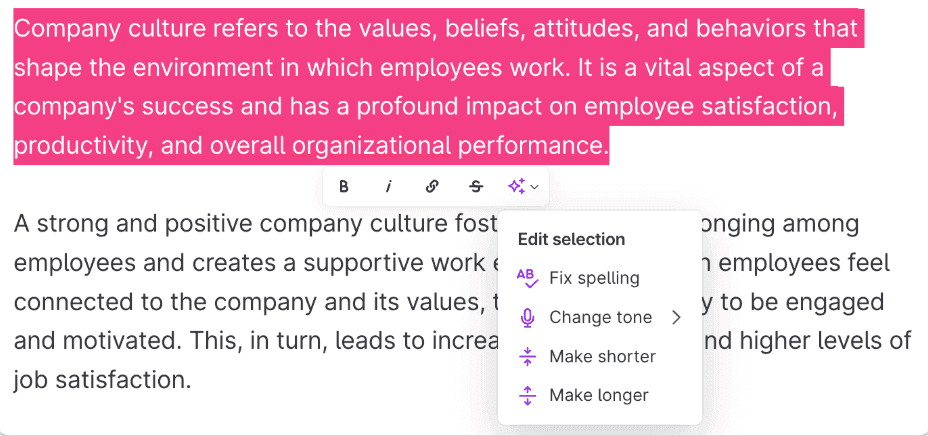
When using the Posts feature you can get help from Co-pilot. Click the ➕ icon and choose Write with Co-pilot to start drafting a post. It's also possible to ask Co-pilot to fix spelling, change tone, or adjust the length of selected text.
We hope you like these features as much as we do! Time-saving, improving the candidate experience, what's not to love? Try them out today and let us know what you think!
If you have any questions, please contact us in the live chat in Teamtailor or via email.