


Reach new heights with Co-pilot
A really exciting and innovative new feature that helps you make your recruitment process better. Focus on the candidate’s experience while in an interview, create better job ads and more with the help from Co-pilot.
Co-pilot can:
- Help write job ads & create content for blog posts
- Suggest interview questions to evaluate given skills and traits
- Draft reject messages to candidates based on their journey
- Help setup job match score by suggesting relevant skills and traits for a job
- Summarize resumes
- Transcribe video interviews and summarize them
Analytics updates
Create historic reports and snapshots
The new custom reports tool gives you access to new data and makes it easy to create visualizations. Create reports that show the data that is important to you and your team. Custom reports are now divided into Historic reports and Snapshots that show real-time data.
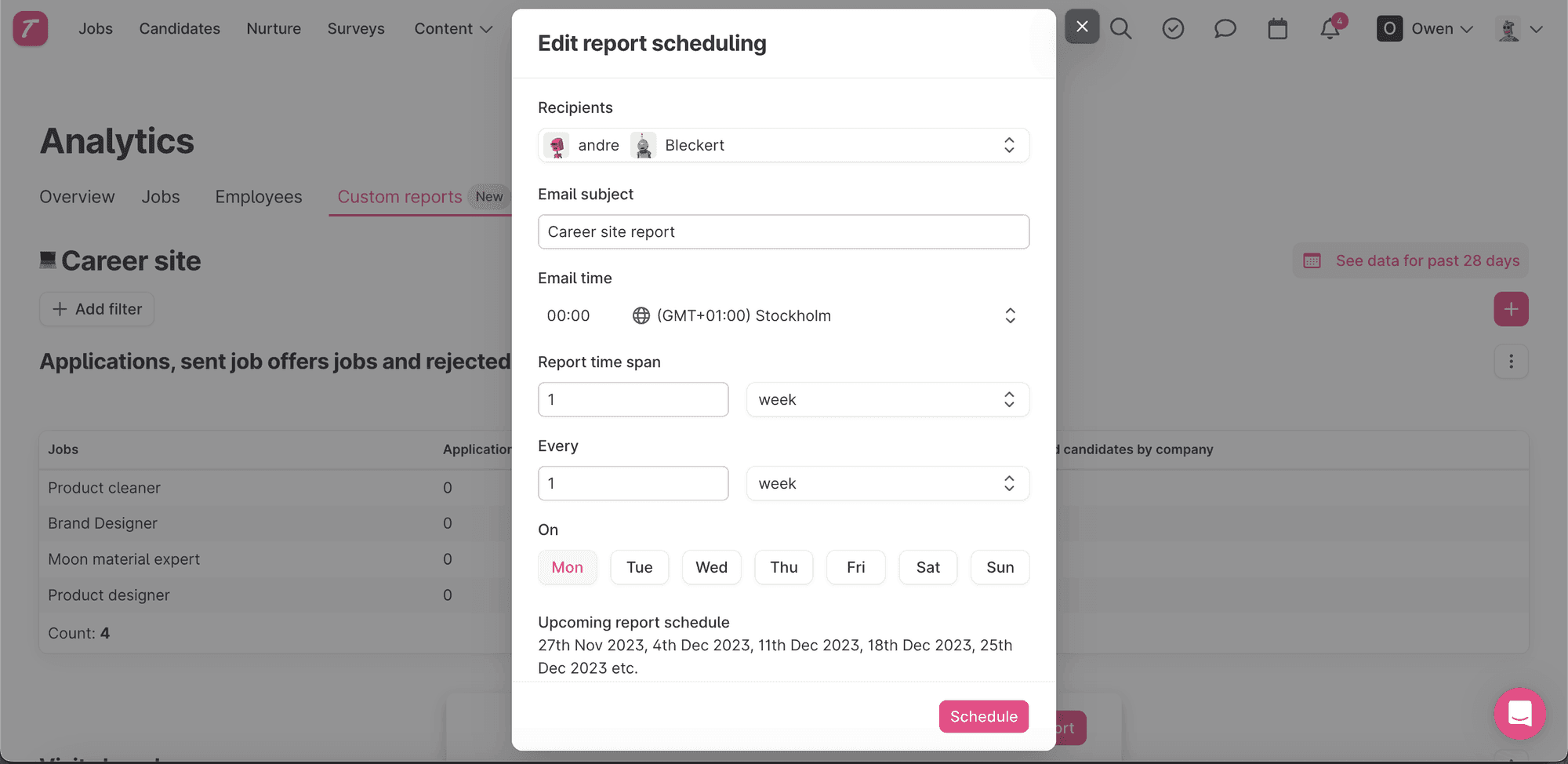
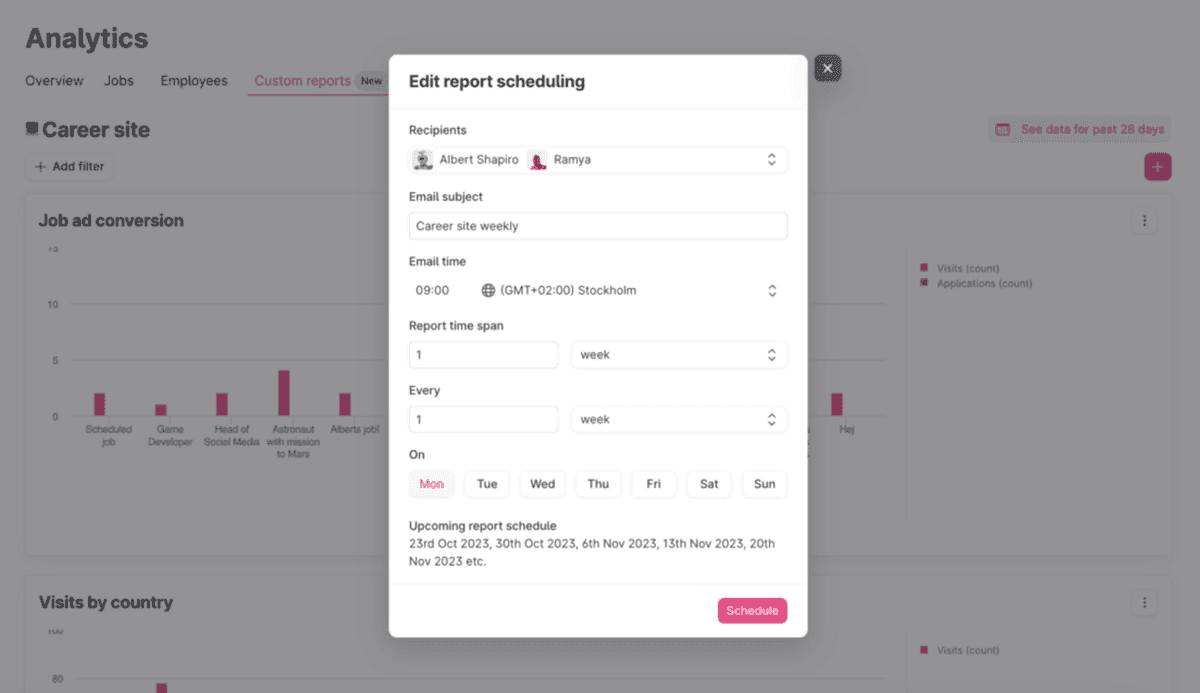
Keep track with automatic scheduled reports
This scheduling feature automates the delivery of custom reports to your email, making sure you always have the right information at the right time. You can set the schedule that suits you — daily, weekly, monthly, or as needed, for any of the custom reports you have built. 🎉
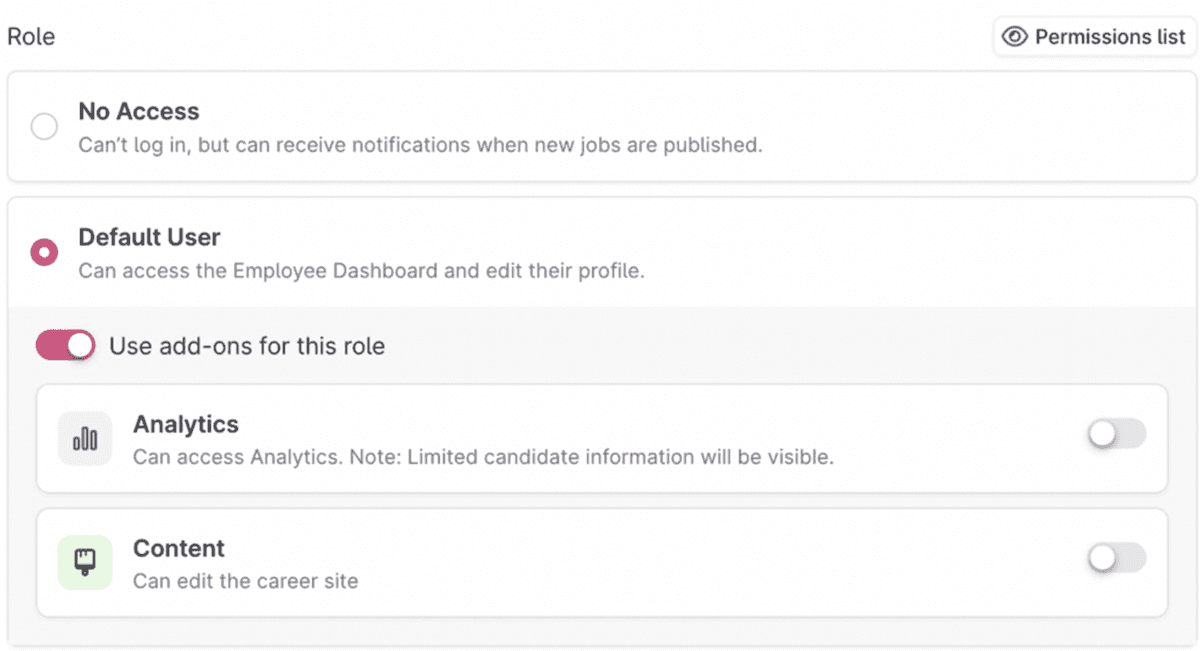
Give access to Analytics
We have now added Analytics as an add-on role, which means that you can give users access to Analytics separately. Enable users that haven’t been able to access Analytics before to dive in to the great data that is available there.
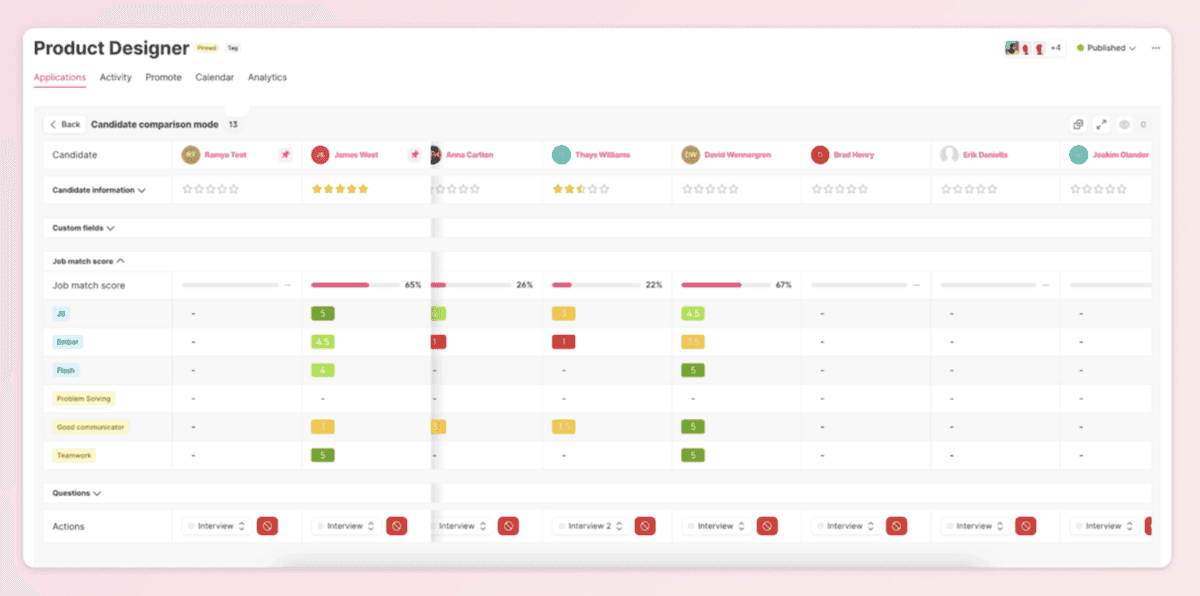
Compare several candidates at the same time
Assess, sort, and compare candidates based on different parameters in this new candidate comparison tool. You can pin and hide candidates in this view to make it easier to scan the candidates. Simply go to a job, select the candidates you want to compare using bulk select and click on the compare icon in the toolbar.
Assign templates and questions to departments
We have improved what’s shown when it comes to message templates and questions. Assigning departments and roles to templates and questions means that Teamtailor will show the right ones according to the context. If a specific template is assigned to the Sales department, that will be shown first when communicating with a candidate that’s applied for a job in sales.
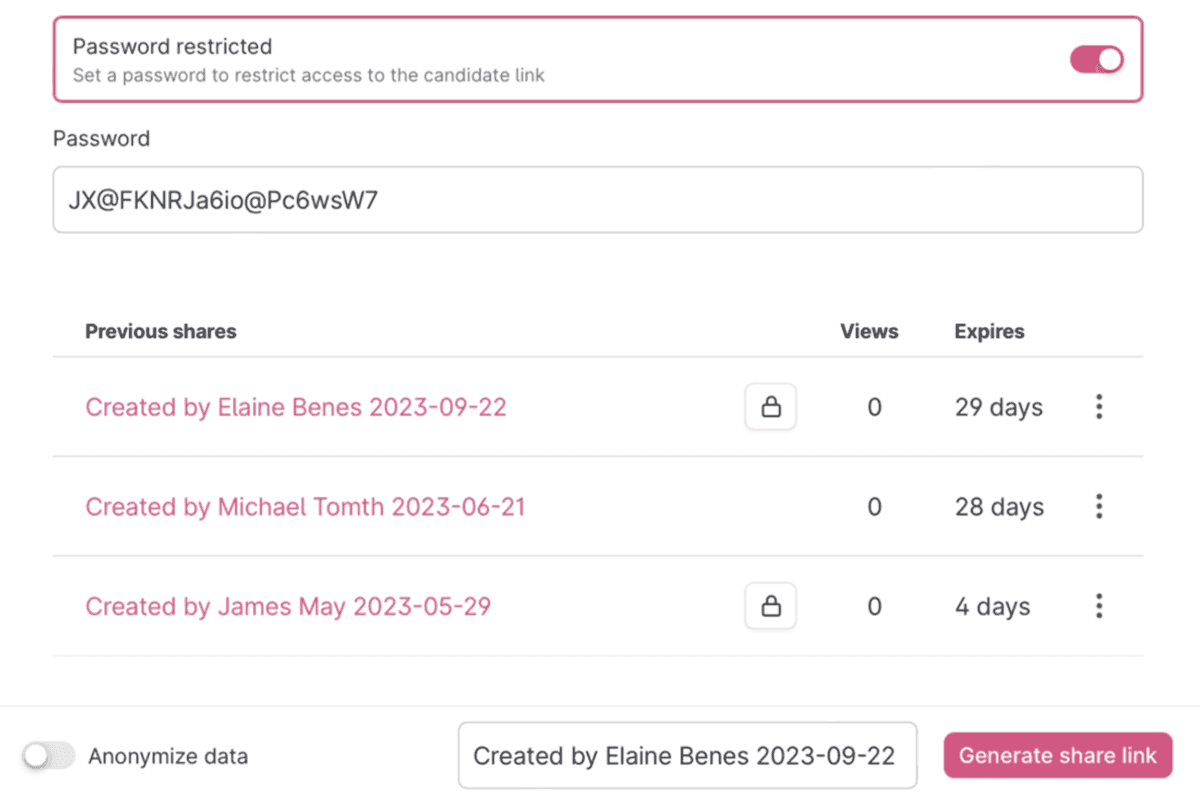
Password protected sharing links
Sharing candidate profiles with others is a great way to involve more people outside of the hiring team in the recruitment process. You can now add a password to those links, restricting access and having full control of who can view that candidate profile.
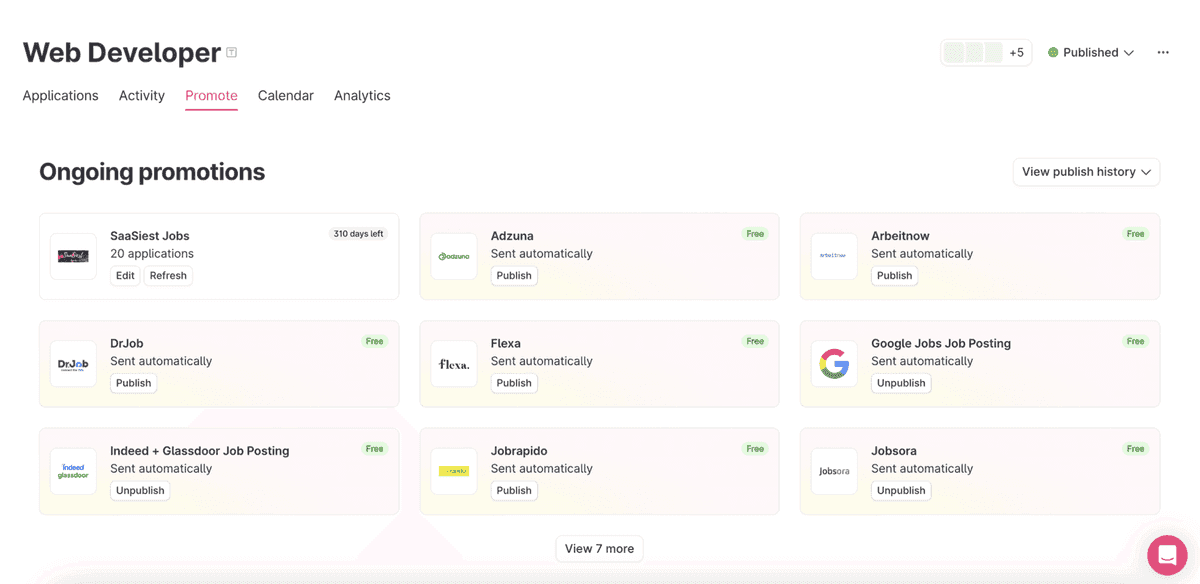
Updated page when promoting ads
Getting more visibility and traffic to job ads is always a priority for our users. We have improved the experience of using Promote, by making smarter recommendations and giving it a sleeker design. 😍
More integrations and job boards
AboardHR, Deel and Bizimply are some of the HR platforms that we have added integrations to. We have also added job boards such as Brainville, Jobbörse, Nosemplois and more.
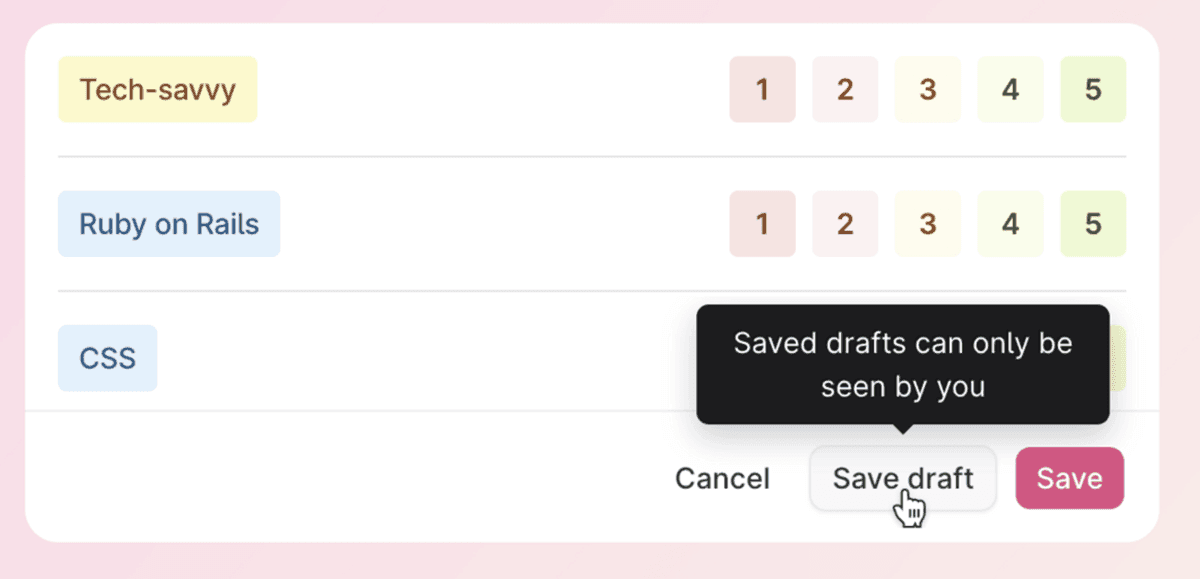
Save draft when filling out interview kit
Save your interview feedback as a draft when filling out the information. You can also continue to work on that interview feedback later from any computer. In the list of interviews you will see a small badge that indicates that the interview is saved as a draft.
❤️ The Product Team