

New — Run screening wherever you need it
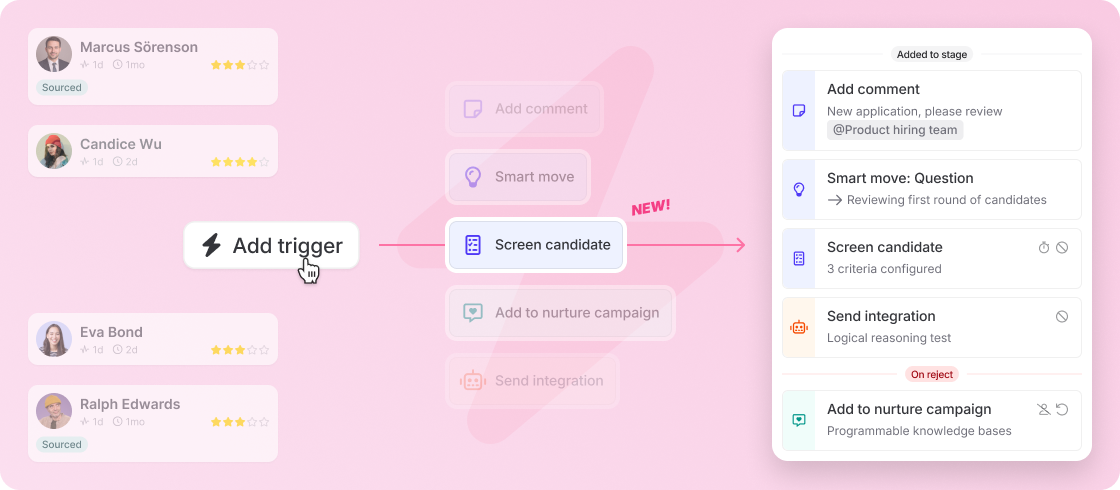
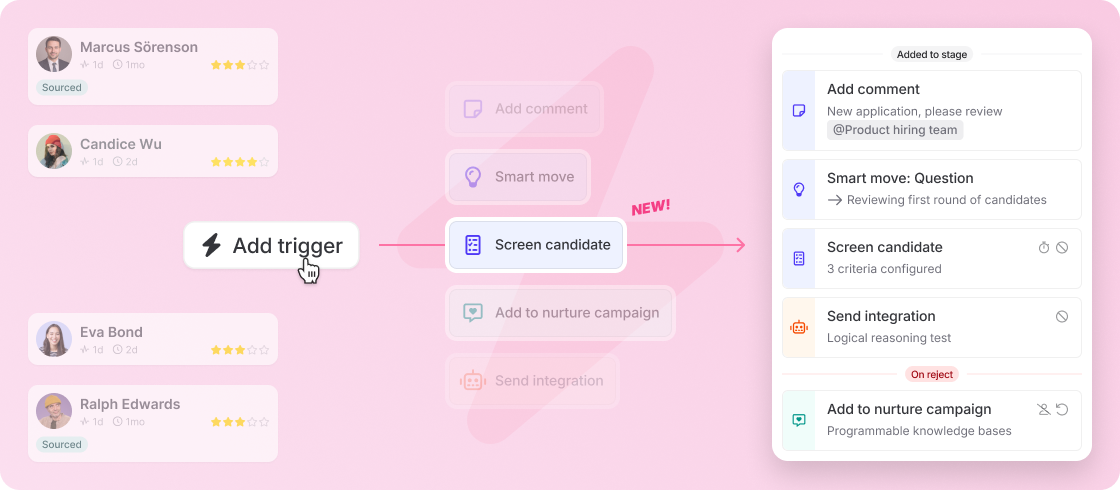
Screening criteria are now part of your stage triggers, not just a one-time check at the inbox. Screening still runs whenever a candidate lands in your inbox — whether they applied or you sourced them — but now you can add it to any later stage too, with different criteria at each one. Re-screen after an interview, or check against fresh criteria further down the pipeline. Set your criteria once on a job template and every job you create inherits them automatically, and they now carry over when you copy a job. You can also sort by criteria match at any stage that has screening, not just the inbox — so wherever you're screening, you can line candidates up by how well they fit.
Improved — Smarter screening and a clearer trigger view
Screening now waits until all candidate data is available (like parsed resumes) before it runs, so results are more accurate, and comparing candidates is easier with an improved overview. We've also restyled the trigger cards on each stage so they're faster to scan: color-coded icon chips show a trigger's type at a glance (internal, external, or integration), and triggers are grouped under "Added to stage" and "On reject" headers, with a distinct red treatment for reject triggers so they stand out.