

How to read the category before you read the list
Search for AI recruiting tools and you get products that have little in common except the label. One is an applicant tracking system with assistance added to the screens you already use. One searches a billion profiles for people who have not applied.[S8] One holds the first conversation with a candidate at ten at night, in a chat window, so nobody on your team has to. Putting them in one ranking tells you very little, because a team that needs the first kind of tool will not be helped by the third.
This guide sorts the tools by the job they do, then gives each a short, neutral description taken from the vendor's own website. We make one of them. Teamtailor is listed first because this is our guide, and it is our own product, so read that section knowing it. The other ten are described from their own pages, fetched on 29 October 2026, and where we state something it is something the page says, with the source next to it.
It is written for talent acquisition teams at companies with 100 to 5,000 employees who already run a structured process. You know what screening is. The question here is what you let a tool do inside it, and what you need to be able to see afterwards.
Four jobs, four kinds of tool
- The system where the work lives. An applicant tracking system or wider recruiting platform with assistance inside it: drafting a job ad, summarising a CV, checking an application against criteria. The record stays in one place.
- Sourcing and talent intelligence. Tools that search for people outside your own database, or rank the people already in it.
- Conversation and interviewing. A chat or voice assistant that talks to candidates, books interviews or runs a first screening conversation.
- Connectors. A way to point a general assistant, such as ChatGPT or Claude, at your recruiting data under the permissions of the person signed in.
Most real stacks use more than one. The useful question for each is not how clever it is, but where its output lands and who has to copy it somewhere else.
A product page tells you what the vendor wants to be asked about. Numbers such as response rates or time saved on these pages are the vendors' own, and we have left them out unless they describe how a feature is built rather than how well it performs.
What to require from any of them
A TA lead looking at a demo on a Tuesday afternoon sees the output: a score, a summary, a shortlist. The questions that matter are about the thing the demo skips. Six are worth asking every vendor in this guide, including us.
- What goes in. Which fields does the assistance read? CV text only, or also answers, comments, tags and custom fields? The more it reads, the more you need to know which ones.
- What comes out, and where it lands. A score on the candidate card is part of the record. A score in a separate dashboard is a second place to look.
- Who decides. Can a person override every result, and does anything move a candidate without a person having set that up?
- What is logged. If a candidate asks in a year why they were not progressed, what can you show?
- Where the data goes. Which sub-processors handle it, and is your data used to train models?
- Who can switch it off. At account level, and per feature, by an admin rather than by a support ticket.
The fourth and fifth are where tools differ most, and they are also the ones a works council or a security reviewer will ask about first. The regulatory background is in the chapter on oversight below.
Teamtailor: the work in one place, with assistance you can see
Disclosure: Teamtailor is our own product. We list it first, describe it from our own site and support centre, and leave the verdict to you. Everything below is how it works in Teamtailor.
Teamtailor is an applicant tracking system with a career site, a talent pool, interview kits, triggers and reporting in the same account. Our view is that assistance belongs inside that record, not beside it. A recruiter who reads a CV summary, edits a drafted job ad or sees a screening result is looking at the same candidate card the hiring manager opens later, so nothing has to be pasted from one tool into another. The assistance on our AI recruiting software page covers drafting job ads, summarising CVs and video interviews, suggesting interview questions, suggesting matching candidates from your own talent pool, evaluating candidates against your criteria, and keeping the tone consistent across candidate messages.[S18]
Screening, with a person still in the chain
Screening is where oversight matters most, so here is exactly how it works. In Teamtailor you define the criteria in a trigger on a job stage. The assistance evaluates candidates against those criteria, reading resume text, cover letter, application question answers, comments, candidate address, tags and custom fields, but not private custom fields. The result shows as a tick or a cross when there is enough information, or a dash with reasoning when there is not, and a recruiter can override each result on the candidate card.[S14] The article describes one automated action: a Smart move trigger that can move candidates to another stage based on the evaluation. Only user roles with editing rights to the job can set screening up.
Data, training and switching it off
The assistance is an add-on that only a Company Admin can activate, and it can be disabled at any time. It is powered by OpenAI's GPT models, and the transcripts for interview kit answers and meeting insights are generated by AssemblyAI. Teamtailor states that it will not use one customer's data to train any model of its own, and that OpenAI, as sub-processor, has committed to use the data only to provide the service.[S15]
Using your own assistant
For teams that already work in ChatGPT or Claude, Teamtailor offers an MCP server. A Company Admin activates it, every assistant connects through an individual user account and works only within that user's existing access, and admins choose per role whether it can read, create and modify, or delete. By default all roles have read access, and actions are recorded in the audit log.[S16]
Where the differences are
- One place for the work. Pipeline, career site and assistance share one record. See the applicant tracking system and career site pages.
- Hiring managers in the same system. A trigger can prompt a hiring manager to review a candidate's profile, and interview kits keep the hiring team aligned on what to look for.
- Triggers. Messages, surveys, stage moves and sharing profiles run from rules you write. See recruitment automation and triggers.
- Integrations. The integrations page states 550+.[S12] See the integrations list.
- Documents. The trust centre lists ISO/IEC 27001, ISO/IEC 27701, SOC 2 Type 2 and ISO/IEC 42001:2023.[S11]
Fit, stated plainly: our AI page positions the assistance as productivity for recruiters who stay in charge while it handles routine tasks, with candidate suggestions drawn from your own talent pool.[S18] A team whose main need is searching for people outside its own database will want to read the sourcing chapter next.
Recruiting platforms with assistance built in
These are the closest alternatives to Teamtailor: systems of record where the assistance sits in the pipeline. The differences are in how much of the hiring process each covers and who each is built for.
Workable
Workable calls itself agentic software for recruiting and HR, with an agent working inside its applicant tracking system and tools for onboarding, performance and time off after hiring. Its homepage describes sourcing across 400M+ profiles, screening each inbound candidate against up to 14 job criteria, and shortlisting with the reasoning shown. It states that agent actions are logged, permissioned and reviewable, and that it has 270+ integrations.[S1] It fits teams that want sourcing and screening from the vendor of their recruiting system. The figures are the vendor's own, so ask how they are measured.
Greenhouse
Greenhouse describes its product as sourcing, interviewing and an ATS in one place, for companies from early-stage businesses to modern enterprises. Its AI features include a voice-based first conversation that uses the team's own questions and rubric, an interview notetaker that maps notes to scorecard questions, fraud detection, and plain-language chart building. It also connects hiring data to assistants such as Claude, ChatGPT or Gemini under governed access.[S2] Its strength is structured interviewing. It also describes hundreds of pre-built integrations, so check your own list against its directory.
Ashby
Ashby presents itself as a single recruiting platform covering applicant tracking, CRM and sourcing, scheduling and analytics, with tiers for startups (1 to 100 employees), growth companies (101 to 1,000) and enterprises (1,000+). It says AI is embedded in every layer and promotes an AI Interviewer launch event.[S3] Its strength is the breadth of one platform with analytics included. It fits teams that want applicant tracking, CRM, scheduling and analytics from one vendor.
SmartRecruiters
SmartRecruiters is a talent acquisition platform now part of SAP SuccessFactors, covering recruiting from job posting through onboarding. Its page lists an AI layer, a hiring agent, talent matching, candidate screening, conversational AI chat and dynamic scheduling.[S4] It is aimed at companies hiring at scale or managing complex talent acquisition, and the page says it is best suited to organisations with at least 50 employees and a significant number of open job requisitions.
Manatal
Manatal describes itself as AI recruitment software for HR teams, recruitment agencies and headhunters. Its page lists an AI interviewer that runs screening interviews around the clock, recommendations that score profiles against job requirements, enrichment of candidate profiles from LinkedIn and other public platforms, and a way to connect the account to ChatGPT, Claude or Gemini.[S10] Its page says it is tailored for HR teams, recruitment agencies and headhunters, so it fits both agencies and in-house teams.
Sourcing and talent intelligence
These tools answer a different question: who is out there, and who do we already know. They usually sit next to an applicant tracking system rather than replace it.
SeekOut
SeekOut calls itself an agentic AI recruiting platform for recruiters, sourcers and TA leaders. It offers search across 1B+ profiles, AI screening through video interviews with human review, scorecards against an ideal candidate profile, personalised outreach sequences and labour market analysis. It states that the reasoning is tied to your criteria and that the team decides who moves forward.[S8] It suits teams that source actively, including for specialist and cleared roles. It works alongside existing systems such as Workday and Greenhouse, so the pipeline stays in your applicant tracking system.
Gem
Gem describes an AI-first recruiting platform combining ATS, CRM, sourcing, scheduling, fraud detection and analytics. Its agents search 800M+ profiles, rank applicants with reasoning for every score and flag fraud, and it mentions a rediscovery agent for people already in a company's systems. Its ATS is described as best for growing teams of up to a few thousand employees, and enterprises can keep their current ATS and add the agents on top.[S9] Its strength is that choice.
Eightfold
Eightfold describes itself as an AI-native talent intelligence platform for HR leaders, recruiters and people managers, citing Fortune 500 companies and high-volume hourly hiring as a use case. Its page lists talent agents including an interviewer, a talent data foundation of 1.6 billion career trajectories and 1.6 million skills, and a platform for building custom agents. It states that its AI never decides and that recruiters make the final call, and cites ISO/IEC 42001 certification.[S5] It fits large organisations that want skills data to support hiring decisions.
Conversation and interviewing
A candidate who applies at ten at night will not hear from a human until the next day. These tools exist for that gap, and they raise the sharpest questions about oversight, because they talk to candidates directly.
Paradox
Paradox calls its product conversational hiring software, with a conversational ATS, a candidate experience agent and a career site studio. Its assistant, Olivia, handles screening over chat or text, interview scheduling, candidate preparation, recorded video interviews, offer letters, onboarding documents and event management, in 100+ languages. It integrates with Workday and SAP SuccessFactors.[S7] It fits teams that hire at volume, such as retail, restaurants, healthcare and logistics, including franchises. It is built around conversation and scheduling at volume.
HireVue
HireVue describes AI hiring technology that combines automation with skills-based evaluation. Its page lists voice-based screening interviews, a chat agent that guides candidates to suitable roles, an interview assistant that joins live Zoom or Teams interviews to capture notes, and predictive insights that combine assessment results with structured interview data. It states that the AI is meant to keep people in control of final decisions.[S6] It fits hourly and high-volume hiring, campus recruiting and technical hiring. Its focus is interviewing and assessment, so it works as a layer next to your recruiting system.
The tools side by side
The table compares what each vendor's own page says, not how well it works.
| Tool | Main job | Page describes | Fits |
|---|---|---|---|
| Teamtailor | System of record | Drafting, summaries, screening against criteria, candidate suggestions, MCP server[S14][S16] | Teams that want the work in one record |
| Workable | System of record | Sourcing, screening, shortlisting[S1] | Sourcing and screening from one vendor |
| Greenhouse | System of record | Voice interview, notetaker, fraud detection[S2] | Structured interviewing |
| Ashby | System of record | AI embedded, interviewer[S3] | ATS, CRM and analytics from one vendor |
| SmartRecruiters | System of record | Matching, screening, scheduling[S4] | Hiring at scale, complex needs |
| Manatal | System of record | Interviewer, recommendations, enrichment[S10] | Agencies and in-house teams |
| SeekOut | Sourcing | Search, screening, outreach[S8] | Active sourcing, specialist roles |
| Gem | Sourcing and ATS | Sourcing, review, fraud, rediscovery[S9] | Growing teams, or enterprises adding agents |
| Eightfold | Talent intelligence | Talent agents, skills data[S5] | Large organisations, skills data |
| Paradox | Conversation | Chat screening, scheduling, offers[S7] | High-volume, conversational hiring |
| HireVue | Interviewing | Voice screening, notes, insights[S6] | Hourly, campus and technical hiring |
Read the table as a map of jobs, not a ranking. The honest comparison is your own list: write down the eight systems you need to connect to, and check each vendor against it. If you are choosing between systems of record, the comparison pages put Teamtailor next to Workable and Greenhouse. Teamtailor's integrations page states 550+, Workable's homepage 270+.[S12][S1]
Oversight, candidates and the EU AI Act
Several vendors above say that a person makes the final decision. That is a good sentence to have on a page, and a weak one to rely on, because it describes intent. What you can check is whether a person can see what the tool did, override it and show later that they did.
The legal background is moving. The EU AI Act treats AI systems used for recruitment and selection as high-risk where they are used for functions such as analysing or filtering applications or evaluating candidates.[S13] The AI Act information site lists the date from which the high-risk obligations for Annex III systems apply as 2 December 2027.[S17] Teamtailor's own explainer gives the same date, says classification depends on each feature's intended purpose, and says the customer, as deployer, is expected to keep human oversight and to tell candidates how the features are used.[S13]
None of this is legal advice. Treat it as the reason to put oversight in the buying criteria today. Three practical consequences:
- Tell candidates. If a tool screens or ranks applications, say so on the application page, in plain words. A career site you control makes that easy. See the career site page and AI resume screening.
- Keep a person on every rejection. A score can decide the order candidates are read in. A rejection should have a name next to it.
- Choose tools that log. Ask what the audit trail shows for the assistance specifically, not only for logins.
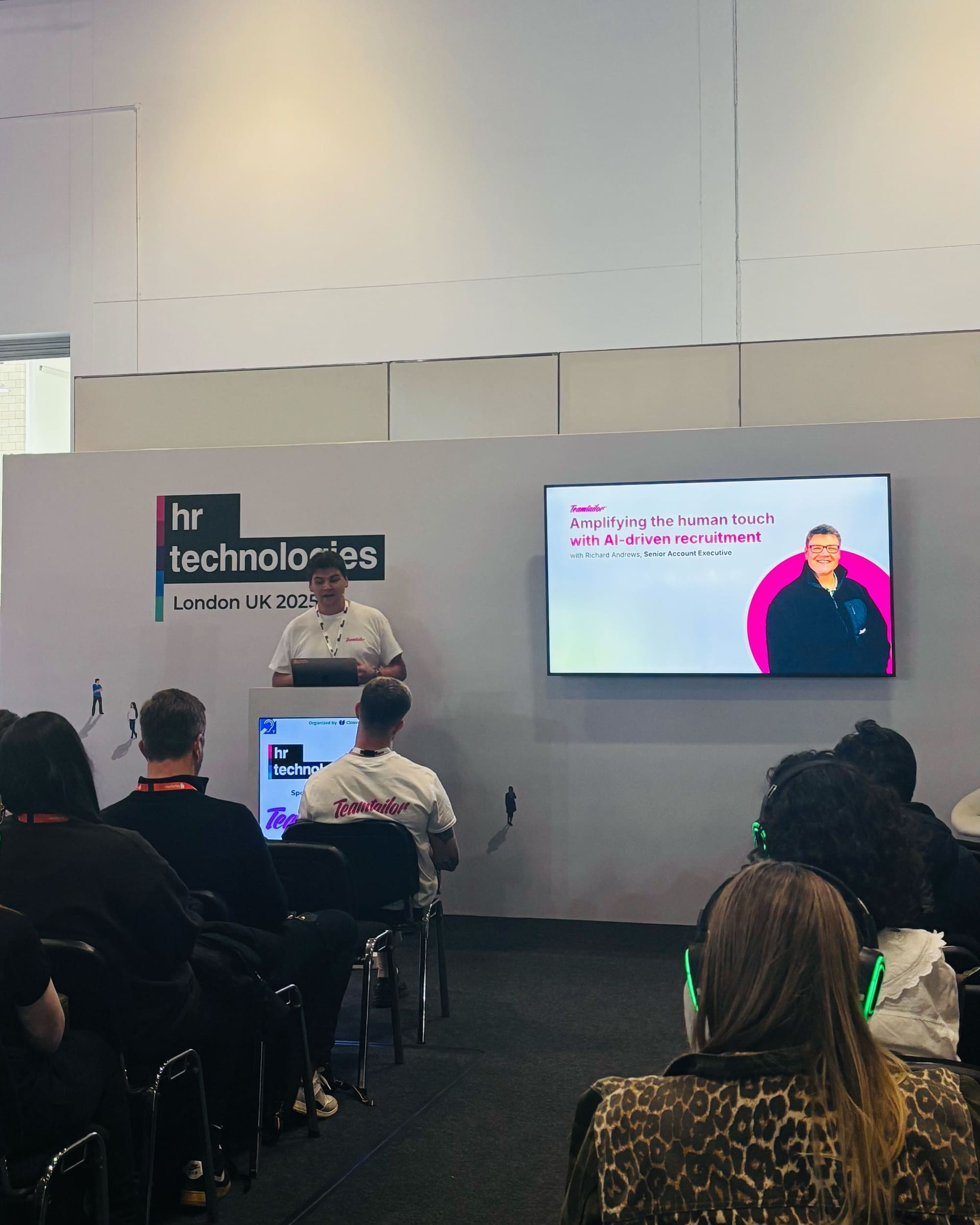
For the wider picture, see AI recruitment in the glossary and our article on amplifying the human touch.
Choosing, and piloting without regret
The cleanest way to choose is to start from the job that is eating the week. If your recruiters spend Monday morning rewriting last year's job ads, a drafting tool inside the system will pay back quickly. If the roles are scarce and the inbox is empty, sourcing is the problem and screening will not help. If three hundred people apply for a shift role in a weekend, conversation and scheduling are the problem.
A pilot that tells you something
- Pick two live roles. One high volume, one specialist. The tool should be tested where it will be used.
- Write the criteria before the demo. The criteria a recruiter would apply by hand are the benchmark.
- Compare results blind. Have a recruiter screen a sample by hand, then compare with the tool's output and read every disagreement.
- Check the log. Ask someone outside the pilot to reconstruct what happened to one candidate.
- Ask what happens to your data when the contract ends.
Count the disagreements that were the tool's fault and the ones that were a vague criterion. Both are findings. A vague criterion is the cheaper one to fix, and usually the one that matters in the end.
For related reading, see how to improve your candidate screening process, and the glossary entries on recruiting chatbots and candidate matching.
Next steps
If you want to see how the assistance works inside the pipeline, with your own criteria on one of your roles, book a demo. If you want to know what it costs first, see pricing. Whichever you shortlist, ask each vendor the six questions in this guide and write down the answers.