

What employee recruitment is, and how this guide counts it
Employee recruitment is the work between "we need someone" and "someone has started": agreeing the role, finding people, choosing one, making the offer and getting them through the door. Some teams stop counting at the signed offer. Others count until the new hire has their login and knows where to sit. This guide runs the longer way, because a candidate who signs and then hears nothing for three weeks has not been recruited yet, only promised.
It is written for talent acquisition teams that already run a process and want to look at it again, step by step. Where we describe how something works in Teamtailor, we say so. Where a step is the same in every system, we say that instead. Teamtailor is an applicant tracking system, and the recruitment workflow below is the one we see most often, not the only one.
One observation before the steps. In most teams the process is not missing a step. It has the steps, in a different order for each hiring manager, with the handover between two of them living in somebody's inbox. The useful question about a recruitment process is rarely "what should the steps be". It is "where does a person wait for another person, and does anyone know".
The seven steps of the recruitment process
People ask for "the 7 steps of the employee recruitment process" and get different lists, because there is no standard one. Here is the list this guide follows. It starts at the request and ends at the first weeks, and each step has its own chapter.
| Step | What has to be true at the end | Who usually waits |
|---|---|---|
| 1. Plan and approve | The role, the budget and the hiring team are agreed | The hiring manager waits for an approver |
| 2. Attract | The job is live where the right people look | The recruiter waits for a final ad text |
| 3. Apply and screen | A shortlist exists, and everyone else has heard back | Candidates wait for an answer |
| 4. Interview | Every candidate was asked the same things by people who were prepared | Candidates wait for a slot |
| 5. Evaluate and decide | The panel's view is written down before the discussion | The recruiter waits for feedback |
| 6. Offer and references | An offer is accepted and checked | The candidate waits for the paperwork |
| 7. Onboard | The new hire starts with what they need | The new hire waits for access |
The third column is the point of the table. Seven steps are easy to list. The time goes in the waiting between them. SHRM reports a median time to fill of 39 calendar days for nonexecutive positions in 2026, from data on more than 4,600 organisations.[S1] Much of that time is waiting.
Step 1: plan the role and get it approved
A recruitment starts as a request, and the first decision is whether the request becomes a job. Settle four things here, in writing: why the role exists (new headcount or a replacement), what the person will own in the first six months, who is on the hiring team, and who has the final say. A role that skips this step comes back later as "we are not sure what we are looking for", usually in the second interview.
Who does what
The recruiter owns the process. The hiring manager owns the decision about the person. Agree that split before the job opens, because the hiring manager who also thinks they own the process will book interviews on their own.
In Teamtailor, a hiring manager can create a job but not publish it. Once they mark it ready, its status changes to pending, and a recruitment lead or administrator publishes it on their behalf.[S5] The job holds the details (title, department, location), the hiring plan with recruiter, number of open positions and recruitment period, the job ad and application form, the hiring process and the hiring team.[S8] Teams that want approval before a job exists at all can add requisitions: a form that has to be completed and approved first, with approval flows that can vary by values in the form, such as location, role or compensation. Requisitions are an add-on at an additional cost.[S7]
A requisition that nobody has approved is not a delay, it is a decision that has not been made yet. If approvals regularly take longer than the search, the process problem sits upstream of recruiting.
Pay and the ad, decided together
Agree the pay range before the ad is written, not after the first interview. Candidates ask in the first conversation, and a recruiter who has to say "I will find out" has just told the candidate that nobody planned this. Our article on the EU Pay Transparency Directive covers what the rules mean for hiring teams in the EU.
Step 2: attract the right people
Attracting is where the ad, the career site and the channels meet. The ad has to say what the job is. The career site has to answer the question the ad raised: what is it like to work there. Most of the effort belongs to those two things, and less to the number of boards the job is posted on.
The ad
Write it for one person. The ad that tries to speak to everyone gets applications from everyone, and the shortlist work starts at the first click. Put the daily work, the team and the pay range early. Cut the paragraph about the company's values that could be pasted into any other ad. Our guide to posting a job ad goes through it, and five ways to improve your job postings is the shorter version.
The career site and the talent pool
Most people who read an ad are not ready to apply that day. Give them a way to leave their details without applying for a particular role, so the next opening does not start from zero. In Teamtailor, that is Connect on the career site: candidates show interest even when there is no suitable role, and your team can reach them when one appears.
The career site is built inside the same system as the pipeline, so the ad, the form and the candidates share one set of data. A practical consequence for recruiters: when someone asks where a candidate came from, you read it off the record instead of reconstructing it.
Sourcing
For roles where the right people are not looking, sourcing is the main route. Keep sourced candidates in the same pipeline as applicants, with the same stages and the same rules for contact. Two lists, one in the system and one in a spreadsheet, is how a person gets contacted twice by two colleagues in the same week.
Step 3: let people apply, then screen
Screening has one job: to get from many applications to a shortlist, and to tell everyone else the outcome. The first half gets attention. The second half is the one candidates remember.
Questions that do the first cut
Put the hard requirements in the application form as screening questions: right to work, a licence, shift availability, a language. A requirement that is a fact belongs in a question, not in a recruiter's reading of a CV. What cannot be reduced to a yes or no belongs in the interview. Our article on improving your candidate screening process covers the trade-offs, and the perfect phone screening covers the call.
Triggers for the routine part
The routine part of screening is a good place for automation, because it is the same every time. In Teamtailor, a trigger is attached to a stage and runs when a candidate is moved there. Internal triggers act inside the system (adding a comment that mentions a colleague, tagging a candidate, adding a to-do). External triggers handle communication with candidates, such as sending a test invitation or a survey. Triggers can be delayed and can skip weekends, and message, to-do and comment triggers are cancelled if the candidate is rejected.[S4] Triggers only do what the team has set them up to do. That is worth saying out loud to hiring managers, who tend to assume either that everything is automatic or that nothing is.
Telling people no
Every rejection is a message someone reads. Write the standard one once, make it specific to the stage the person reached, and send it when the decision is made, not when the role closes. The candidate experience is mostly made of the days when nothing happened, and a rejection sent on time shortens one of them.
Steps 4 and 5: interview, evaluate and decide
These two steps belong together, because a decision is only as good as what went into the interviews.
Structure first
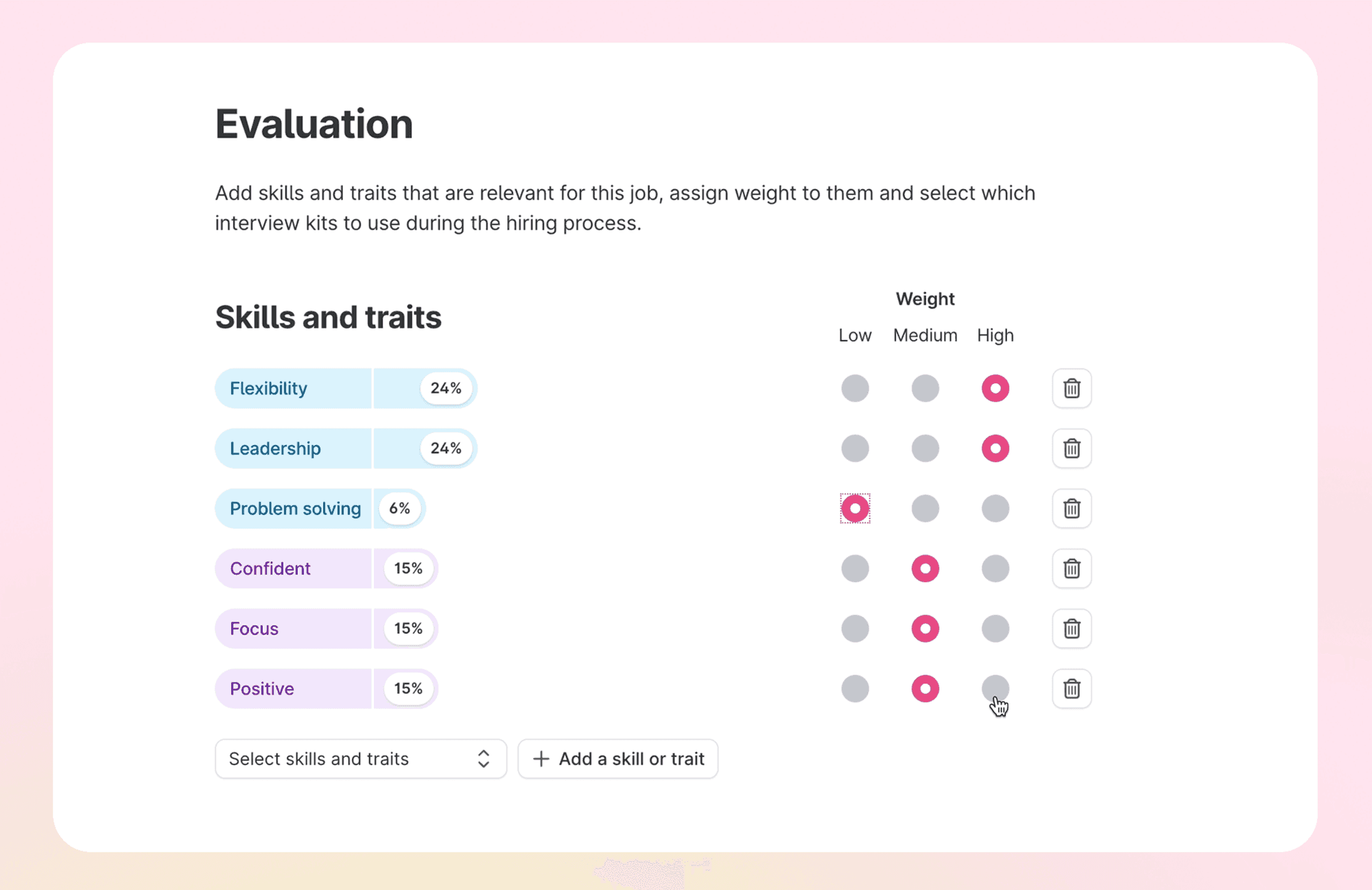
A structured interview asks every candidate for the same role the same core questions and scores the answers against the same criteria. It is less pleasant for the interviewer who enjoys a conversation, and it is what makes two candidates comparable. In Teamtailor, an interview kit holds the instructions for the interviewer, the skills and traits being assessed, and the questions, some tied to those skills and some general, such as availability. A kit can be built from a template or for one job, and once assigned to a stage it is highlighted on the candidate card and preselected when a meeting is booked at that stage.[S2] The interview kit glossary entry gives the short definition, and the interview kits page shows the product.
Scheduling
Booking is where days disappear. Connect the interviewers' calendars so that slots come from real availability. In Teamtailor, a candidate can be sent a booking form that shows available times from the selected team members, and Auto mode suggests slots from the scheduling rules you set, such as duration, buffer and the number of people needed.[S3] A trigger can also invite candidates to an interview through Smart schedule.[S4] See interview scheduling for the terms.
Written feedback before the discussion
Ask each interviewer to write their scores and notes before they hear anyone else's. The loudest person in the debrief should not become the panel's opinion by default. In Teamtailor, interviewers complete feedback on a candidate's Evaluation tab, and skills or traits scored 3 or higher become competencies in the candidate profile.[S2] The scoring is only as honest as the questions behind it, so keep kits short enough that people fill them in.
The hiring manager's part
The hiring manager does not need a training course. They need one place to see the candidates on their job by stage, a candidate card with the comments, to-dos, interviews and messages, and a way to move several candidates at once.[S5] That is the idea behind collaborative hiring: the hiring manager works in the same record as the recruiter, instead of in a forwarded email. Our article on evaluating candidates goes further into the decision itself, and an inclusive and unbiased hiring process covers how to keep it fair.
Steps 6 and 7: offer, references and onboarding
The offer
The offer is the first document the candidate reads as an employee-to-be. It should arrive soon after the decision, say what has been agreed and make the next step clear. In Teamtailor, an offer is created from the candidate card and can use a template for attachments, compensation defaults, a start date and custom fields. Statuses run from Draft and Sent through Opened, Accepted and Declined, and the offer can be e-signed if the E-signing add-on is on. The candidate gets a link to the offer page, valid for the first 24 hours before an email verification is needed.[S6] A Smart move trigger can move the candidate to another stage when an offer is sent, accepted or declined.[S6]
References
Check references once the decision is nearly made, not before the first interview. In Teamtailor, references are an add-on: candidates add their references, who get a consent email first, then a form. A trigger can send the request when the candidate reaches a stage, and the feedback is visible to the people it was collected for.[S9] For other checks, see reference check and background check.
Onboarding
Recruitment is finished when the new hire is working, not when the contract is signed. The gap between the two is where candidates change their minds, so make it short and give it a contact person. Onboarding in Teamtailor uses templates with tasks and content for different departments, locations or teams, and you can select more than one template per hire.[S10] Read preboarding for the time between the signature and the start date, and our piece on onboarding mistakes for what tends to go wrong.
Measuring the process
Once the steps run, measure where time goes. Time to hire counts from a candidate entering the process to accepting, and time to fill counts from the approved request to the accepted offer. Teamtailor's reports count time to fill from the day the job is published until the candidate is moved to Hired.[S12] They are different numbers and teams mix them up. SHRM's 39 days is a time-to-fill figure,[S1] so compare it with your own time to fill, not with time to hire.
Three views are worth setting up before anything else.
- Time per stage. It shows which step in the table above is the queue.
- Source of hire. It shows where the people who were hired actually came from, which is not the same as where most applicants came from. See source of hire.
- Offer acceptance. A falling acceptance rate points to the offer, the pay or the speed, and each has a different fix.
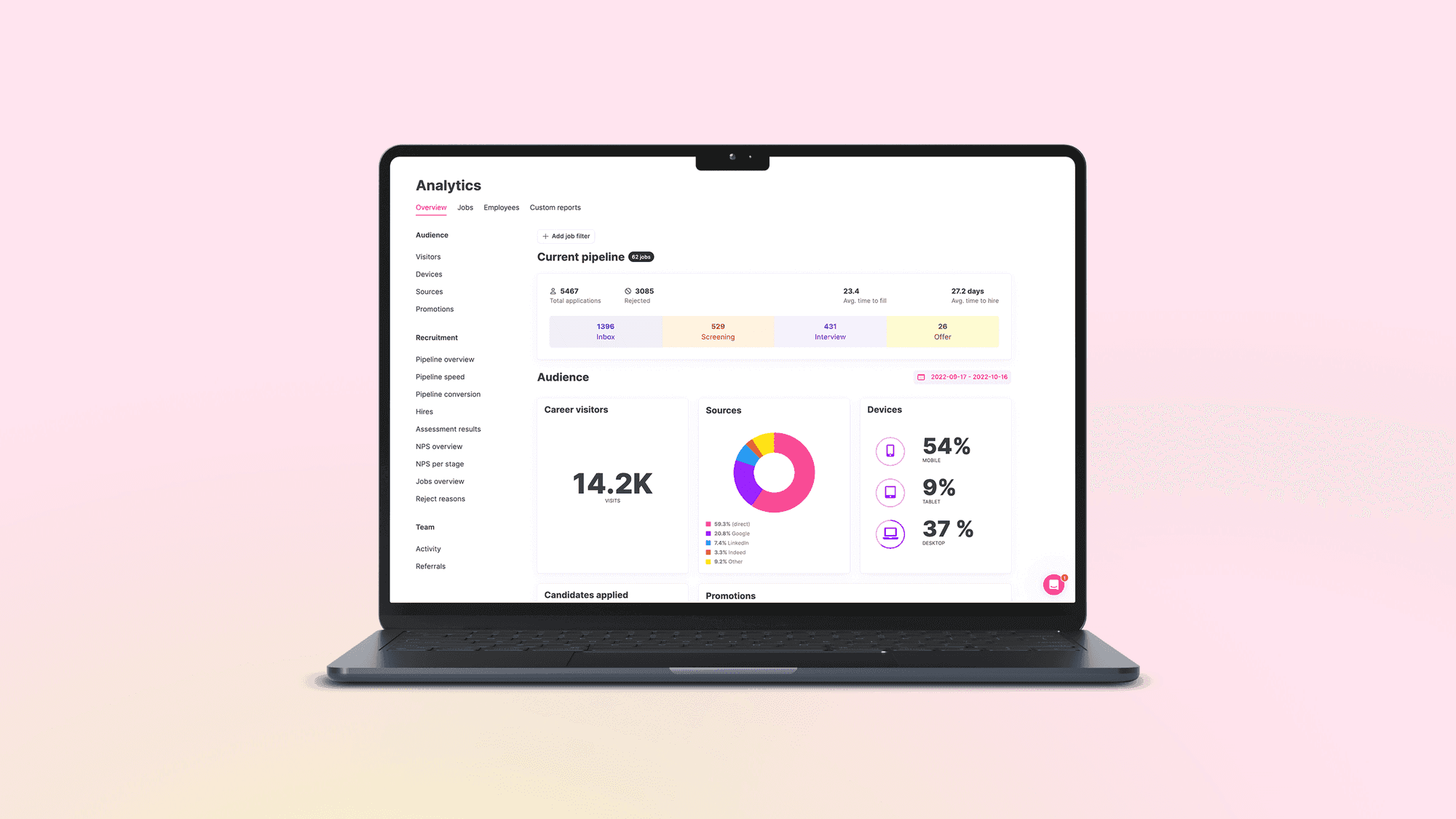
These numbers mean something only if the whole process runs in one system. A figure that stops at an offer signed in a PDF outside the system describes only the part you can see. The reporting page shows what Teamtailor reports, and the article on using recruitment analytics to reduce time to hire shows how to read it.
Do it yourself, or go through a recruiter
People ask whether it is worth going through a recruiter for a job. It depends on the role, and the honest answer comes from where your own time goes. An outside recruiter earns their fee when the role is hard to fill, when your team has no network in that field, or when the search needs to stay confidential. An internal process earns its keep when you hire the same kind of role often, because every hire teaches the next one and the candidates stay in your pool. See recruitment agency and recruitment process outsourcing for the two external models.
A practical test: for each role, ask who will know this talent market six months from now. If the answer is nobody on your team, an agency is buying you a network. If the answer is you, because the next five hires are similar, build the pipeline in house. Our article on internal and external recruitment covers how to combine them.
The 5 C's of recruitment
There is no standard list behind the "5 C's of recruitment". The phrase is used for different sets of five, and sometimes for onboarding or job-seeker advice, so a recruiter who quotes one version may be heard as quoting another. If your team uses the term, agree on the five, then write down what each one means for this role, how you will ask about it and what a strong answer looks like. A criterion that is not defined in the interview kit will be scored on the interviewer's mood.
Running the whole process in one place
Everything above can be done in a spreadsheet and an inbox, by a careful person, for a while. The case for a system is not that it adds steps. It removes the places where one step waits for another.
In Teamtailor, the job, the career site, the candidates, the interviews, the offer and the onboarding sit in one record. Hiring managers work in the same pipeline as recruiters, triggers handle the routine messages, and the system connects to 550+ integrations.[S11] The applicant tracking system page shows how it fits together, and the complete guide covers what to look for when choosing one. If you hire across several countries or legal entities, its section on enterprise requirements covers approvals, access and audit. You will find the same steps on the small and midsize and enterprise pages, sized differently.
Next steps
Draw your own seven steps on one page and mark where candidates and colleagues wait. That page is the brief for any change, with or without a new system. If you want to see the process in Teamtailor with your own roles, book a demo. If you want to know what it costs, see pricing.