



Bring your hiring tools into one flow
Create a more connected way to hire. Integrate your recruiting tools, trigger workflows automatically, and keep data moving where it needs to go.
What are automations in recruitment?
Automation is used in recruitment to handle repetitive or time-consuming tasks—such as scheduling interviews or sending personalized messages—so you can focus on building relationships with the right talent.
-

Schedule communications with candidates
Features: Send messages, NPS surveys, references, and smart scheduling for interviews. Benefit: Personalized, consistent, and on-time messaging.
-

Collaborate better internally
Features: Add comments for team members, to-do lists, share candidates, and set reminders. Benefit: Centralizes teamwork and keeps all internal communications in one place.
-

Speed up recruitment processes
Features: Smart move, smart schedule, ask for references, to-do lists. Benefit: Reduces manual tasks and ensures no key steps are missed.









How do automation triggers work in recruitment?
Automation triggers automatically perform actions when a specific event happens. For instance, once a candidate applies, Teamtailor can:
- Send a personalized email thanking them for their application.
- Prompt a hiring manager to review the candidate’s profile.
- Schedule follow-up tasks to ensure no communication is missed.
“For us, having the ability to utilize this level of automation has been an absolute game changer. Since implementing Teamtailor, Motorpoint has reduced its time to hire by 57% and increased employee retention by 39%.”
Why automate your recruitment process?
-
Reduce time-to-hire
Automations handle manual admin work, like screening emails, helping you fill roles faster.
-
Enhance candidate experience
Standardized communication keeps applicants informed and engaged, reducing the risk of ghosting to zero.
-
Create consistent recruitment processes
Triggers eliminate inconsistencies, ensuring every candidate follows the same, fair steps.
-

Improve internal collaboration
Centralize discussions, feedback, and tasks—so your team works seamlessly together.
-

Offer better hiring insights
Access clear data on each stage of the hiring funnel, using candidate tagging, references, or NPS surveys for deeper evaluation.
Implementing recruitment automations with Teamtailor
Teamtailor’s Applicant Tracking System (ATS) builds automation into your hiring process with triggers to deliver:
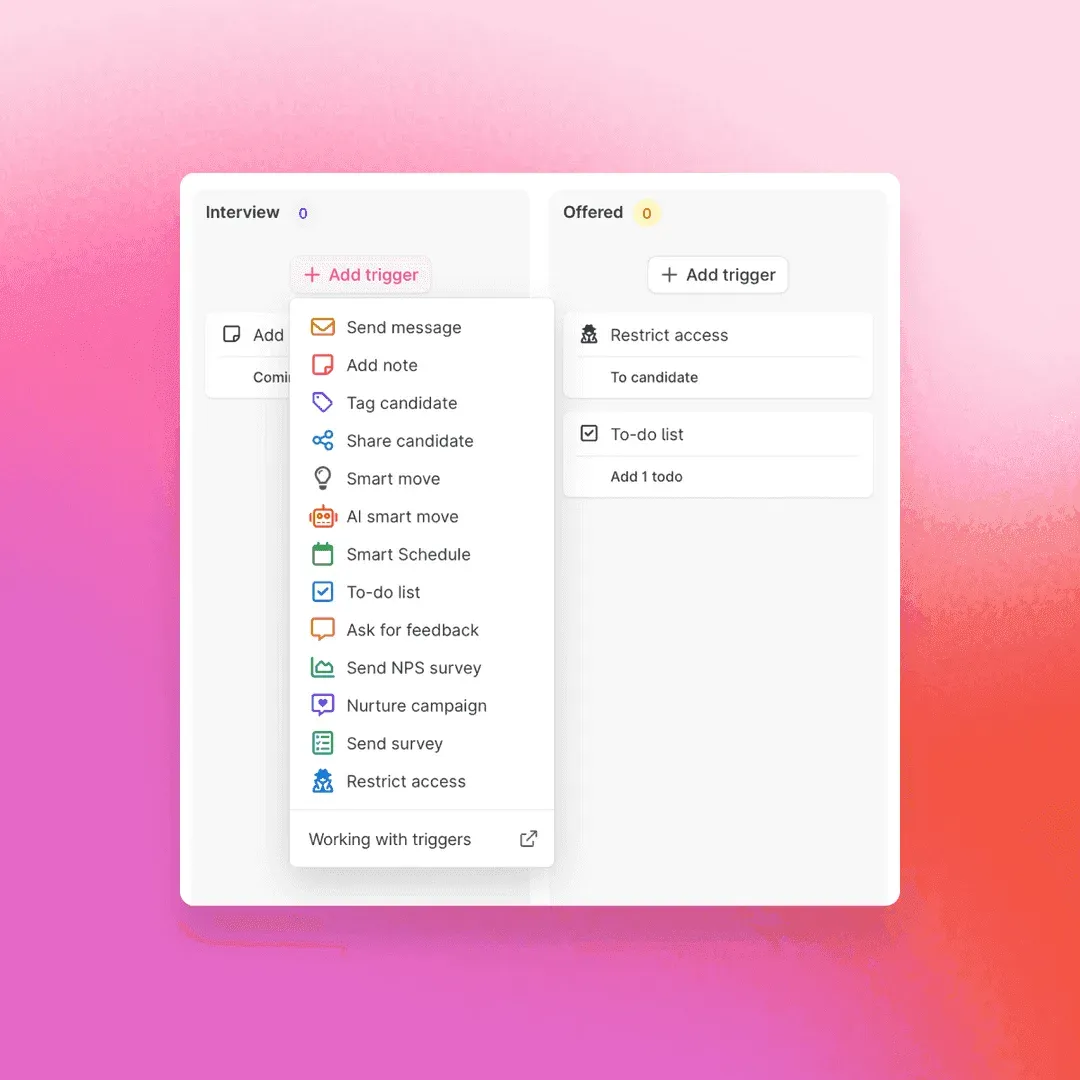
Customizable workflows
pipelines move candidates forward on smart-question answers
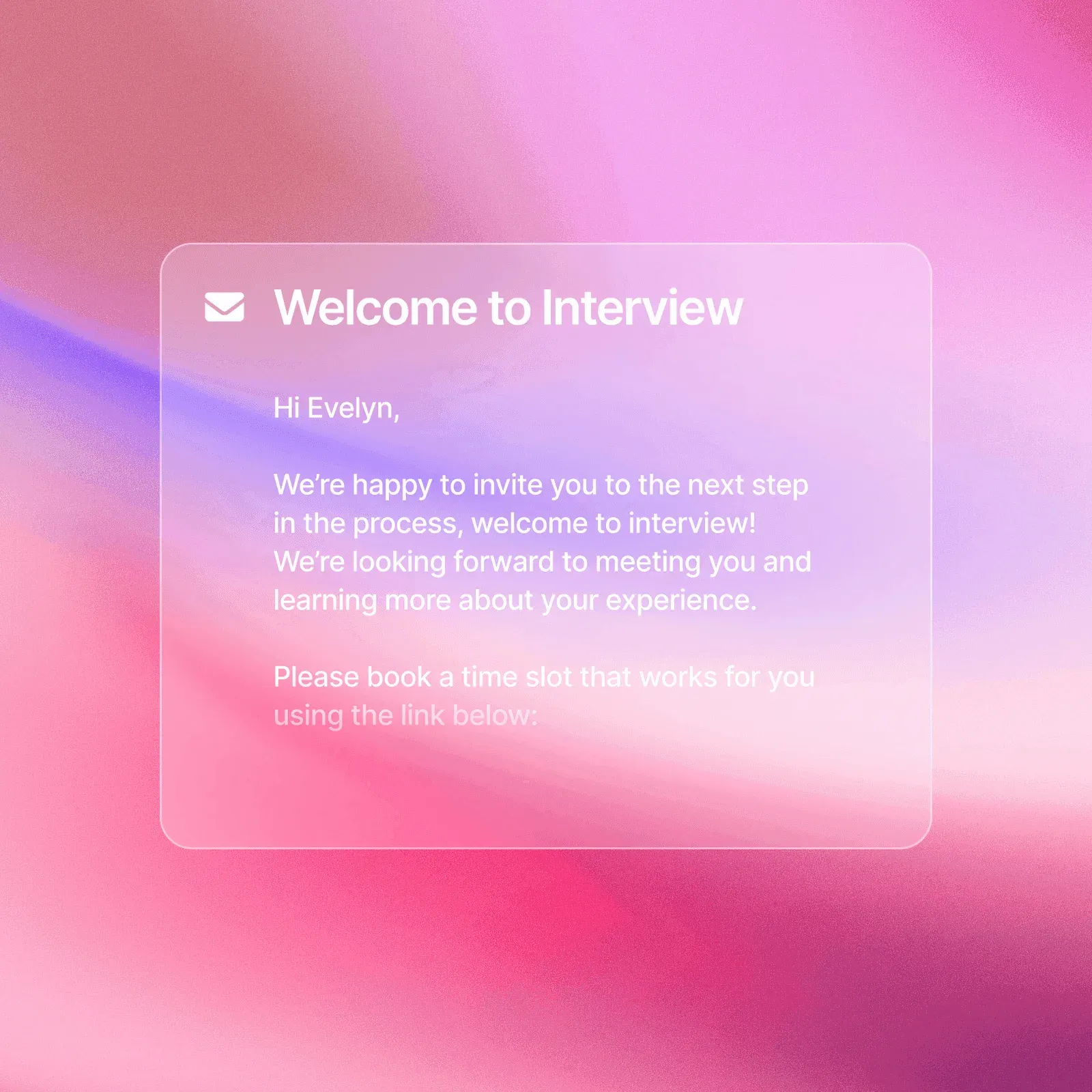
Automatic communications
template and personalized emails keep candidates informed
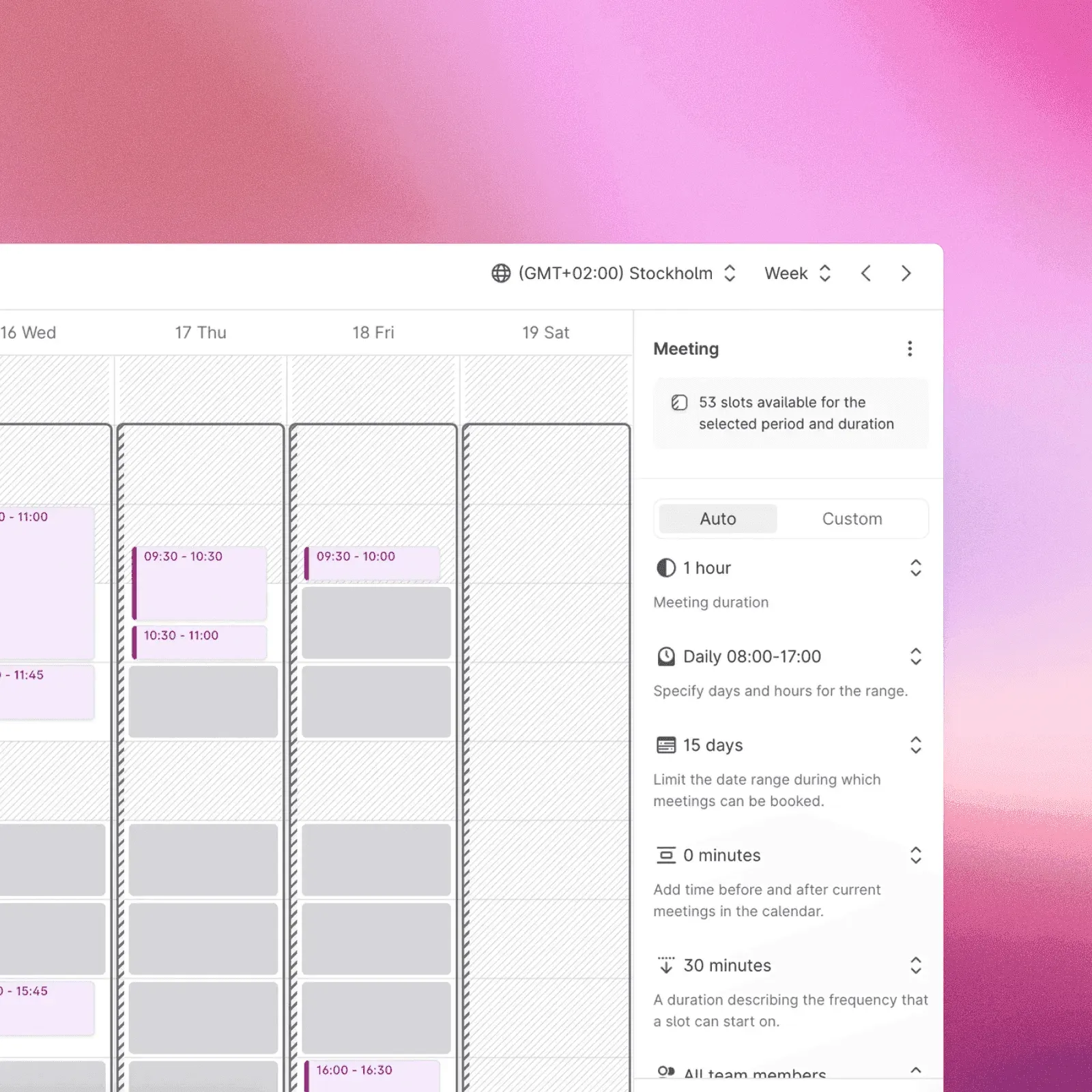
Smart scheduling & reminders
the system handles interview availability and follow-ups
Best practices for recruitment automations
Save time, collaborate better, and work smarter with our all-in-one recruitment software.
- Start simple — Identify one or two of your biggest bottlenecks (e.g., scheduling, emailing) and add triggers there first.
- Keep it personal — You keep candidate names, job titles, and details without sacrificing warmth.
- Measure your metrics — Track time-to-hire, candidate satisfaction (NPS), and conversion rates to refine your triggers.
- Iterate as you grow — Adapt triggers for new roles, departments, or high-volume hiring sprees as your recruitment scales.
How Teamtailor ensures a faster, fairer hiring process
By leveraging recruitment automation and smart triggers, Teamtailor helps you:
-
Automate communications
Personalized messages and NPS surveys go out at the right moment.
-
Speed up time-to-hire
“Smart move,” “smart schedule,” and references let you keep momentum across each hiring stage.
-
Enhance evaluations
Use scheduled quality-of-hire evaluations, tagging, or references for deeper insights.
-
Improve candidate experience
No missed follow-ups; timely updates reduce anxiety and show respect for a candidate’s time.
Frequently asked questions
What is recruiting automation?
Recruiting automation means leveraging tools and processes to streamline tasks—like screening, scheduling, and sending updates—so you can focus on building quality connections.
How do I automate my recruitment process?
Identify repetitive tasks (e.g., emailing candidates), then use automation triggers to handle them. Tools like Teamtailor’s ATS let you add automation at every step of your hiring process—in just a few clicks.
Will recruitment be automated?
Many steps can be automated, but human expertise remains vital for meaningful interactions, culture-fit assessments, and final hiring decisions.
What is an ATS system in recruitment?
An Applicant Tracking System (ATS) manages job postings, candidate applications, communication, and analytics in one platform.
What is RPA in recruitment?
RPA (Robotic Process Automation) uses software bots to automate highly structured tasks, such as data entry, allowing recruiters to focus on strategic work.
How do triggers help with consistency?
By tying specific actions to defined events, triggers eliminate guesswork and ensure every candidate experiences the same, fair process.
What is HR process automation?
Automation that spans broader HR tasks—onboarding, payroll, benefits administration—for better accuracy and efficiency.
What is HCM automation?
Human Capital Management (HCM) automation focuses on digitally managing employee lifecycles—hiring, training, development—in a centralized manner.
Which HCM tool is best?
It depends on your requirements and budget. However, Teamtailor integrates seamlessly with top HCM platforms to provide a user-friendly solution for scaling teams.
4.6/5
Loved by hiring people. And the people they hire.







Ready to level up your recruitment?
Experience first-hand how Teamtailor streamlines the hiring process with automated workflows, collaboration features, and game-changing triggers.